
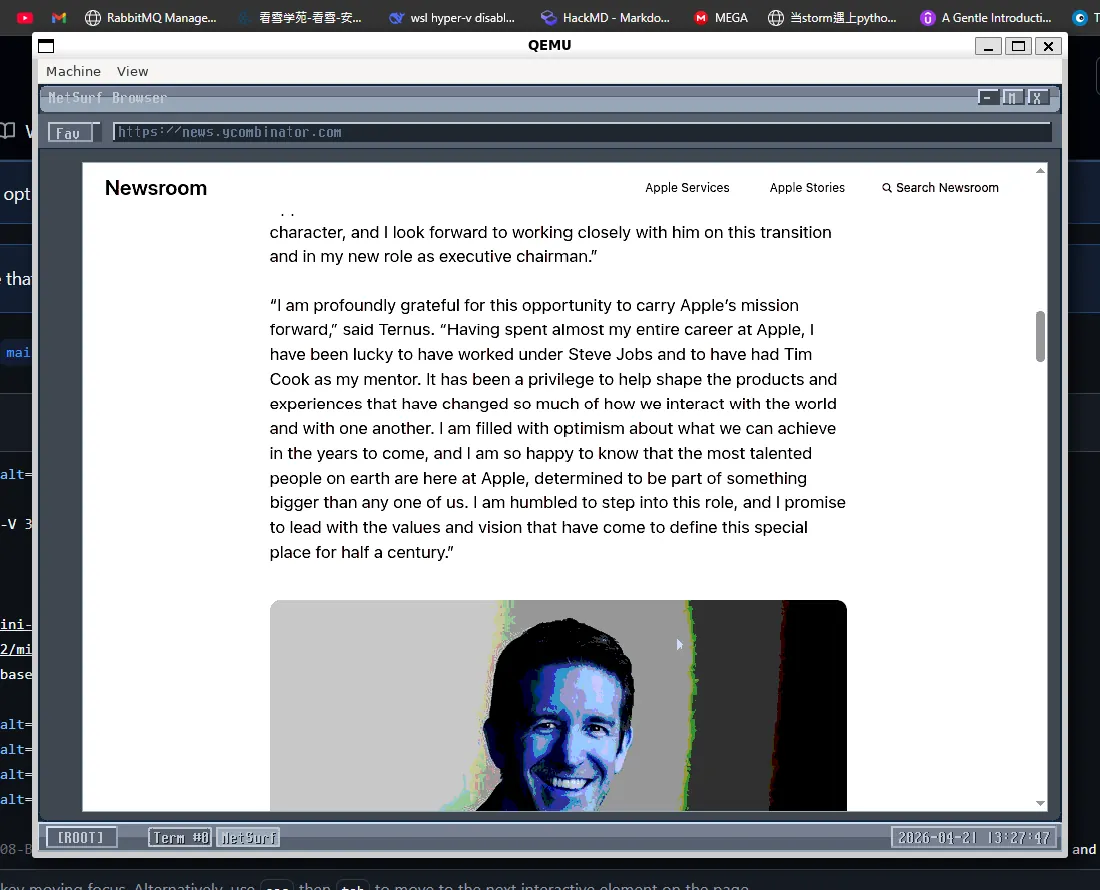
vibe-os is an integrated RISC-V 32-bit QEMU browser OS.
我覺得我一直在測試ai的極限哈哈,三天把之前做過的專案揉成一個作業系統
Lineage:
- Original project: cccriscv/mini-riscv-os
- Referenced fork/base: x213212/mini-riscv-os
- This integration:
vibe-os, based on08-BlockDeviceDriver, adding GUI networking, WRP, and browser support.
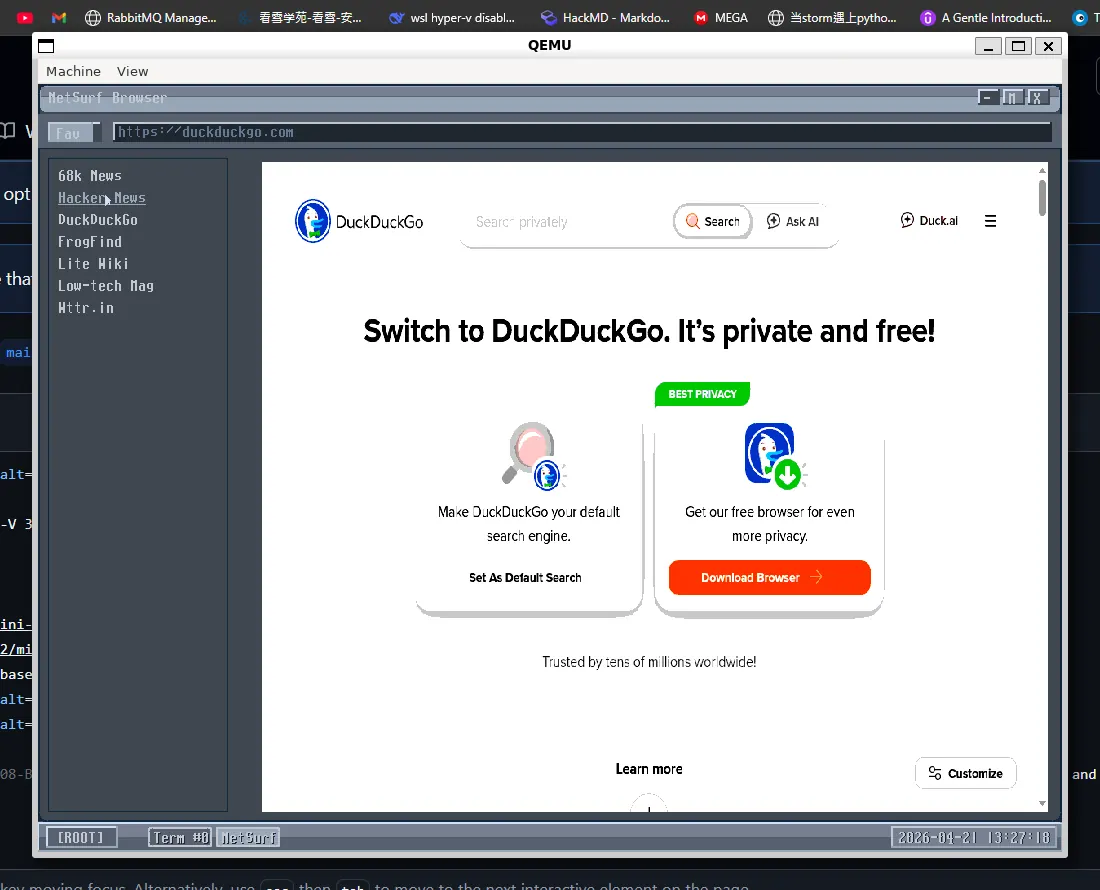
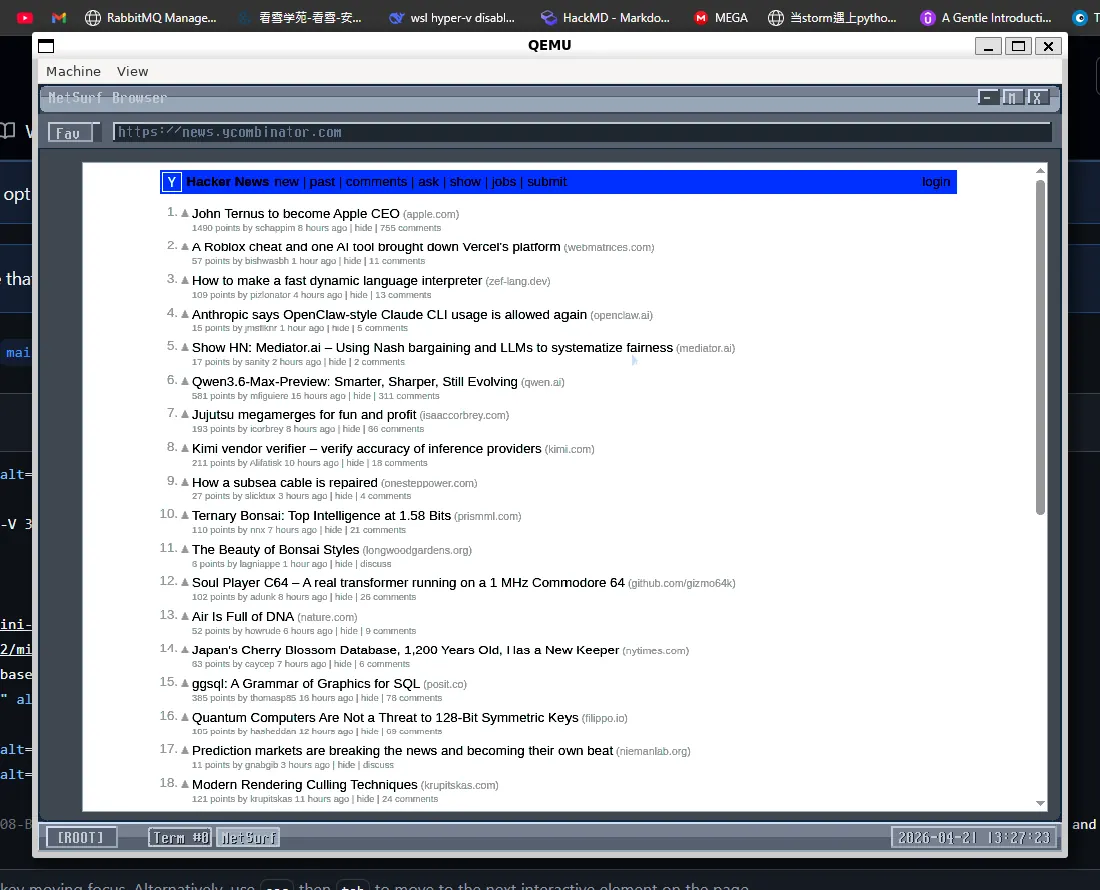
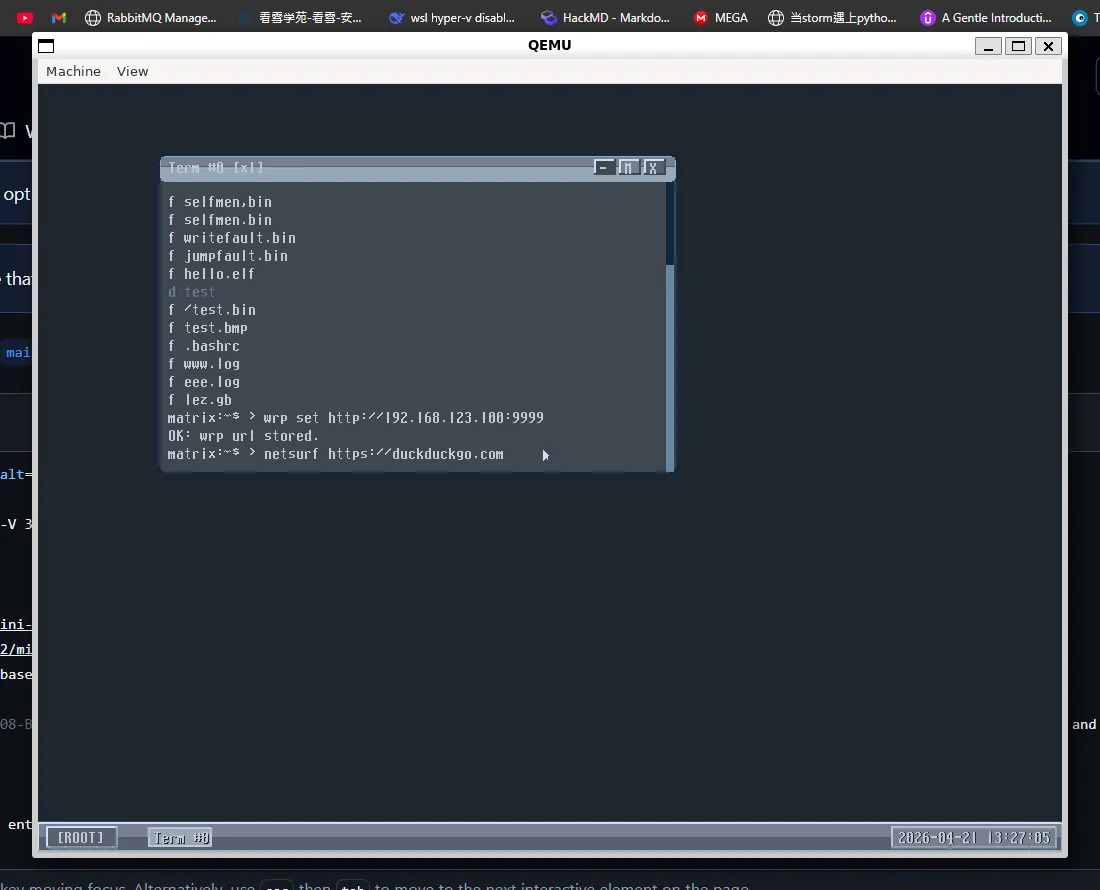
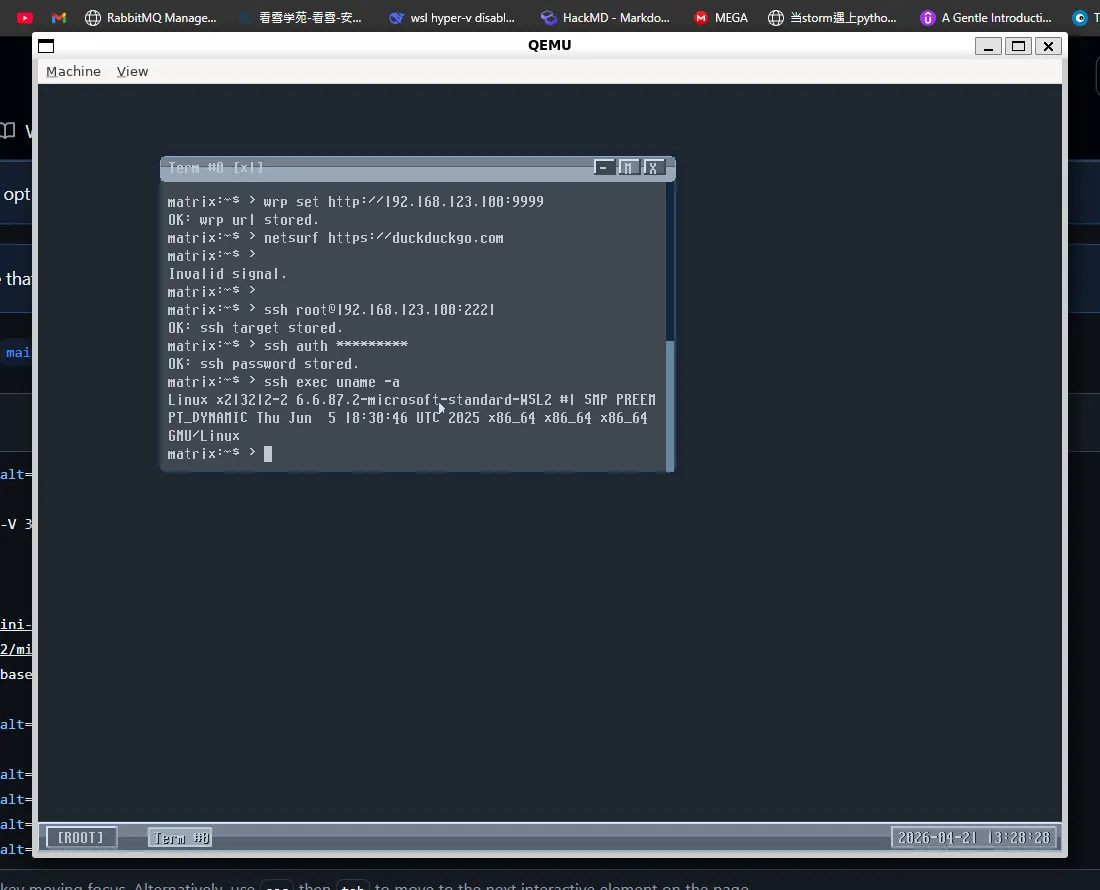
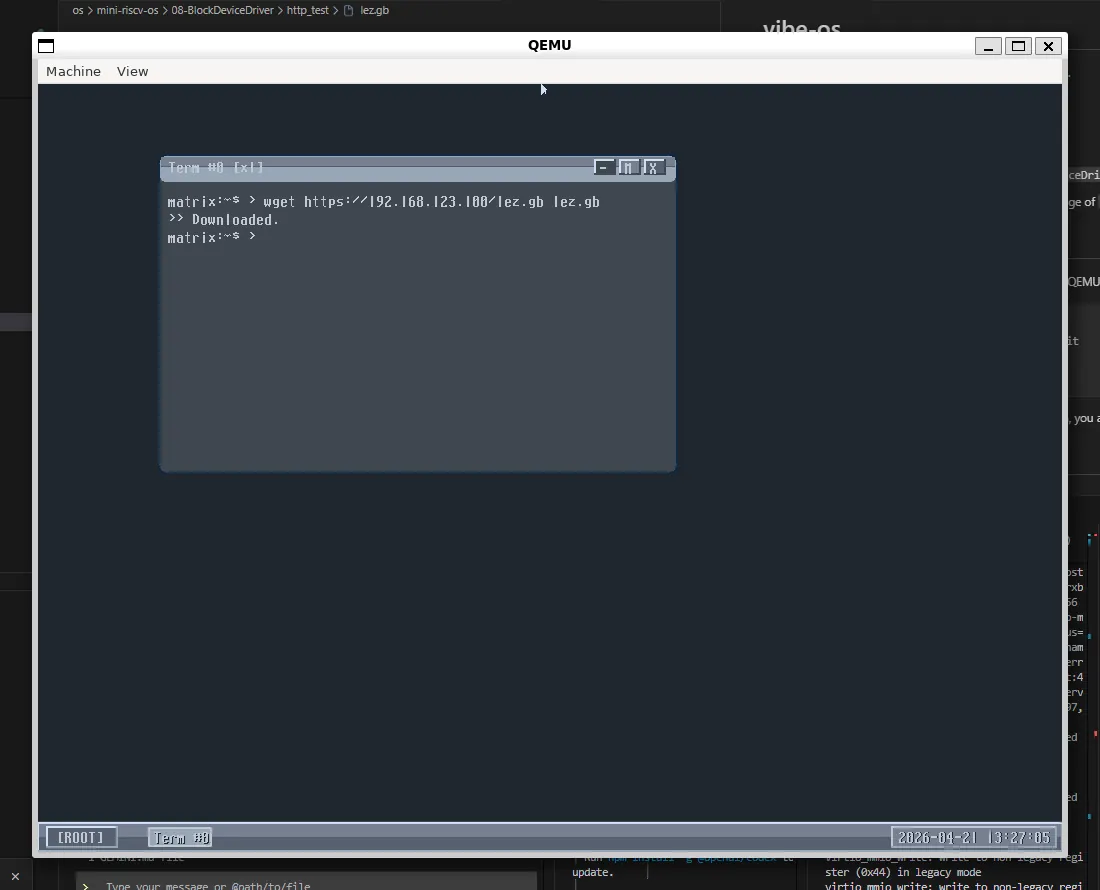
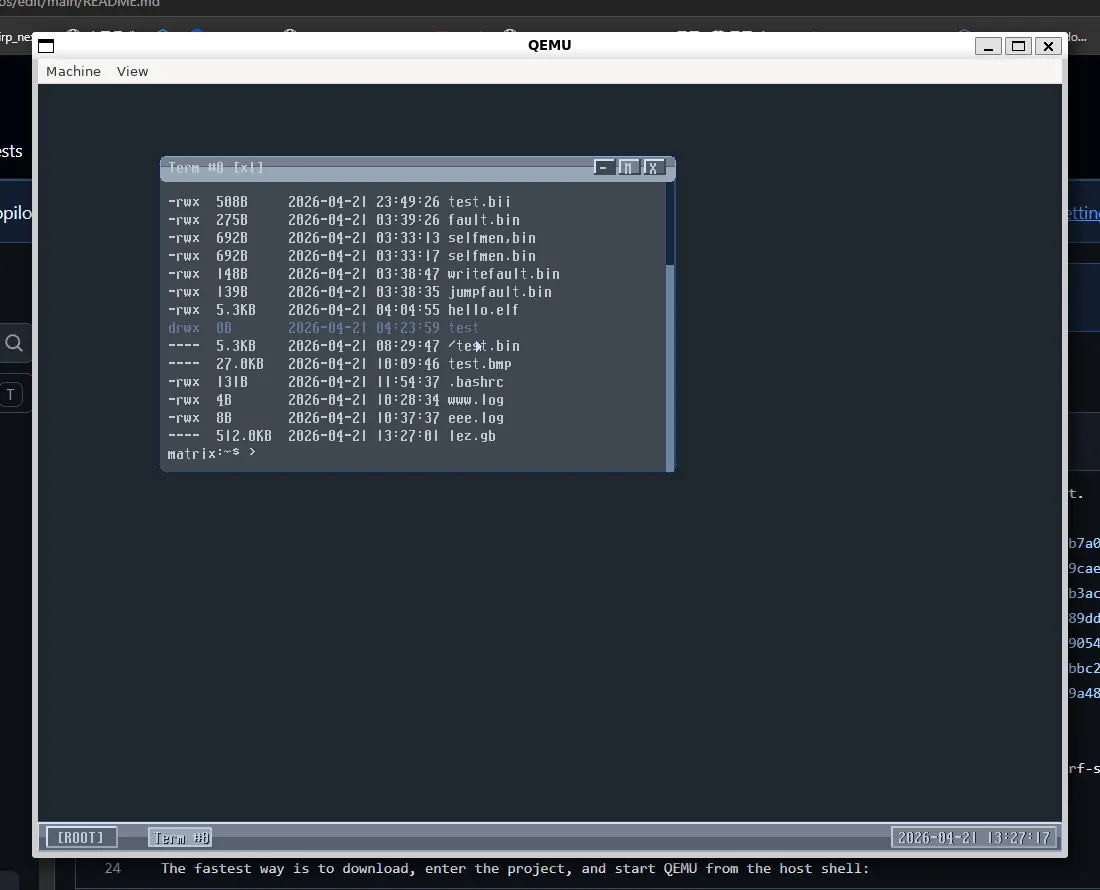
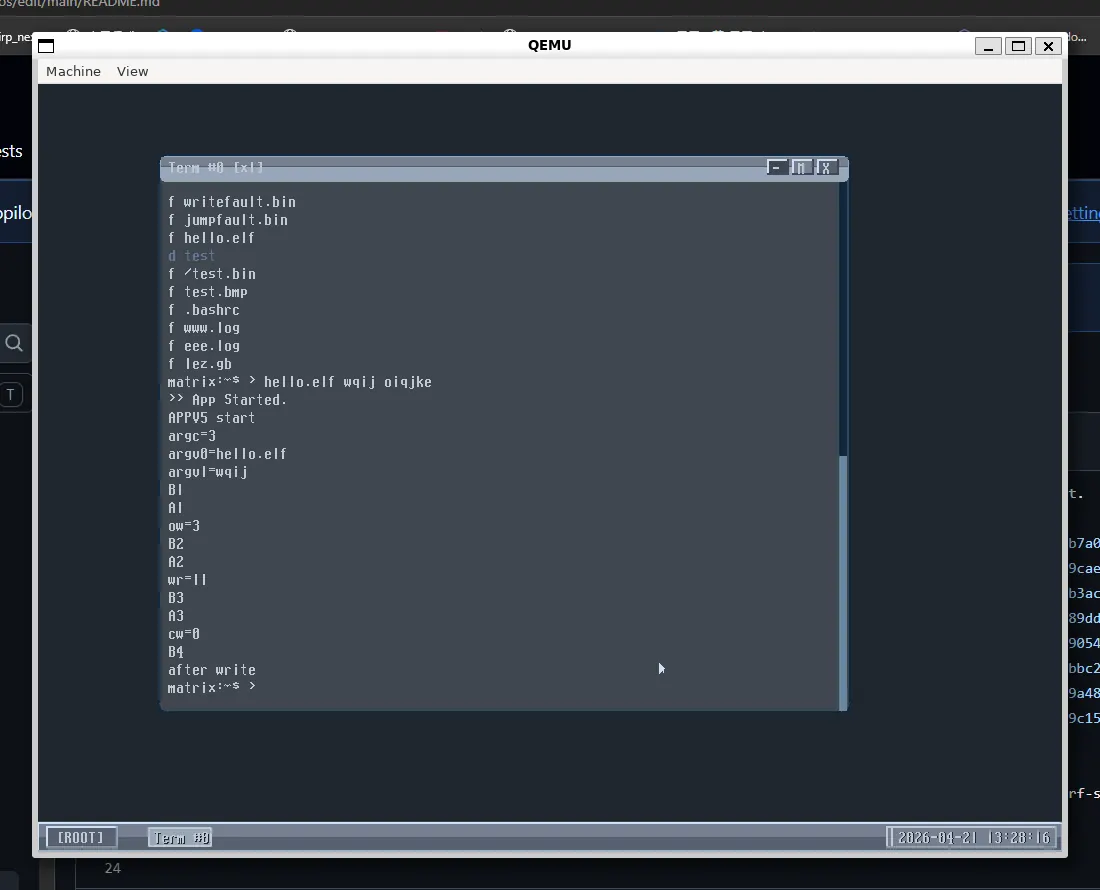
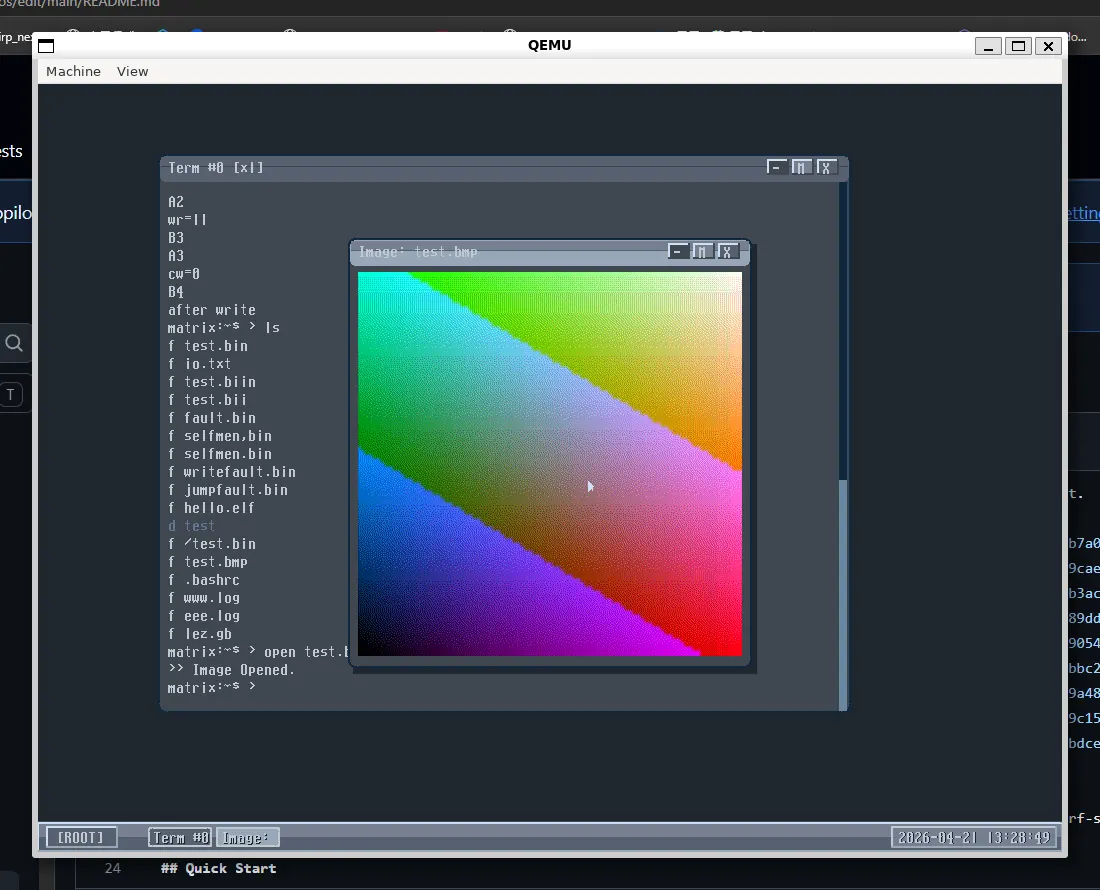
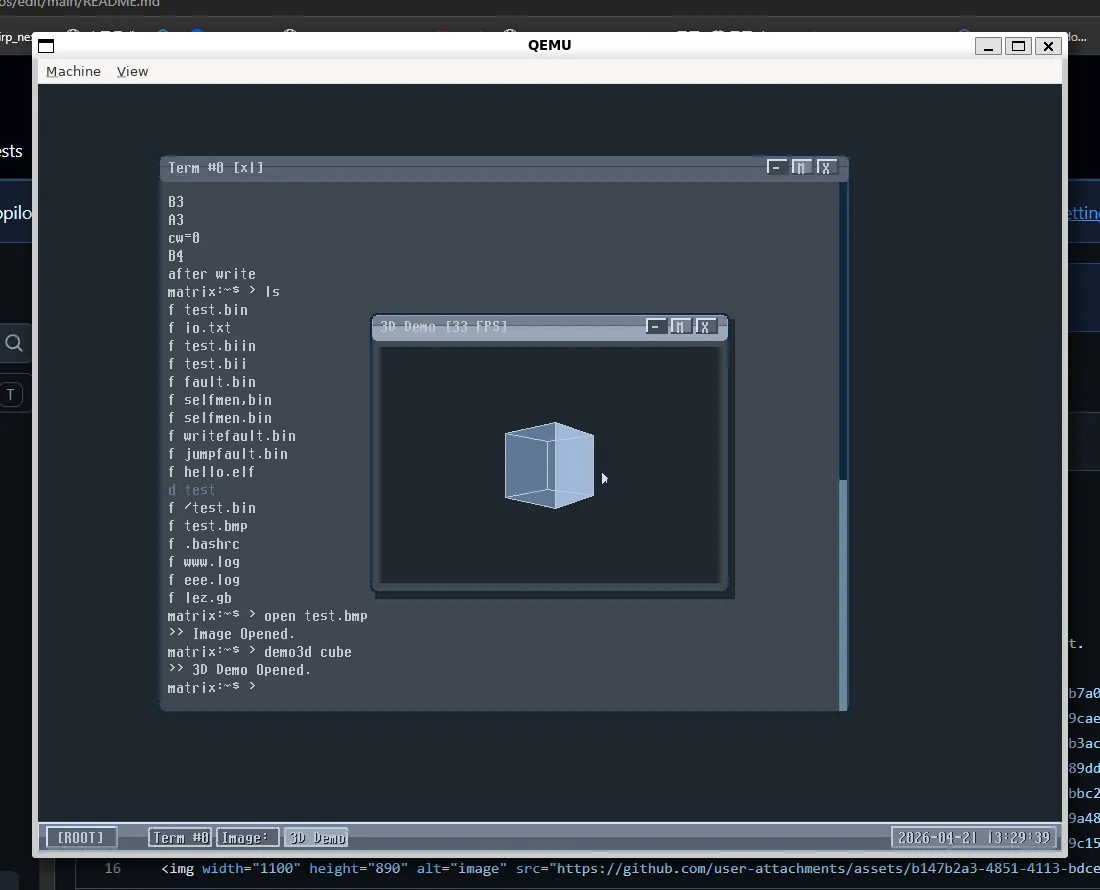
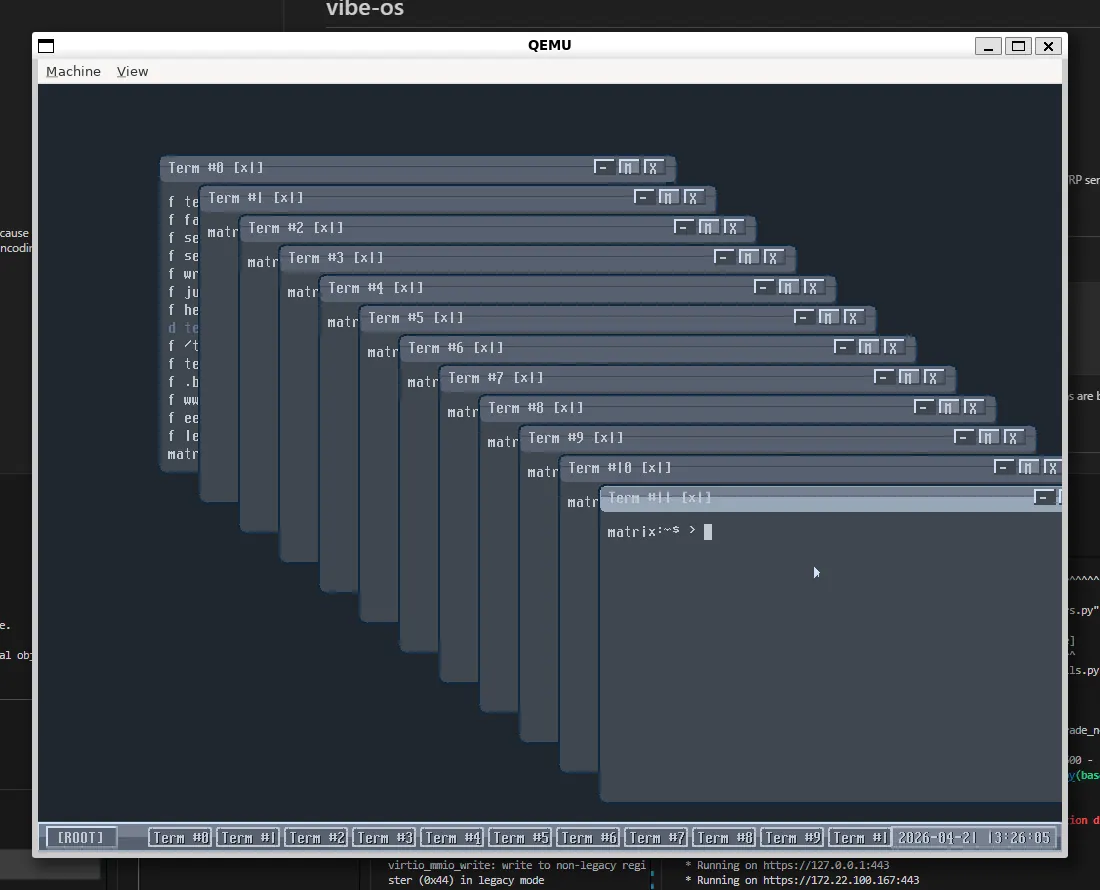
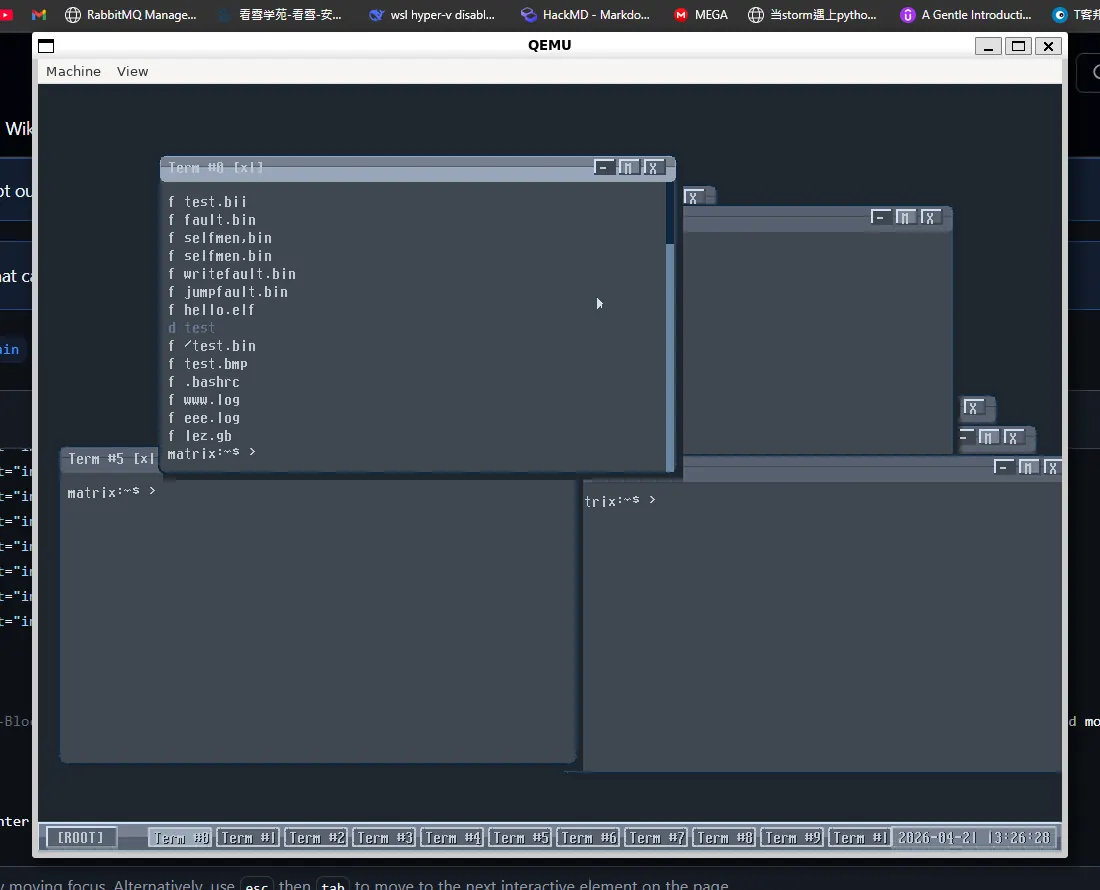
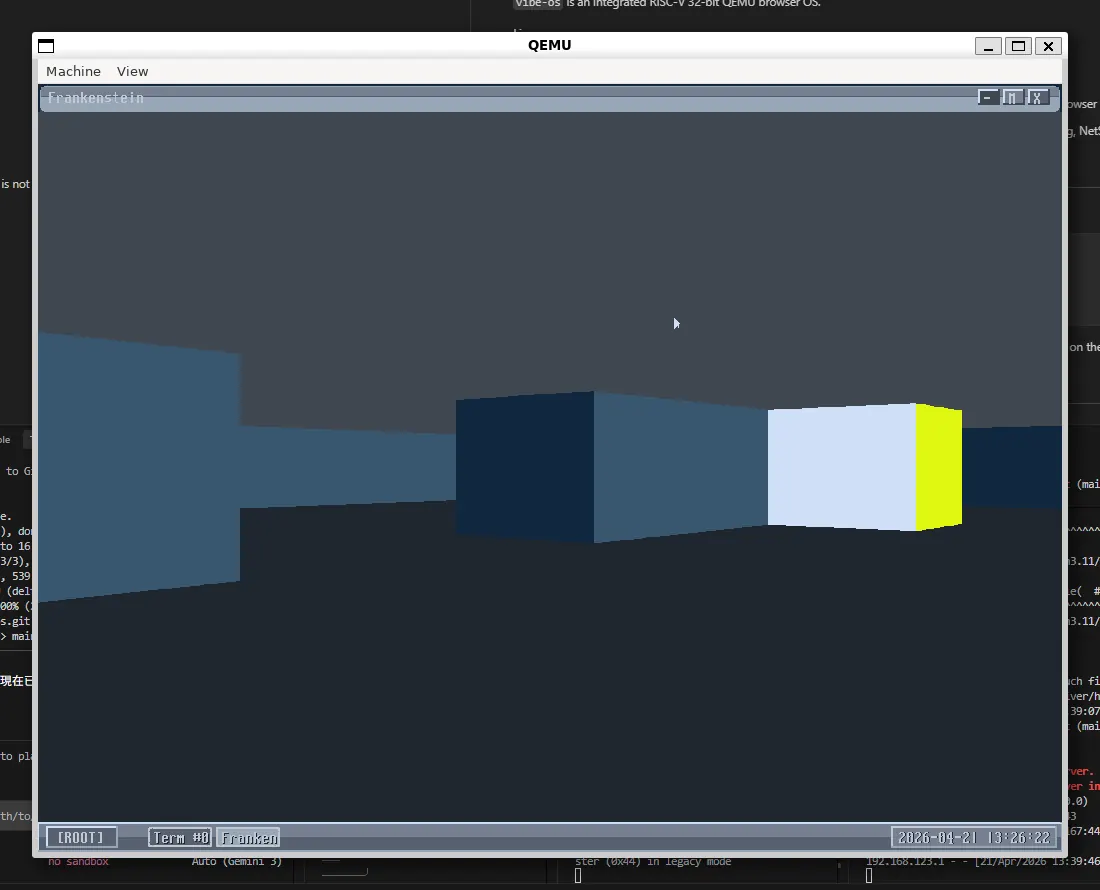
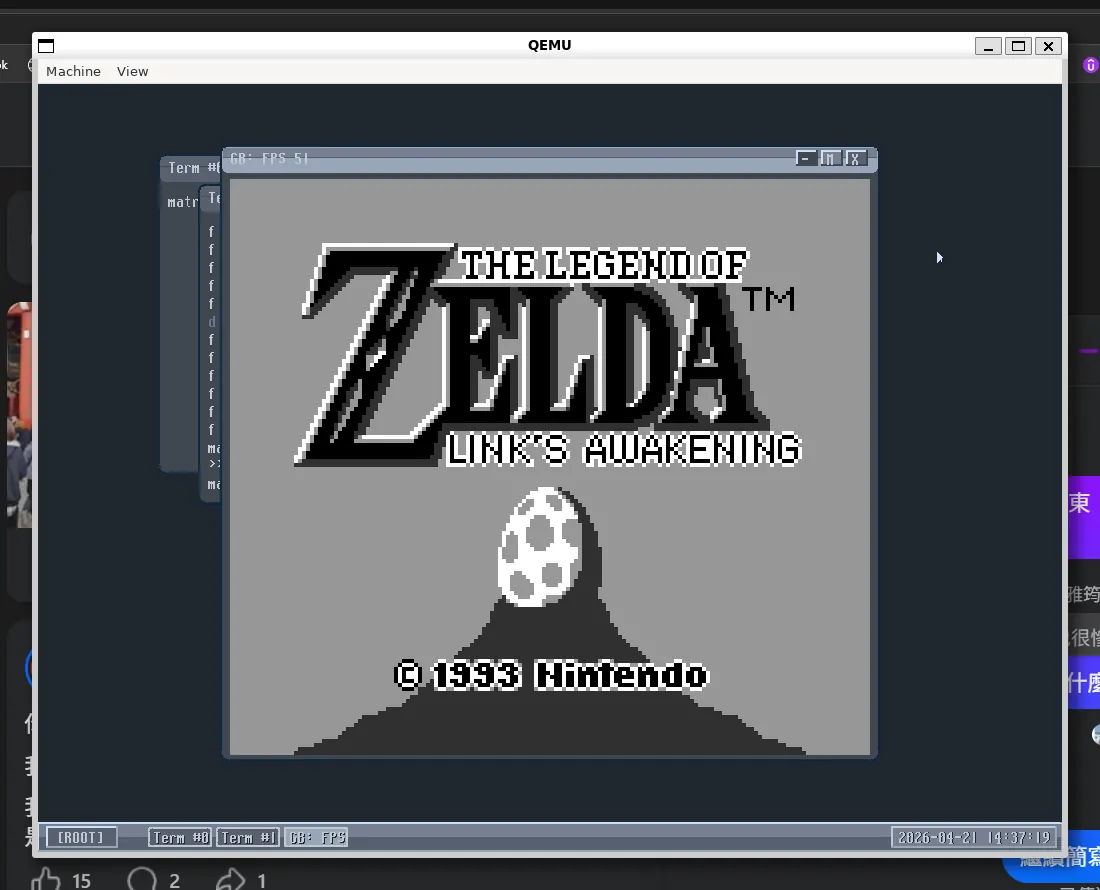
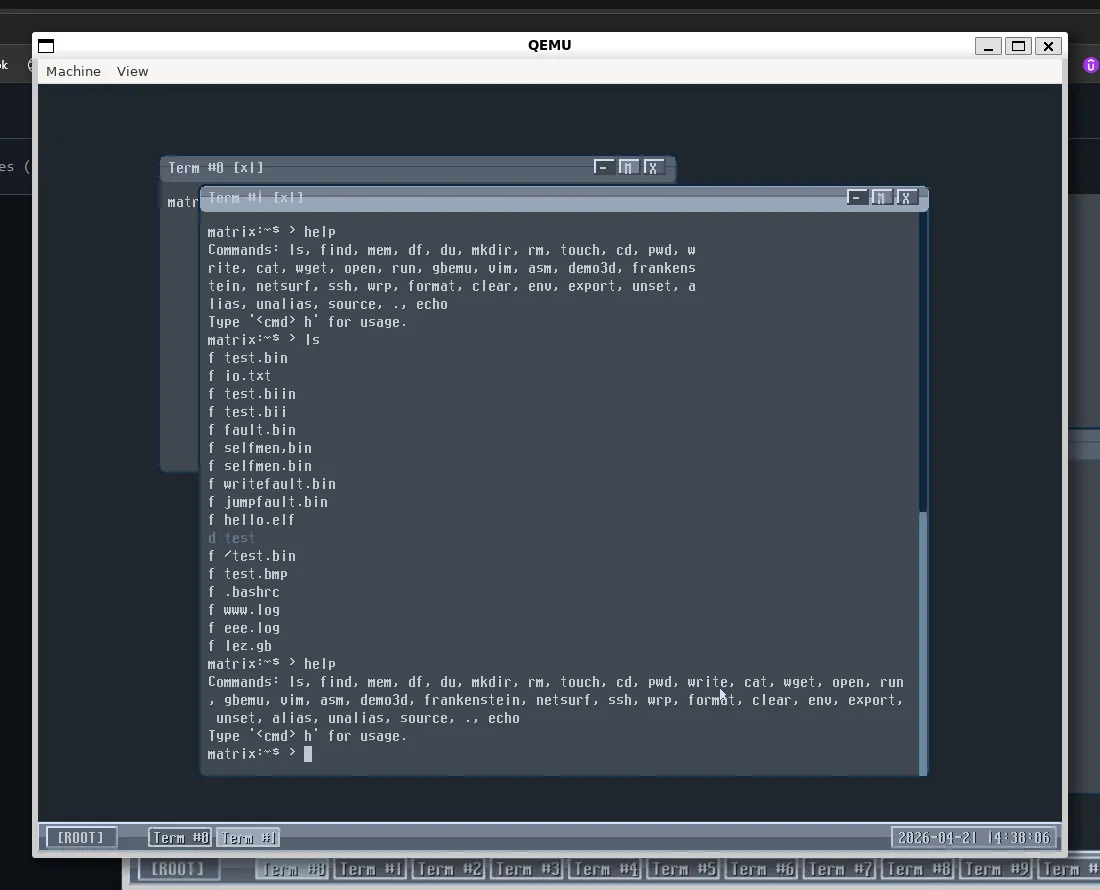
This project extends from the 08-BlockDeviceDriver stage of mini-riscv-os, adding a GUI, networking, NetSurf-style browser frontend, WRP server integration, and modern web browsing capabilities.
Quick Start
The fastest way is to download, enter the project, and start QEMU from the host shell:
# Host shell
git clone https://github.com/x213212/vibeos.git
cd vibeos
make ENABLE_AUDIO=1 qemu
If you want to use the WRP browser included in this version, you also need to start tap0 and the WRP server on the host first; detailed instructions are below.
Commands
Host Shell
These commands are executed in the Linux shell outside of QEMU.
Configure QEMU tap network:
# Host shell
sudo ip tuntap add dev tap0 mode tap user "$USER" 2>/dev/null || true
sudo ip addr flush dev tap0
sudo ip addr add 192.168.123.100/24 dev tap0
sudo ip link set tap0 up
Compile mbedTLS static libs (only needed for the first build or when mbedTLS source updates):
# Host shell
rm -rf /tmp/mbedtls-rv-build

cmake -S ./third_party/mbedtls \
  -B /tmp/mbedtls-rv-build \
  -G "Unix Makefiles" \
  -DCMAKE_SYSTEM_NAME=Generic \
  -DCMAKE_TRY_COMPILE_TARGET_TYPE=STATIC_LIBRARY \
  -DCMAKE_C_COMPILER=/usr/bin/riscv64-unknown-elf-gcc \
  -DCMAKE_AR=/usr/bin/riscv64-unknown-elf-ar \
  -DCMAKE_RANLIB=/usr/bin/riscv64-unknown-elf-ranlib \
  -DCMAKE_C_FLAGS="-march=rv32imac -mabi=ilp32 -I$(pwd)" \
  -DENABLE_PROGRAMS=OFF \
  -DENABLE_TESTING=OFF \
  -DGEN_FILES=ON \
  -DUSE_STATIC_MBEDTLS_LIBRARY=ON \
  -DUSE_SHARED_MBEDTLS_LIBRARY=OFF \
  -DUSE_STATIC_TF_PSA_CRYPTO_LIBRARY=ON \
  -DUSE_SHARED_TF_PSA_CRYPTO_LIBRARY=OFF \
  -DMBEDTLS_CONFIG_FILE=$(pwd)/third_party/mbedtls/configs/config-suite-b.h \
  -DMBEDTLS_USER_CONFIG_FILE=$(pwd)/mbedtls_os_config.h \
  -DMBEDTLS_FATAL_WARNINGS=OFF \
  -DMBEDTLS_AS_SUBPROJECT=OFF \
  -DMBEDTLS_TARGET_PREFIX=rv_

cmake --build /tmp/mbedtls-rv-build -j2
Compile the OS:
# Host shell
make -j2 os.elf
Forced rebuild (recommended after modifying headers or third-party source):
# Host shell
make -B -j2 os.elf
Compile WRP server:
# Host shell
cd wrp
GOPATH=/tmp/gopath GOMODCACHE=/tmp/gopath/pkg/mod GOCACHE=/tmp/go-build go build -o wrp ./...
Start WRP server (keep this shell open):
# Host shell, terminal 1
cd wrp
./wrp -l :9999 -b /opt/google/chrome/chrome -ua "" -s 1s
Start QEMU (in another host shell):
# Host shell, terminal 2
make ENABLE_AUDIO=1 qemu
QEMU Guest Shell
These commands are executed in the OS terminal inside the QEMU window, not in the host Linux shell.
View WRP server URL:
# QEMU guest shell
wrp status
Set WRP server URL:
# QEMU guest shell
wrp set http://192.168.123.100:9999
Open WRP browser:
# QEMU guest shell
wrp open
Open a website directly:
# QEMU guest shell
netsurf https://news.ycombinator.com
netsurf https://duckduckgo.com
netsurf http://68k.news
Download files:
# QEMU guest shell
wget http://192.168.123.100:9999/ index.html
SSH:
# QEMU guest shell
ssh status
ssh set root@192.168.123.100:2221
ssh auth <password>
ssh exec <command>
Protocol / Network Stack
vibe-os does not implement a full protocol stack from scratch; instead, it integrates existing open-source stacks:
- TCP/IP: Uses lwIP as the TCP/IP stack within the guest OS.
- Network device: QEMU
virtio-net-device, connected to192.168.123.100/24via hosttap0. - HTTP client: Built-in
user_wget.c, running on lwIP TCP sockets, used to download WRP HTML, GIP/GIF images, and general HTTP files. - SSH protocol: Uses libssh2 for the SSH-2 client protocol.
- SSH crypto backend: libssh2 uses the mbedTLS backend via
third_party/libssh2/src/mbedtls.c. - TLS / crypto primitives: mbedTLS provides RSA, AES, SHA, HMAC, CTR-DRBG, X.509, PK parsing, etc.
- Browser remoting: Modern websites are rendered by WRP + Chrome on the host. The guest OS only handles HTML, ISMAP, and GIP/GIF images returned by WRP.
Important boundaries:
vibe-osdoes not execute modern JavaScript/CSS directly in the guest.- The WRP server runs Chrome on the host; the guest interacts with it via HTTP/ISMAP.
- SSH commands are sent from the guest OS via lwIP TCP connections to the remote SSH server, processed by libssh2.
Upstream Projects
Core sources:
- Original OS: cccriscv/mini-riscv-os
- Referenced OS fork/base: x213212/mini-riscv-os
- WRP Web Rendering Proxy: tenox7/wrp
- GIP fast GIF encoder: tenox7/gip
- lwIP TCP/IP stack: lwip-tcpip/lwip
- mbedTLS: Mbed-TLS/mbedtls
- libssh2: libssh2/libssh2
- RISC-V GNU toolchain: riscv-collab/riscv-gnu-toolchain
- QEMU: qemu-project/qemu
- Chromium / Chrome rendering engine: chromium/src
NetSurf libraries:
- libnsfb: git.netsurf-browser.org/libnsfb.git
- libwapcaplet: git.netsurf-browser.org/libwapcaplet.git
- libparserutils: git.netsurf-browser.org/libparserutils.git
- libhubbub: git.netsurf-browser.org/libhubbub.git
Integrated features:
- VGA GUI / window manager
- virtio block / net / keyboard / tablet
- lwIP TCP/IP
- Simple shell, file system, text editor
- NetSurf-style browser frontend
- WRP integration using host Chrome for modern website rendering
- WRP GIP fast GIF path
- ISMAP click / keyboard / wheel queue synced with WRP
.mapIDs
Directory Structure
vibe-os repo root/
  Makefile              OS build / QEMU startup settings
  os.elf                Compiled RISC-V kernel / userspace image
  hdd.dsk               QEMU virtio block disk image
  user.c                Shell, GUI, window, terminal commands
  user_netsurf.c        NetSurf/WRP frontend, mouse/keyboard/wheel queue
  user_utils.c          URL normalization, WRP URL generation, GIF/GIP decoder
  user_wget.c/.h        HTTP client / WGET queue
  ssh_client.c/.h       SSH settings and WRP URL persistence
  virtio_net.c          virtio-net + lwIP netif
  lwip/                 lwIP source tree
  gbemu_wasm/           Game Boy emulator core
  wrp/                  Modified WRP server
Host / Guest Network Configuration
QEMU uses the tap device:
-netdev tap,id=net0,ifname=tap0,script=no,downscript=no
IP Planning:
| Endpoint | IP / port | Description |
|---|---|---|
| QEMU guest OS | 192.168.123.1/24 |
Defined in virtio_net.c |
| Host tap0 | 192.168.123.100/24 |
Host running WRP server |
| WRP default URL | http://192.168.123.100:9999 |
Defined in ssh_client.c |
Build Instructions
Requires:
riscv64-unknown-elf-gccqemu-system-riscv32- GNU make
- Pre-built mbedTLS RISC-V static libs (default at
/tmp/mbedtls-rv-build)
To create the disk image (first time only):
dd if=/dev/urandom of=hdd.dsk bs=1M count=32
To build and run:
make -j2 os.elf
make qemu
Development Notes
- After modifying
.hfiles, a forced rebuild might be necessary:make -B -j2 os.elf. - After modifying the WRP server, rebuild with
go buildand restart the server. - The OS does not support direct modern JS/CSS; interaction is handled via WRP's ISMAP path.
- Input synchronization (clicks, scrolls) is managed via an OS-side action queue to avoid ID race conditions.
License
This project integrates several open-source components:
- vibe-os (this fork): Released into the public domain under The Unlicense.
- mini-riscv-os: Distributed under the Two-clause BSD License.
- WRP: Distributed under the Apache License 2.0.
For complete license texts, please see the LICENSE file.
Comments