
custom llvm pass inline / unrol loop pass
最近有空更新一下,如果要異動llvm 內部的pass應該從哪裡下手呢
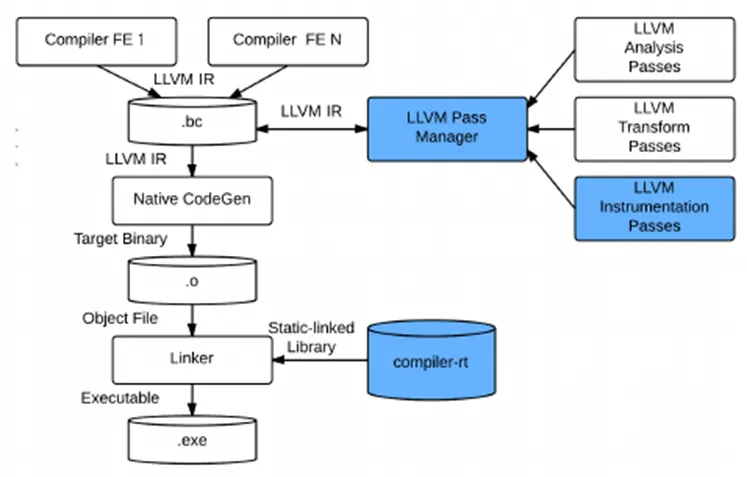
Writing an LLVM Pass — LLVM 16.0.0git documentation
這邊可以大概看到一些架構,不過我們要在llvm10達成pass的修改,根據我們的需求任意的對某個fucntion 進行inline和 unroll 展開該怎麼做呢,
其實跟gcc差不多 clang也可以透過下
-fsave-optimization-record
得到每一個pass優化過後的結果 像下面這兩個是分別印出inline/unroll loop pass的內容
--- !Passed
Pass:            loop-unroll
Name:            PartialUnrolled
DebugLoc:        { File: A52.c, Line: 31, Column: 5 }
Function:        main
Args:
  - String:          'unrolled loop by a factor of '
  - UnrollCount:     '5'
  - String:          ' with a breakout at trip '
  - BreakoutTrip:    '0'
...
--- !Passed
Pass:            licm
Name:            InstSunk
DebugLoc:        { File: A52.c, Line: 20, Column: 8 }
Function:        main
Args:
  - String:          'sinking '
  - Inst:            trunc
    DebugLoc:        { File: A52.c, Line: 20, Column: 8 }
...
Pass:            inline
Name:            Inlined
DebugLoc:        { File: A52.c, Line: 35, Column: 9 }
Function:        bug
Args:
  - Callee:          MUL
    DebugLoc:        { File: A52.c, Line: 18, Column: 0 }
  - String:          ' inlined into '
  - Caller:          bug
    DebugLoc:        { File: A52.c, Line: 25, Column: 0 }
  - String:          ' with '
  - String:          '(cost='
  - Cost:            '-20'
  - String:          ', threshold='
  - Threshold:       '960'
  - String:          ')'
  - String:          ' at callsite '
  - String:          bug
  - String:          ':'
  - Line:            '10'
  - String:          ':'
  - Column:          '9'
  - String:          ';'
...
我們只要根據字串再配合github去找指定版本的Llvm即可,這邊以llvm10來當範例
像我們可能就定位到 https://github.com/llvm/llvm-project/tree/release/10.x 去查詢相關的code 也可以透過Codebrowser來查詢最新版本的llvm程式碼用來追蹤相當方便 其中要修改 inline的Pass根據剛剛的 資訊,搜尋inline就可以找到相對應的Pass 像是inline對應的pass為 Inliner.cpp InlineCost.cpp source code [llvm/lib/Analysis/InlineCost.cpp] - Codebrowser
 InlinedArrayAllocasTy InlinedArrayAllocas;
  InlineFunctionInfo InlineInfo(&CG, GetAssumptionCache, PSI);
  // Now that we have all of the call sites, loop over them and inline them if
  // it looks profitable to do so.
  bool Changed = false;
  bool LocalChange;
  do {
    LocalChange = false;
    // Iterate over the outer loop because inlining functions can cause indirect
    // calls to become direct calls.
    // CallSites may be modified inside so ranged for loop can not be used.
    for (unsigned CSi = 0; CSi != CallSites.size(); ++CSi) {
      auto &P = CallSites[CSi];
      CallBase &CB = *P.first;
      const int InlineHistoryID = P.second;
      Function *Caller = CB.getCaller();
      Function *Callee = CB.getCalledFunction();
其核心的位置在這裡 那麼如果要bypass其他的fucntion限定某些fucntion可以inline其實可以這樣做
  for (unsigned CSi = 0; CSi != CallSites.size(); ++CSi) {
   CallSite CS = CallSites[CSi].first;
   Function *Caller = CS.getCaller();
   Function *Callee = CS.getCalledFunction();
      errs() << “--------------caller\n” <<Caller->getName()<<“\n”;
      errs() << "--------------callee\n" <<Callee->getName()<<"\n";
   std::string str = Callee->getName().str();
   // if (str == NULL)
   //   continue;
   std::size_t found = str.find( "foo");
   if(found  != std::string::npos){
    continue;
    }
上面這段程式碼就是只有接受foo fucntion才可以inline其他一律不進入檢查是否可以inline的環節直接continue
那麼unroll loop行為是否可以影響呢,當然可以還可以展開自己想要的次數. unroll loop對應到的pass 的為LoopUnroll.cpp這個檔案
/* Emit a message summarizing the unroll that will be performed for LOOP, along with the loop's location LOCUS, if
appropriate given the dump or -fopt-info settings.  */

    if (ORE)
      ORE->emit([&]() {
        OptimizationRemark Diag(DEBUG_TYPE, "PartialUnrolled", L->getStartLoc(),
                                L->getHeader());
        Diag << "unrolled loop by a factor of " << NV("UnrollCount", ULO.Count);
        if (ULO.Runtime)
          Diag << " with run-time trip count";
        return Diag;
      });
  }
LoopUnroll.cpp source code [llvm/lib/Transforms/Utils/LoopUnroll.cpp] - Codebrowser 其中這層Loop unroll 真正的核心邏輯為 LoopUnrollPass.cpp
Rewrite Every pass unroll times
 bool runOnLoop(Loop *L, LPPassManager &LPM) override {
  if (skipLoop(L))
   return false;
  Function &F = *L->getHeader()->getParent();
 auto &DT = getAnalysis<DominatorTreeWrapperPass>().getDomTree();
  LoopInfo *LI = &getAnalysis<LoopInfoWrapperPass>().getLoopInfo();
  ScalarEvolution &SE = getAnalysis<ScalarEvolutionWrapperPass>().getSE();
  const TargetTransformInfo &TTI =
 getAnalysis<TargetTransformInfoWrapperPass>().getTTI(F);
  auto &AC = getAnalysis<AssumptionCacheTracker>().getAssumptionCache(F);
  // For the old PM, we can't use OptimizationRemarkEmitter as an analysis
  // pass. Function analyses need to be preserved across loop transformations
  // but ORE cannot be preserved (see comment before the pass definition).
  OptimizationRemarkEmitter ORE(&F);
  bool PreserveLCSSA = mustPreserveAnalysisID(LCSSAID);
  LoopUnrollResult Result = tryToUnrollLoop(
 L, DT, LI, SE, TTI, AC, ORE, nullptr, nullptr, PreserveLCSSA, OptLevel,
 OnlyWhenForced, ForgetAllSCEV, ProvidedCount, ProvidedThreshold,
 ProvidedAllowPartial, ProvidedRuntime, ProvidedUpperBound,
 ProvidedAllowPeeling, ProvidedAllowProfileBasedPeeling
這層pass每次有Loop迴圈經過時都會觸發runOnLoop這個fucntion來計算loop的次數
LoopUnrollPass.cpp其中tryToUnrollLoop 就是嘗試展開一個loop
 TargetTransformInfo::UnrollingPreferences UP = gatherUnrollingPreferences(
   L, SE, TTI, BFI, PSI, OptLevel, ProvidedThreshold, ProvidedCount,
   ProvidedAllowPartial, ProvidedRuntime, ProvidedUpperBound,
   ProvidedAllowPeeling, ProvidedAllowProfileBasedPeeling,
   ProvidedFullUnrollMaxCount);
/// Unroll the given loop by Count. The loop must be in LCSSA form.  Unrolling
/// can only fail when the loop's latch block is not terminated by a conditional
/// branch instruction. However, if the trip count (and multiple) are not known,
/// loop unrolling will mostly produce more code that is no faster.
///
/// TripCount is the upper bound of the iteration on which control exits
/// LatchBlock. Control may exit the loop prior to TripCount iterations either
/// via an early branch in other loop block or via LatchBlock terminator. This
/// is relaxed from the general definition of trip count which is the number of
/// times the loop header executes. Note that UnrollLoop assumes that the loop
/// counter test is in LatchBlock in order to remove unnecesssary instances of
/// the test.  If control can exit the loop from the LatchBlock's terminator
/// prior to TripCount iterations, flag PreserveCondBr needs to be set.
///
/// PreserveCondBr indicates whether the conditional branch of the LatchBlock
/// needs to be preserved.  It is needed when we use trip count upper bound to
/// fully unroll the loop. If PreserveOnlyFirst is also set then only the first
/// conditional branch needs to be preserved.
///
/// Similarly, TripMultiple divides the number of times that the LatchBlock may
/// execute without exiting the loop.
///
/// If AllowRuntime is true then UnrollLoop will consider unrolling loops that
/// have a runtime (i.e. not compile time constant) trip count.  Unrolling these
/// loops require a unroll "prologue" that runs "RuntimeTripCount % Count"
/// iterations before branching into the unrolled loop.  UnrollLoop will not
/// runtime-unroll the loop if computing RuntimeTripCount will be expensive and
/// AllowExpensiveTripCount is false.
///
/// If we want to perform PGO-based loop peeling, PeelCount is set to the
/// number of iterations we want to peel off.
///
/// The LoopInfo Analysis that is passed will be kept consistent.
///
/// This utility preserves LoopInfo. It will also preserve ScalarEvolution and
/// DominatorTree if they are non-null.
///
/// If RemainderLoop is non-null, it will receive the remainder loop (if
/// required and not fully unrolled).
LoopUnrollResult llvm::UnrollLoop(Loop *L, UnrollLoopOptions ULO, LoopInfo *LI,
 ScalarEvolution *SE, DominatorTree *DT,
 AssumptionCache *AC,
 OptimizationRemarkEmitter *ORE,
 bool PreserveLCSSA, Loop **RemainderLoop) {
 BasicBlock *Preheader = L->getLoopPreheader();
 // Unroll the loop.
Loop *RemainderLoop = nullptr;
UP.Count=50;
errs() << "I saw a function called dssssssssssssssssss!\n" <<UP.Count ;

// Unroll the loop.
Loop *RemainderLoop = nullptr;
UP.Count=50;
errs() << "I saw a function called dssssssssssssssssss!\n" <<UP.Count ;

LoopUnrollResult UnrollResult = UnrollLoop(L,
{UP.Count, TripCount, UP.Force, UP.Runtime, UP.AllowExpensiveTripCount,
UseUpperBound, MaxOrZero, TripMultiple, UP.PeelCount, UP.UnrollRemainder,
ForgetAllSCEV},
LI, &SE, &DT, &AC, &ORE, PreserveLCSSA, &RemainderLoop);
知道它的原理後一樣,我展開50次unroll
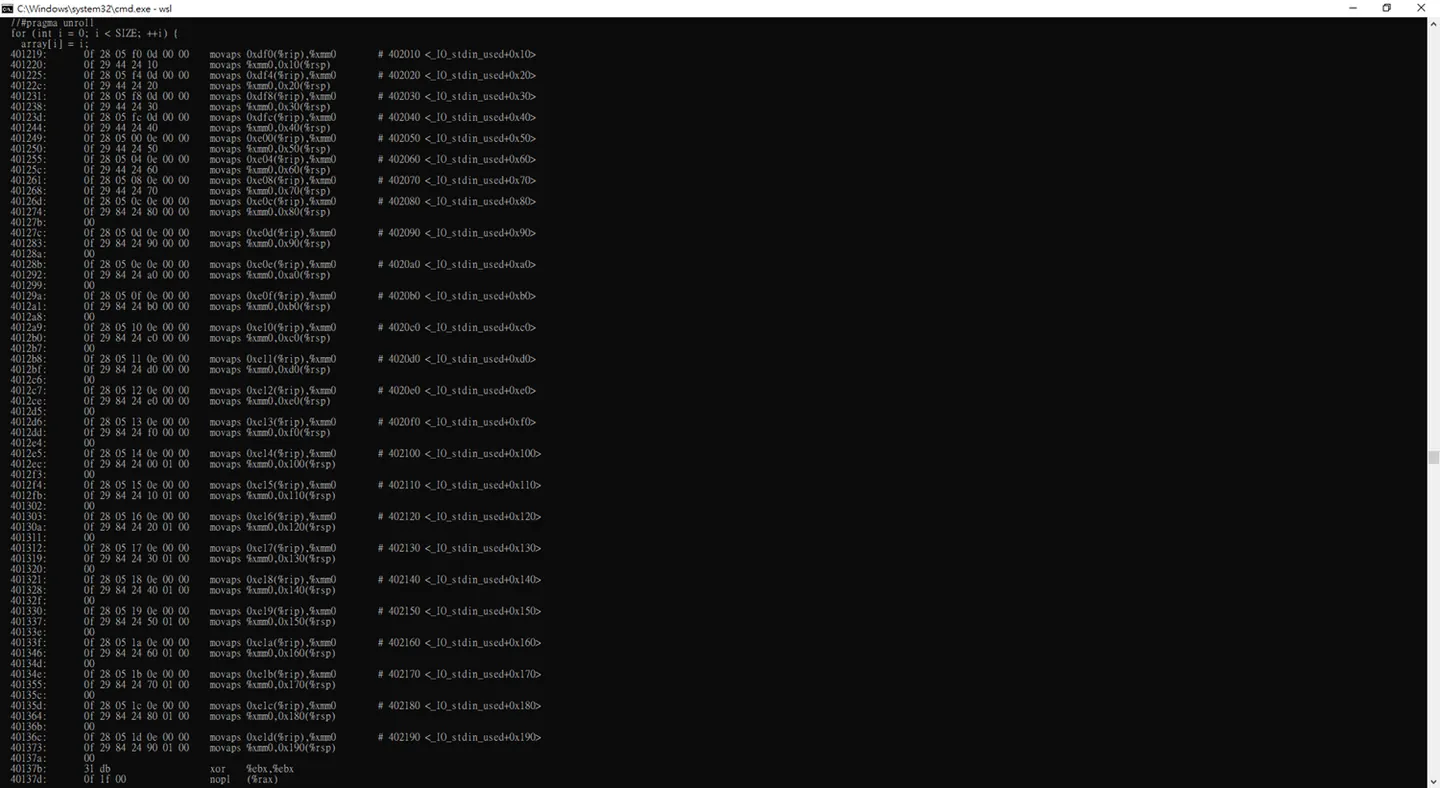
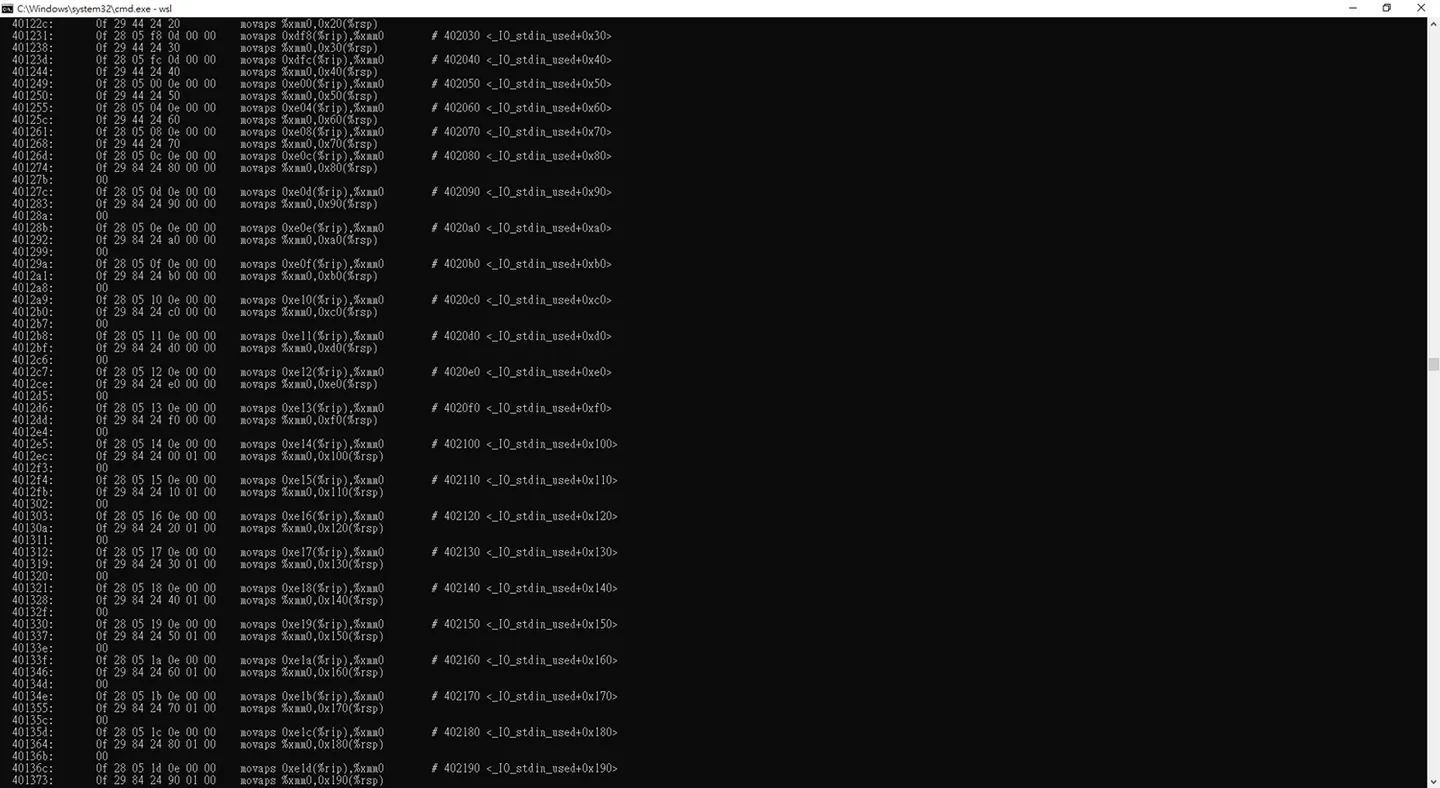 展開88次unroll 都可以,這邊跟gcc pass不一樣的地方是,gcc展開相對應的次數他還會校正回歸,展開合理的次數
額外小記在llvm要使用debug查看pass的優化訊息可能要在編譯llvm時候去增加flag
-DLLVM_ENABLE_ASSERTIONS=On
這樣我們便能輸出想看的編譯器優化資訊
-mllvm –debug
-mllvm -debug-only=inline
-mllvm -debug-only=loop-unroll
Inliner visiting SCC: MUL: 0 call sites.
Inliner visiting SCC: bug: 4 call sites.
    Inlining (cost=always): always inline attribute, Call:   %call = call i32 @MUL(i32 %2, i32 %3), !dbg !22
    Inlining (cost=always): always inline attribute, Call:   %call11 = call i32 @MUL(i32 %2, i32 %7), !dbg !22
    Inlining (cost=always): always inline attribute, Call:   %call9 = call i32 @MUL(i32 %1, i32 %6), !dbg !22
    Inlining (cost=always): always inline attribute, Call:   %call4 = call i32 @MUL(i32 %1, i32 %5), !dbg !22
Loop Unroll: F[bug] Loop %for.inc
  Loop Size = 26
  will not try to unroll partially because -unroll-allow-partial not given
Inliner visiting SCC: llvm.lifetime.start.p0i8: 0 call sites.
Inliner visiting SCC: llvm.memcpy.p0i8.p0i8.i32: 0 call sites.
Inliner visiting SCC: llvm.lifetime.end.p0i8: 0 call sites.
Inliner visiting SCC: main: 1 call sites.
    Inlining (cost=115, threshold=640), Call:   %call = call [2 x i32] @bug(i32* %arrayidx, i32* %arrayidx1), !dbg !15
===============================================================================
Loop Unroll: F[main] Loop %for.inc.i
  Loop Size = 25
  will not try to unroll partially because -unroll-allow-partial not given
Inliner visiting SCC: INDIRECTNODE: 0 call sites.
Loop Unroll: F[bug] Loop %for.inc
  Loop Size = 25
  partially unrolling with count: 5
  Trip Count = 100
  Trip Multiple = 100
UNROLLING loop %for.inc by 5 with a breakout at trip 0!
Loop Unroll: F[main] Loop %for.inc.i
  Loop Size = 25
  partially unrolling with count: 5
  Trip Count = 100
  Trip Multiple = 100
UNROLLING loop %for.inc.i by 5 with a breakout at trip 0!
這樣在客製化PASS就會越來越熟悉了!,到這邊我們就完成了,對任意fucntion進行inline和展開任意次數的unroll 迴圈
Comments