
Pygame_openGL(初)
---
該怎麼去用Python去繪圖一個3D世界呢,終於來到這一天用CODE繪製3D畫面
pythonprogramming.net
先照哥的code跑一遍

 得到哥的畫面呢,假設實現minecraft創世神有可能嗎之類的
就開始找到目前為止的資料吧
初步構想呢我想為這個遊戲新增什麼東西呢
今天共新增了
這些在網路上超少,或許我對opengl關鍵字不夠熟悉關係,
不過還是可以透過其他語言控制opengl的code從其中找出關聯性
得到哥的畫面呢,假設實現minecraft創世神有可能嗎之類的
就開始找到目前為止的資料吧
初步構想呢我想為這個遊戲新增什麼東西呢
今天共新增了
這些在網路上超少,或許我對opengl關鍵字不夠熟悉關係,
不過還是可以透過其他語言控制opengl的code從其中找出關聯性
貼圖紋理和為這個世界加入音效,和顯示文字之類的東東 直接來上代碼吧 改裝後!用滾輪來調控速度
預計
---
徒手打造一個mmorpg,所以呢我們接下來我們可以來產生一個地面,讓角色在cube行走,已經掌握貼圖後,我們可以再加入其他更多模型3dsmax骨架之類的,算了扯遠了,話說在座標還分很多種世界座標,視窗座標等等 終於了解數學不好不能寫遊戲惹,又不是說要編寫一個引擎(或許可能?!),光源阿之類的粒子特效,總而言之,有這個demo我們只要再加入碰撞效果,創建地圖的話我們就可以打造一個類似mmorpg,day1慢慢啃
import pygame
from pygame.locals import *

from OpenGL.GL import *
from OpenGL.GLUT import *
from OpenGL.GLU import *
import sys
import random

vertices = (
    (1, -1, -1),
    (1, 1, -1),
    (-1, 1, -1),
    (-1, -1, -1),
    (1, -1, 1),
    (1, 1, 1),
    (-1, -1, 1),
    (-1, 1, 1)
    )

vertices2 = (
    (-1.0,-1.0,1.0),
    (1.0,-1.0,1.0),
    (1.0,1.0,1.0),
    (-1.0,1.0,1.0),
    (-1.0,-1.0,-1.0),
    (-1.0,1.0,-1.0),
    (1.0,1.0,-1.0),
    (1.0,-1.0,-1.0),
    (-1.0,1.0,-1.0),
    (-1.0,1.0,1.0),
    (1.0,1.0,1.0),
    (1.0,1.0,-1.0),
    (-1.0,-1.0,-1.0),
    (1.0,-1.0,-1.0),
    (1.0,-1.0,1.0),
    (-1.0,-1.0,1.0),
    (1.0,-1.0,-1.0),
    (1.0,1.0,-1.0),
    (1.0,1.0,1.0),
    (1.0,-1.0,1.0),
    (-1.0,-1.0,-1.0),
    (-1.0,-1.0,1.0),
    (-1.0,1.0,1.0),
    (-1.0,1.0,-1.0),
    )
edges = (
    (0,1),
    (0,3),
    (0,4),
    (2,1),
    (2,3),
    (2,7),
    (6,3),
    (6,4),
    (6,7),
    (5,1),
    (5,4),
    (5,7)
    )

surfaces = (
    (0,1,2,3),
    (3,2,7,6),
    (6,7,5,4),
    (4,5,1,0),
    (1,5,7,2),
    (4,0,3,6)
    )


colors = (
    (1,0,0),
    (0,1,0),
    (0,0,1),
    (0,1,0),
    (1,1,1),
    (0,1,1),
    (1,0,0),
    (0,1,0),
    (0,0,1),
    (1,0,0),
    (1,1,1),
    (0,1,1),
    )


txcolors = (

    (1.0,0.0),
      (0.0,1.0),
    (1.0,1.0),
     (1.0,0.0),
         (0.0,0.0),
    )

speed=0.50

##ground_vertices = (
##    (-10, -1.1, 20),
##    (10, -1.1, 20),
##    (-10, -1.1, -300),
##    (10, -1.1, -300),
##    )
##
##
##def ground():
##    glBegin(GL_QUADS)
##    for vertex in ground_vertices:
##        glColor3fv((0,0.5,0.5))
##        glVertex3fv(vertex)
##
##    glEnd()


def set_vertices(max_distance, min_distance = -20):


    x_value_change = random.randrange(-10,10)
    y_value_change = random.randrange(-10,10)
    z_value_change = random.randrange(-1*max_distance,min_distance)

    new_vertices = []

    for vert in vertices:
        new_vert = []

        new_x = vert[0] + x_value_change
        new_y = vert[1] + y_value_change
        new_z = vert[2] + z_value_change

        new_vert.append(new_x)
        new_vert.append(new_y)
        new_vert.append(new_z)

        new_vertices.append(new_vert)

    return new_vertices


def loadTexture():
    textureSurface = pygame.image.load('brick.png')
    textureData = pygame.image.tostring(textureSurface, "RGBA", 1)
    width = textureSurface.get_width()
    height = textureSurface.get_height()
    #深度開啟
    glEnable(GL_DEPTH_TEST);
    #
    glEnable(GL_TEXTURE_2D)
    texid = glGenTextures(1)

    glBindTexture(GL_TEXTURE_2D, texid)
    glTexImage2D(GL_TEXTURE_2D, 0, GL_RGB, width, height,
                 0, GL_RGBA, GL_UNSIGNED_BYTE, textureData)


    glTexParameterf(GL_TEXTURE_2D, GL_TEXTURE_WRAP_S, GL_REPEAT)
    glTexParameterf(GL_TEXTURE_2D, GL_TEXTURE_WRAP_T, GL_REPEAT)
    glTexParameterf(GL_TEXTURE_2D, GL_TEXTURE_MAG_FILTER, GL_NEAREST)
    glTexParameterf(GL_TEXTURE_2D, GL_TEXTURE_MIN_FILTER, GL_NEAREST)

    return texid

def Cube(vertices):
    # glBegin(GL_QUADS)


    # for surface in surfaces:
    #     x = 0

    #     for vertex in surface:
    #         x+=1
    #         glColor3fv(colors[x])
    #         glVertex3fv(vertices[vertex])


    # glEnd()

    glBegin(GL_QUADS)


    for surface in surfaces:
        x = 0

        for vertex in surface:
            x+=1

                # glTexCoord2fv(0.0,0.0)
    # glVertex3fv(-1.0,-1.0,1.0)

            glTexCoord2fv(txcolors[x])
            #glColor3fv(colors[x])
            glVertex3fv(vertices[vertex])


    glEnd()
    #
    # print(vertices.rotation)

    # glPopMatrix()
    # vertices.rotation[0] = vertices.rotation[0] + 1

    # glBegin(GL_QUADS)

    # glTexCoord2f(0.0,0.0)
    # glVertex3f(-1.0,-1.0,1.0)
    # glTexCoord2f(1.0,0.0)
    # glVertex3f(1.0,-1.0,1.0)
    # glTexCoord2f(1.0,1.0)
    # glVertex3f(1.0,1.0,1.0)
    # glTexCoord2f(0.0,1.0)
    # glVertex3f(-1.0,1.0,1.0)
    # glTexCoord2f(1.0,0.0)
    # glVertex3f(-1.0,-1.0,-1.0)
    # glTexCoord2f(1.0,1.0)
    # glVertex3f(-1.0,1.0,-1.0)
    # glTexCoord2f(0.0,1.0)
    # glVertex3f(1.0,1.0,-1.0)
    # glTexCoord2f(0.0,0.0)
    # glVertex3f(1.0,-1.0,-1.0)
    # glTexCoord2f(0.0,1.0)
    # glVertex3f(-1.0,1.0,-1.0)
    # glTexCoord2f(0.0,0.0)
    # glVertex3f(-1.0,1.0,1.0)
    # glTexCoord2f(1.0,0.0)
    # glVertex3f(1.0,1.0,1.0)
    # glTexCoord2f(1.0,1.0)
    # glVertex3f(1.0,1.0,-1.0)
    # glTexCoord2f(1.0,1.0)
    # glVertex3f(-1.0,-1.0,-1.0)
    # glTexCoord2f(0.0,1.0)
    # glVertex3f(1.0,-1.0,-1.0)
    # glTexCoord2f(0.0,0.0)
    # glVertex3f(1.0,-1.0,1.0)
    # glTexCoord2f(1.0,0.0)
    # glVertex3f(-1.0,-1.0,1.0)
    # glTexCoord2f(1.0,0.0)
    # glVertex3f(1.0,-1.0,-1.0)
    # glTexCoord2f(1.0,1.0)
    # glVertex3f(1.0,1.0,-1.0)
    # glTexCoord2f(0.0,1.0)
    # glVertex3f(1.0,1.0,1.0)
    # glTexCoord2f(0.0,0.0)
    # glVertex3f(1.0,-1.0,1.0)
    # glTexCoord2f(0.0,0.0)
    # glVertex3f(-1.0,-1.0,-1.0)
    # glTexCoord2f(1.0,0.0)
    # glVertex3f(-1.0,-1.0,1.0)
    # glTexCoord2f(1.0,1.0)
    # glVertex3f(-1.0,1.0,1.0)
    # glTexCoord2f(0.0,1.0)
    # glVertex3f(-1.0,1.0,-1.0)

    # glEnd()

    glBegin(GL_LINES)
    for edge in edges:
        glColor3fv((1, 1, 1))
        for vertex in edge:
            glVertex3fv(vertices[vertex])
    glEnd()
def DrawText( string):
        # 循环处理字符串
        for c in string:
            # 输出文字
            glutBitmapCharacter(GLUT_BITMAP_8_BY_13, ord(c))
def main():
    global speed
    pygame.mixer.init()
    glutInit(sys.argv)
    pygame.init()
    # pygame.mixer.music.load("1.mp3")
    # pygame.mixer.music.play(-1,0.0)


    display = (800,600)


    screen=pygame.display.set_mode(display,  pygame.DOUBLEBUF | pygame.OPENGL | pygame.OPENGLBLIT)


    #loadTexture2()
    max_distance = 100

    gluPerspective(45, (display[0]/display[1]), 0.1, max_distance)

    glTranslatef(random.randrange(-5,5),random.randrange(-5,5), -40)

    #object_passed = False

    x_move = 0
    y_move = 0

    #这句话总是可以的,所以还是TTF文件保险啊

    cube_dict = {}
    loadTexture()
    glColor3f(0.0, 1.0, 0.0)

    for x in range(5):

        cube_dict[x] =set_vertices(max_distance)

    #glRotatef(25, 2, 1, 0)

    while True:
        for event in pygame.event.get():
            if event.type == pygame.QUIT:
                pygame.quit()
                quit()

            if event.type == pygame.KEYDOWN:
                if event.key == pygame.K_LEFT:
                    x_move = 0.3
                if event.key == pygame.K_RIGHT:
                    x_move = -0.3

                if event.key == pygame.K_UP:
                    y_move = -0.3
                if event.key == pygame.K_DOWN:
                    y_move = 0.3
            # if event.type == pygame.MOUSEMOTION:
            #     mouse_position = pygame.mouse.get_pos()
            #     if(mouse_position[0]<(1280/2)):
            #         x_move = 0.9
            #     if(mouse_position[0]>(1280/2)):
            #         x_move = -0.9

            #     if(mouse_position[1]<(768/2)):
            #         y_move = -0.9
            #     if(mouse_position[1]>(768/2)):
            #         y_move = 0.9
            if event.type == pygame.MOUSEBUTTONDOWN:
               if event.button == 4:
                   speed+=0.05

               if event.button == 5:
                   speed-=0.05
            if event.type == pygame.KEYUP:
                if event.key == pygame.K_LEFT or event.key == pygame.K_RIGHT:
                    x_move = 0

                if event.key == pygame.K_UP or event.key == pygame.K_DOWN:
                    y_move = 0


        #pygame.display.update()
        x = glGetDoublev(GL_MODELVIEW_MATRIX)


        camera_x = x[3][0]
        camera_y = x[3][1]
        camera_z = x[3][2]
        # print (camera_x)
        # print (camera_y)
        # print (camera_z)
        glClear(GL_COLOR_BUFFER_BIT|GL_DEPTH_BUFFER_BIT)
        #move
        glTranslatef(x_move,y_move,speed)
        # glRasterPos3f(- camera_x ,  - camera_y , camera_z-10)
        glWindowPos2i(0,0 );
        DrawText("x:"+str(camera_x)+" y:"+str(camera_y)+" z:"+str(camera_z))
        # glWindowPos2i(0,0 );
        # glutBitmapCharacter(GLUT_BITMAP_8_BY_13, ord(u'A'))
        # glRasterPos3f( 0.0 , 1.0 , camera_z-10)
        # print (camera_x)
        # print (camera_y)
        # print (camera_z)
        # #glRasterPos2f(0,0)
        # glutBitmapCharacter(GLUT_BITMAP_8_BY_13, ord(u'A'))
        #ground()

        for each_cube in cube_dict:

            Cube(cube_dict[each_cube])

        for each_cube in cube_dict:
            if camera_z <= cube_dict[each_cube][0][2]:
                print("passed a cube")
                #delete_list.append(each_cube)

                new_max = int(-1*(camera_z-max_distance))

                cube_dict[each_cube] = set_vertices(new_max,int(camera_z))
            # if camera_z <= cube_dict[each_cube][0][2]:
            #     if camera_x <= cube_dict[each_cube][0][0]:
            #         if camera_y <= cube_dict[each_cube][0][1]:
            #             print ("crack")

        pygame.display.flip()
        #pygame.time.wait(1)

main()

pygame.quit()
quit()
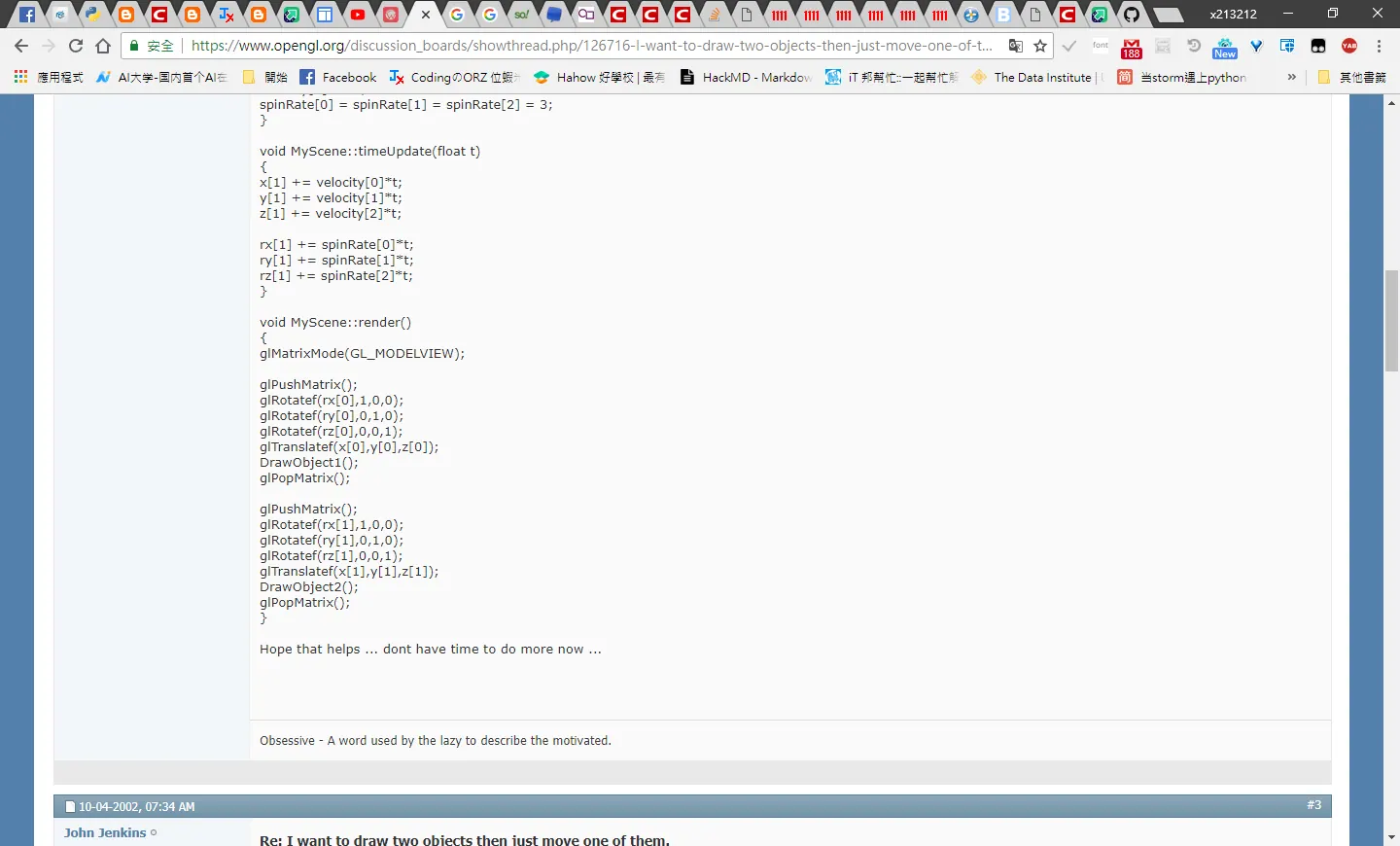 個別物件進行翻轉的時候應該用投影矩陣類似的東西,有趣的是發現原來遊戲世界的周圍
是可能用
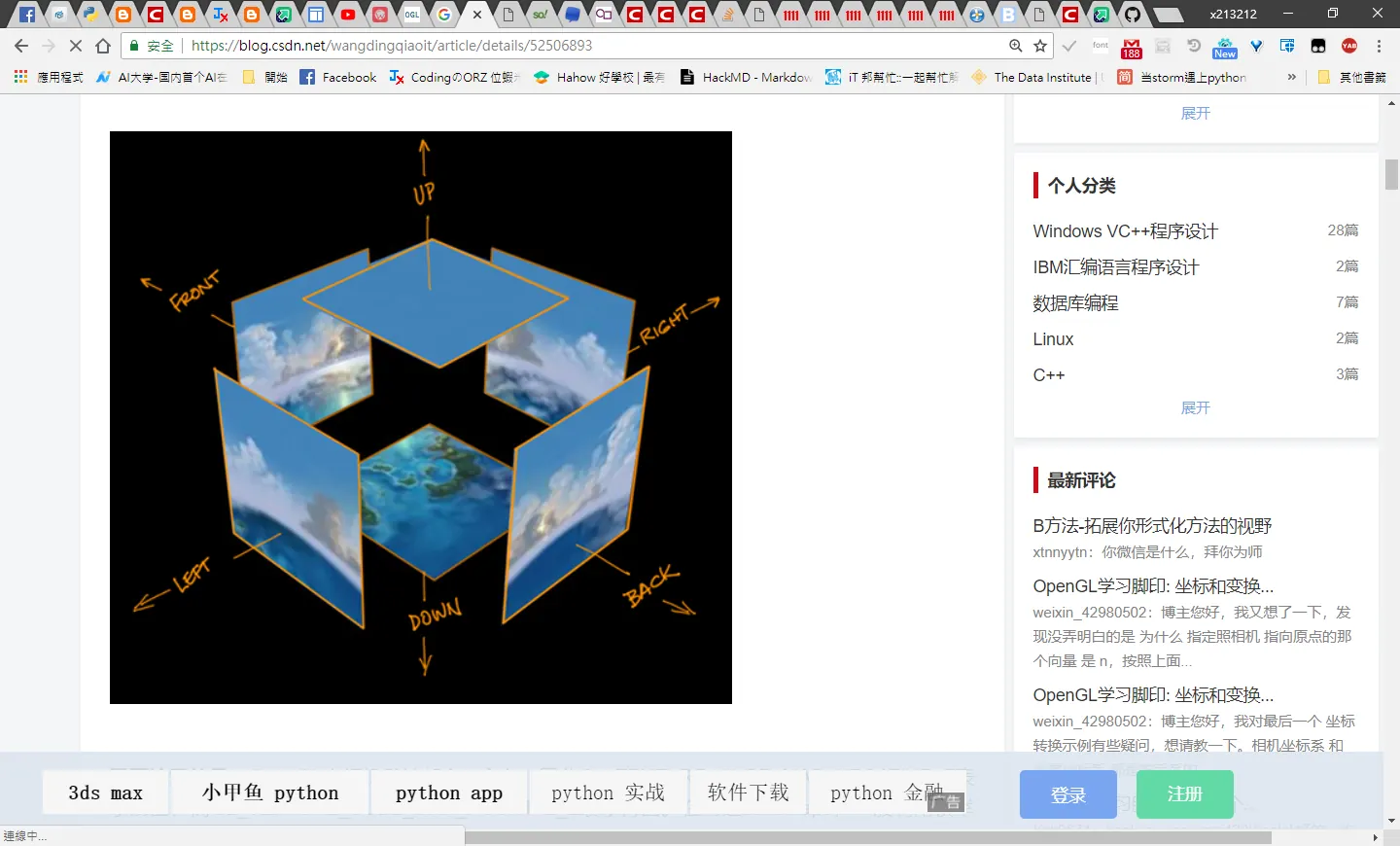
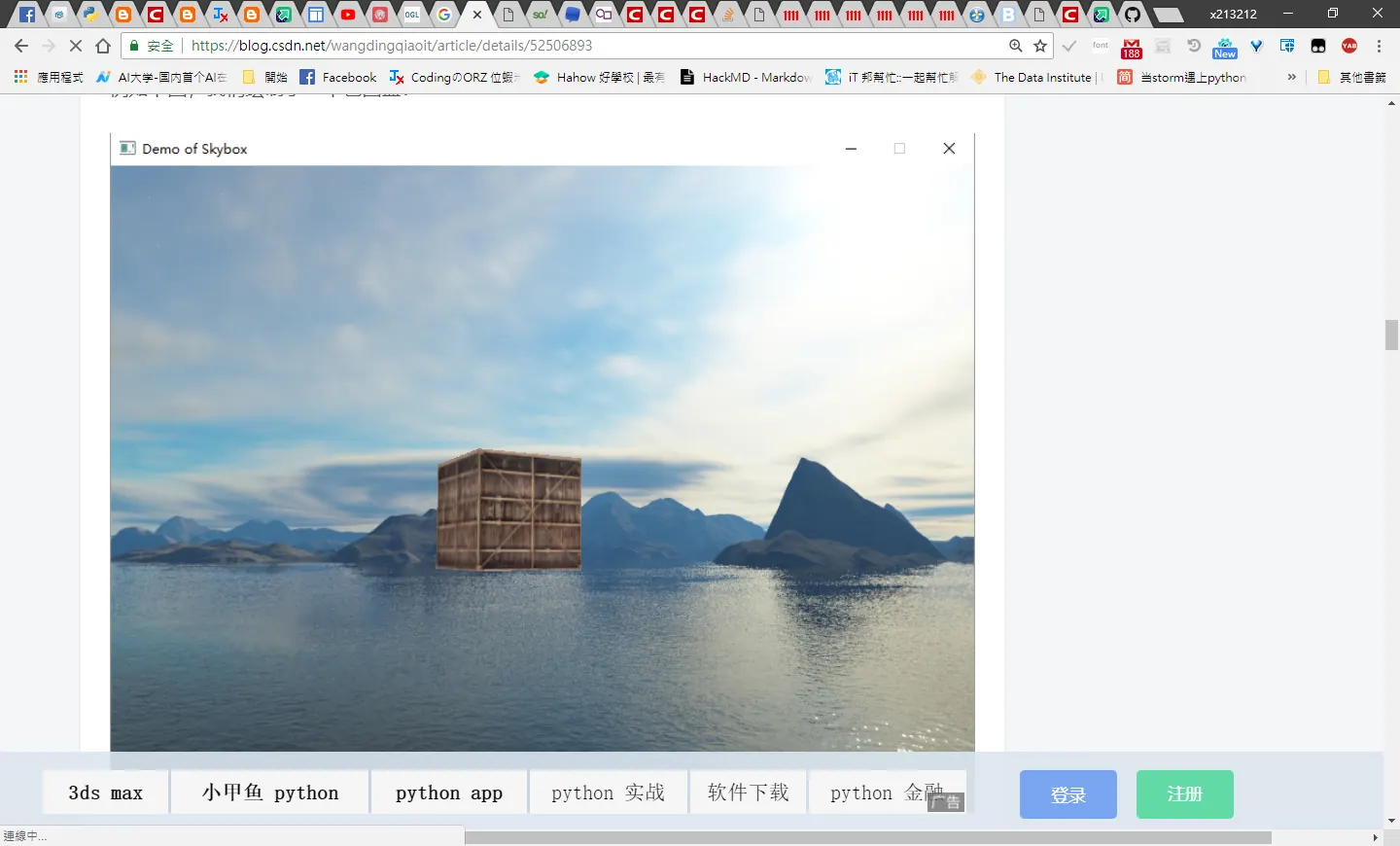 持續修練,爆肝QQ
參考
---
http://blawat2015.no-ip.com/~mieki256/diary/201305.html https://www.cs.pu.edu.tw/~tsay/course/cg/tutorial/install.html
http://user.xmission.com/~nate/glut.html
https://github.com/stef/swram-opengl/blob/master/swram-opengl.py
https://stackoverflow.com/questions/46796459/how-to-install-glut-on-anaconda-on-windows
https://github.com/elisehuard/game-in-haskell/issues/1
https://blog.csdn.net/wangdingqiaoit/article/details/52506893
Comments