
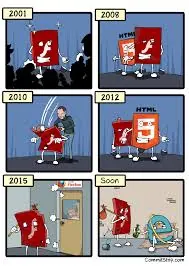
Adobe宣布Flash不再更新2020年全面停用,HTML5淘汰Flash成為多媒體網頁主流
HTML5 出現之後,和 Flash 的比較、取代到淘汰的話題始終熱門。Flash 歷經 Macromedia 時代到 Adobe 時代,可以說是平面2D多媒體設計的主流軟體;然而,時至今日Flash 已經是走入末途,越來越多的開發公司表示不採用 Flash Player 與其相關技術,主流瀏覽器也陸續停止支援這個漏洞永遠補不完且很吃系統資源的舊技術。
自2016年 Google 表示最快該年底就會將 Chrome 瀏覽器預設停止支援與使用Flash後,2017年的現在,Adobe 都已經確定宣告 Flash 將走入歷史。
Adobe宣布Flash不再更新2020年全面停用,HTML5淘汰Flash成為多媒體網頁主流 (比較,取代,2D動畫,多媒體,ActionScript,Safari,Firefox,Flash Player) https://liangyowen.blogspot.com/2017/09/html5-replace-adobe-flash.html
綜合於上述原因我們來思考一下解決方案吧!
HTTP Live Streaming(hls)
---
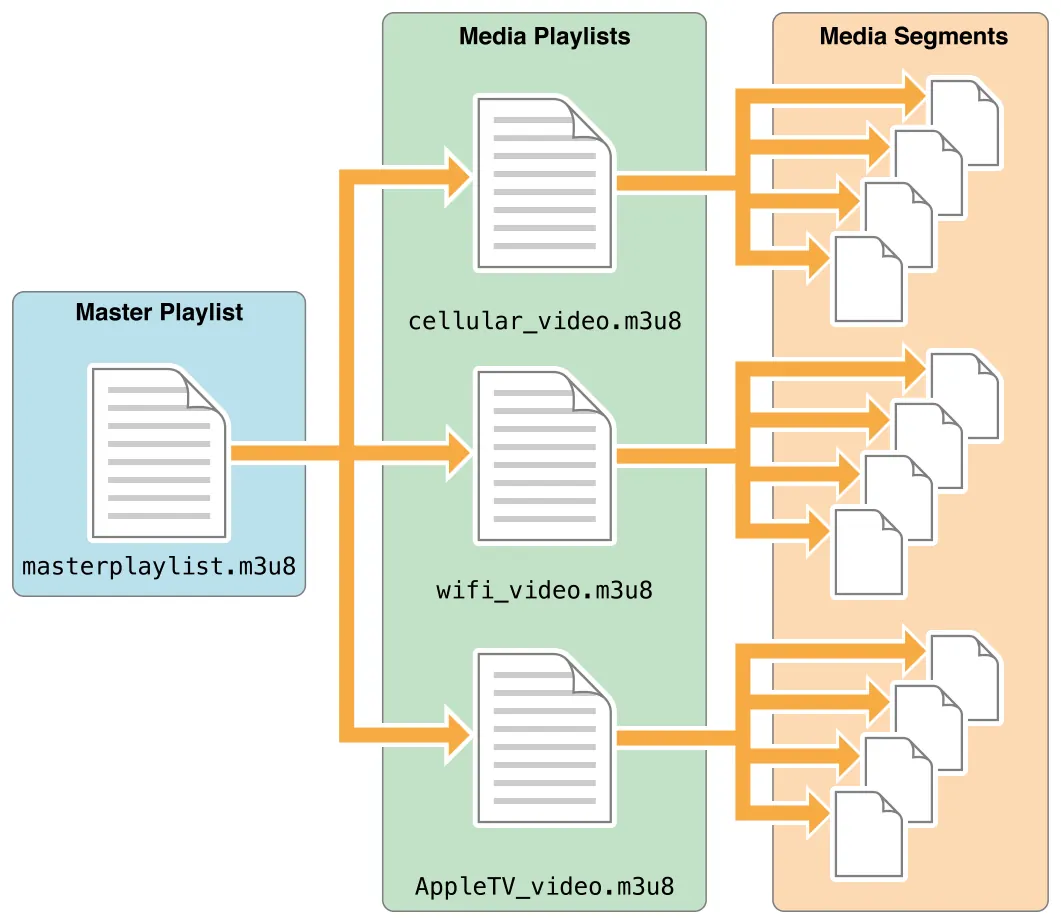
HTTP Live Streaming(縮寫是HLS)是一個由蘋果公司提出的基於HTTP的流媒體網路傳輸協議。是蘋果公司QuickTime X和iPhone軟體系統的一部分。它的工作原理是把整個流分成一個個小的基於HTTP的文件來下載,每次只下載一些。當媒體流正在播放時,客戶端可以選擇從許多不同的備用源中以不同的速率下載同樣的資源,允許流媒體會話適應不同的數據速率。在開始一個流媒體會話時,客戶端會下載一個包含元數據的extended M3U (m3u8) playlist文件,用於尋找可用的媒體流。 HLS只請求基本的HTTP報文,與實時傳輸協議(RTP)不同,HLS可以穿過任何允許HTTP數據通過的防火牆或者代理伺服器。它也很容易使用內容分發網路來傳輸媒體流。 蘋果公司把HLS協議作為一個網際網路草案(逐步提交),在第一階段中已作為一個非正式的標準提交到IETF。2017年8月,RFC 8216發布,描述了HLS協議第7版的定義。
adobe media server to hls
---
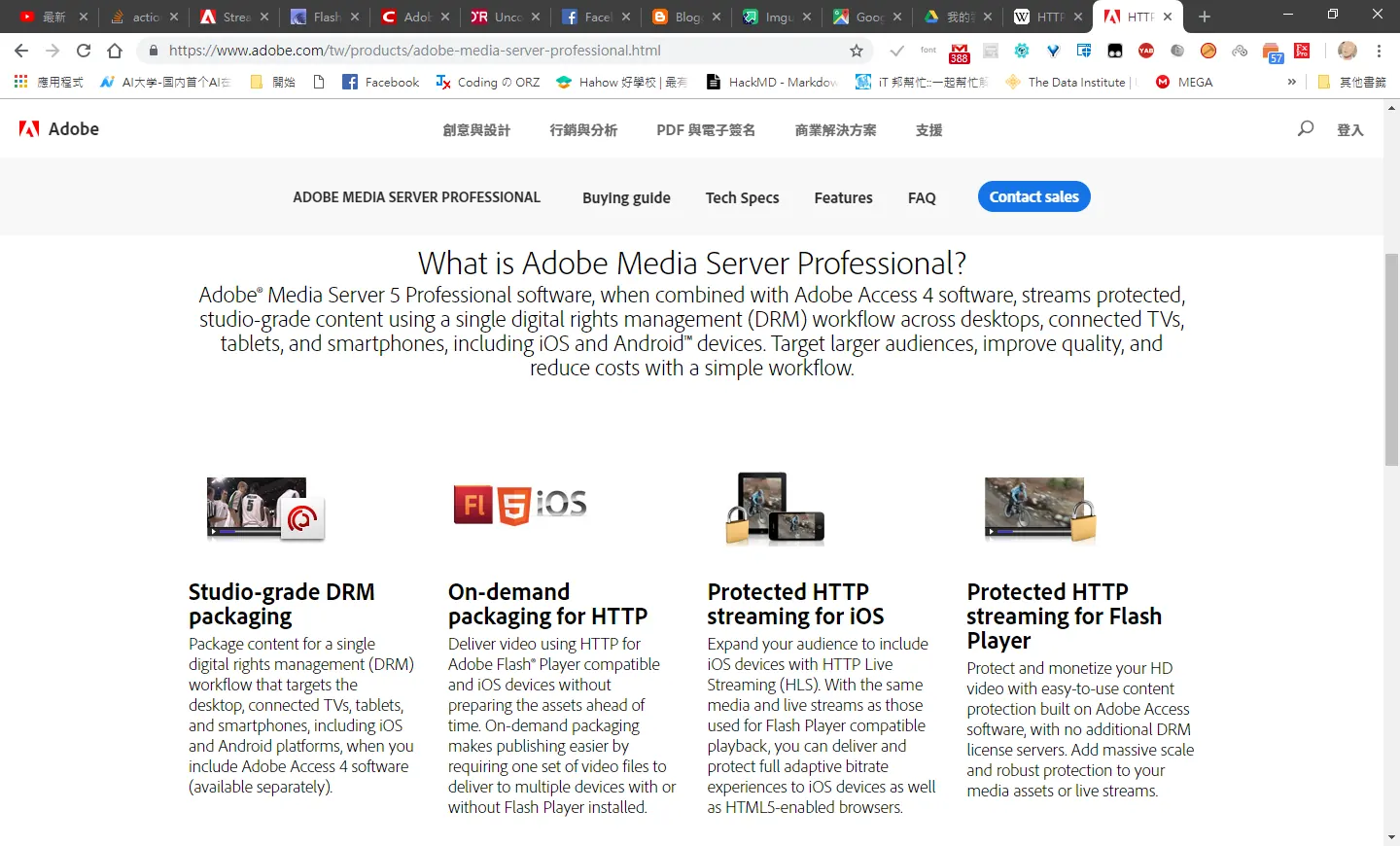
恩恩看來新版adobe media server 有支援 hls 之間的轉換,就來看怎樣實現過程吧!
Flex to HTTP Live Streaming
---
使用html5進行撥放,並不支援原生撥放數據,所以必須再轉成hls
http://localhost/hds-live/livepkgr/definst/liveevent/livestream.m3u8
http://localhost/hds-live/livepkgr/definst/liveevent/livestream.f4m
使用html5進行撥放,並不支援原生撥放數據,所以必須再轉成hls
http://localhost/hds-live/livepkgr/definst/liveevent/livestream.m3u8
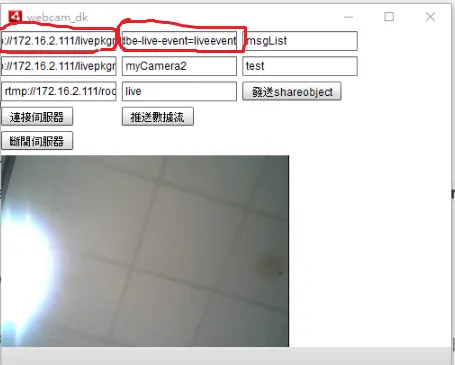
輸入範例
rtmp://localhost/livepkgr
和
livestream?adbe-live-event=liveevent
[name]? adbe-live-event=liveevent
Stream里面输入:livestream?adbe-live-event=liveevent 如果左边的Preset设置了多路,Stream就要修改为:livestream%i?adbe-live-event=liveevent
新建crossdomain.xml跨網域權限文件
目前設為最寬鬆 位置 C:\Program Files\Adobe\Adobe Media Server 5\webroot\crossdomain.xml
<?xml version="1.0"?>
<!-- http://www.osmf.org/crossdomain.xml -->
<!DOCTYPE cross-domain-policy SYSTEM "http://www.adobe.com/xml/dtds/cross-domain-policy.dtd">
<cross-domain-policy>
<allow-access-from domain="*" />
<site-control permitted-cross-domain-policies="all"/>
</cross-domain-policy>
推送頻道範例
---
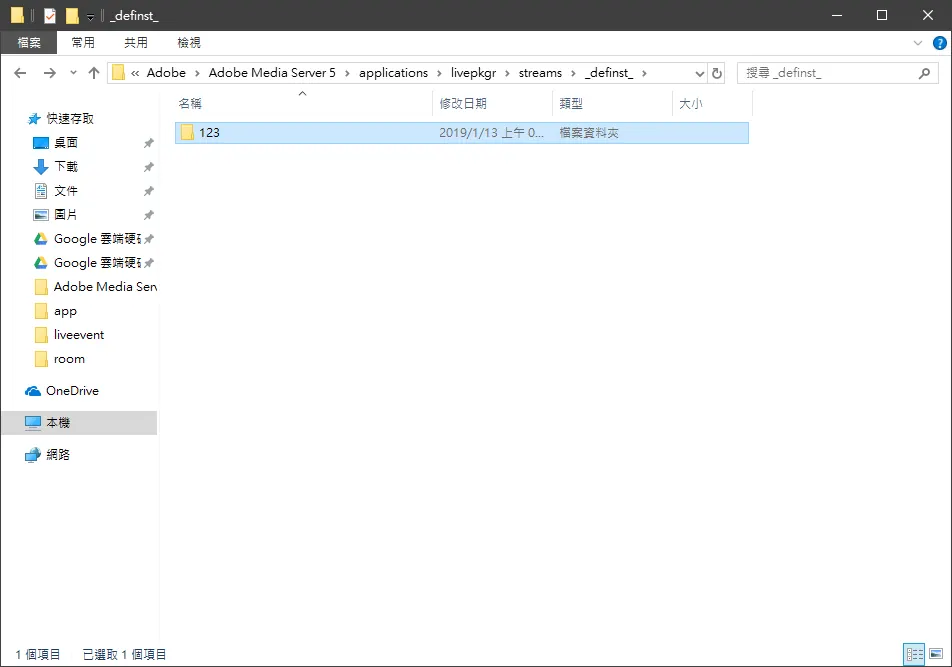
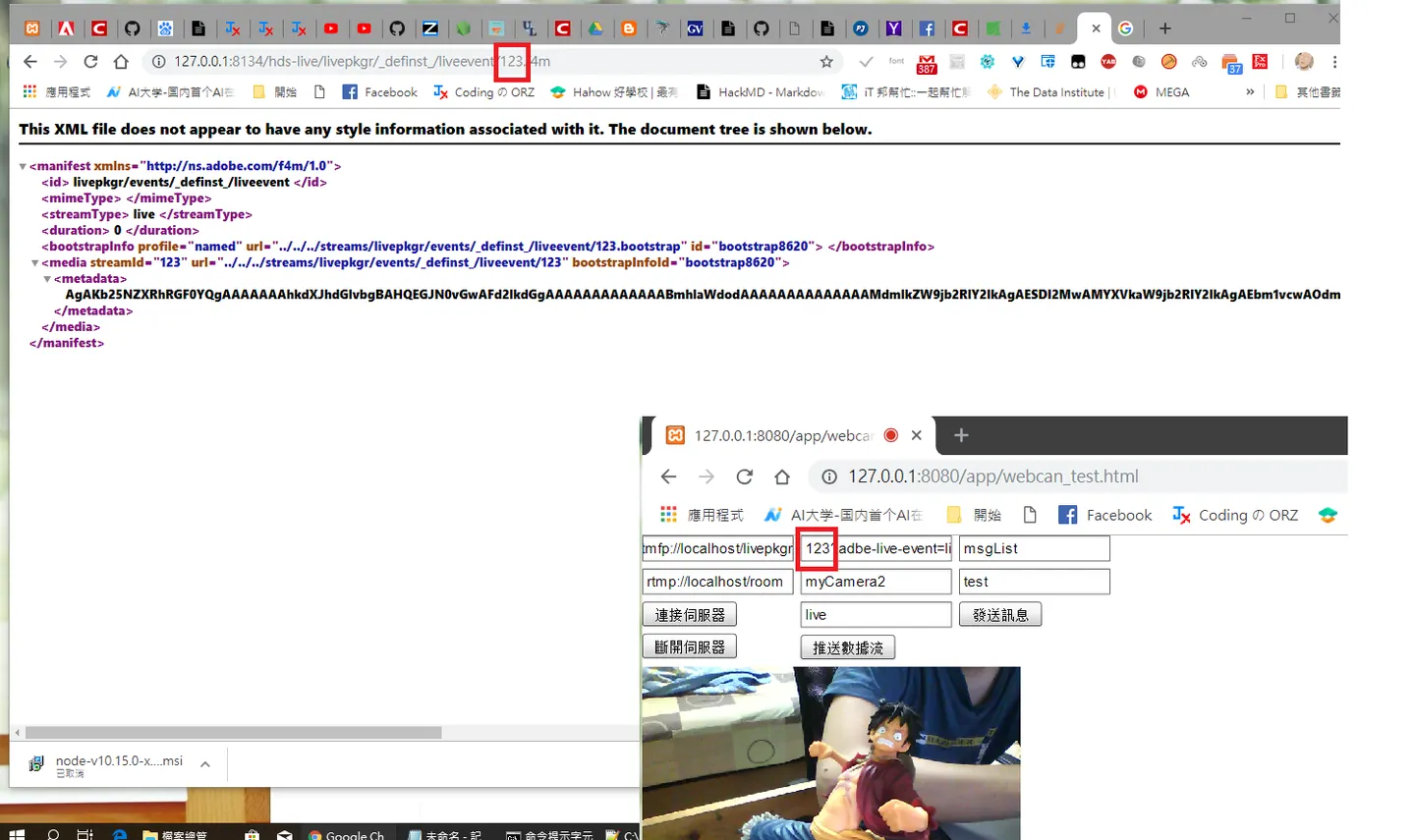 推送去123頻道成功會在
C:\Program Files\Adobe\Adobe Media Server5\applications\livepkgr\streams_definst_
推送去123頻道成功會在
C:\Program Files\Adobe\Adobe Media Server5\applications\livepkgr\streams_definst_
產生該頻道資料夾
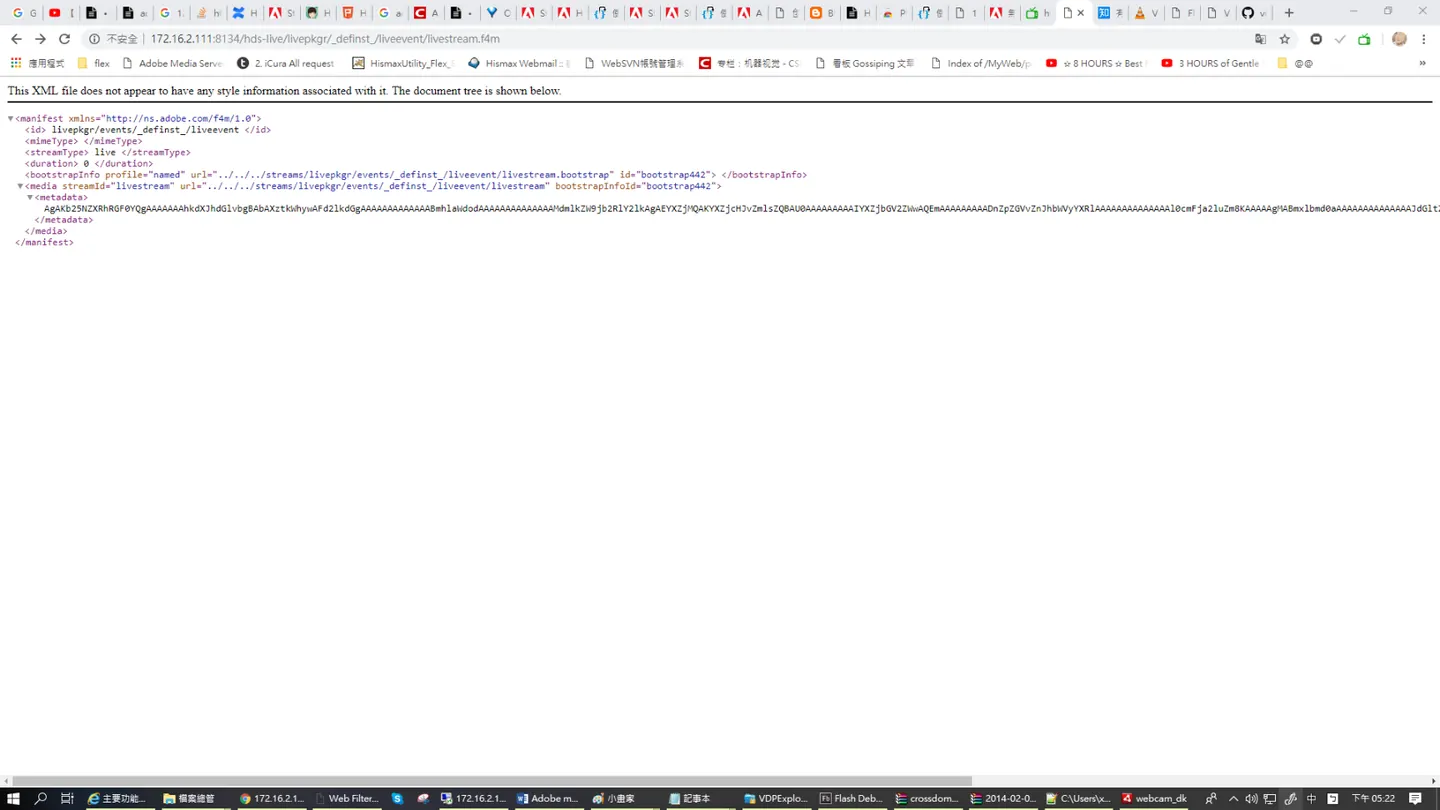
注意連接埠,和url文件位置與檔案格式
http://172.16.2.111:8134/hds-live/livepkgr/definst/liveevent/livestream.f4m
http://172.16.2.111:8134/hls-live/livepkgr/definst/liveevent/livestream.m3u8
檢測是否成功推送可以鍵入此連結
http://172.16.2.111:8134/hds-live/livepkgr/definst/liveevent/livestream.f4m
多路推送 品質修改 (尚未研究)
(好像是自動適應,依網路速度自行切換吧? C:\Program Files\Adobe\Adobe Media Server 5\applications\livepkgr\events_definst_\liveevent\ Manifest.xml
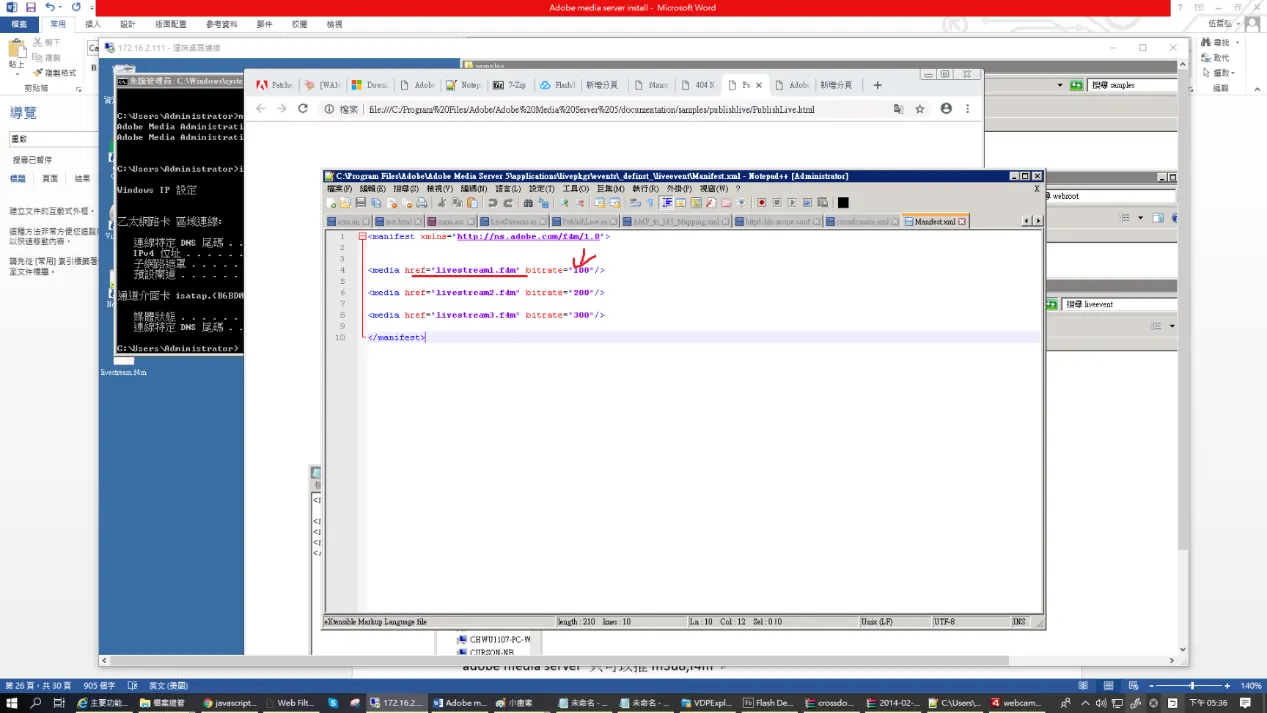
Html5使用hls.js 撥放器,撥放m3u8串流
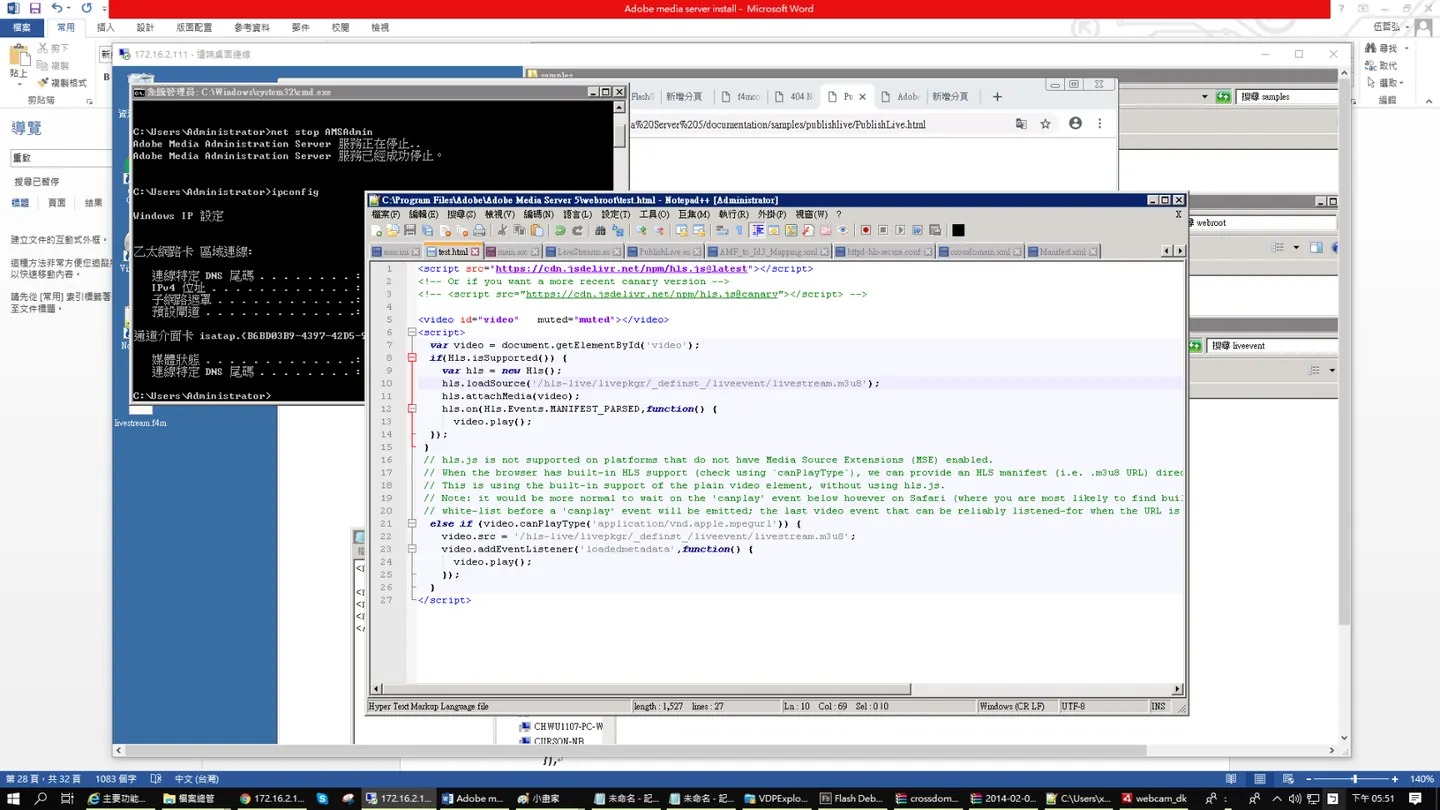
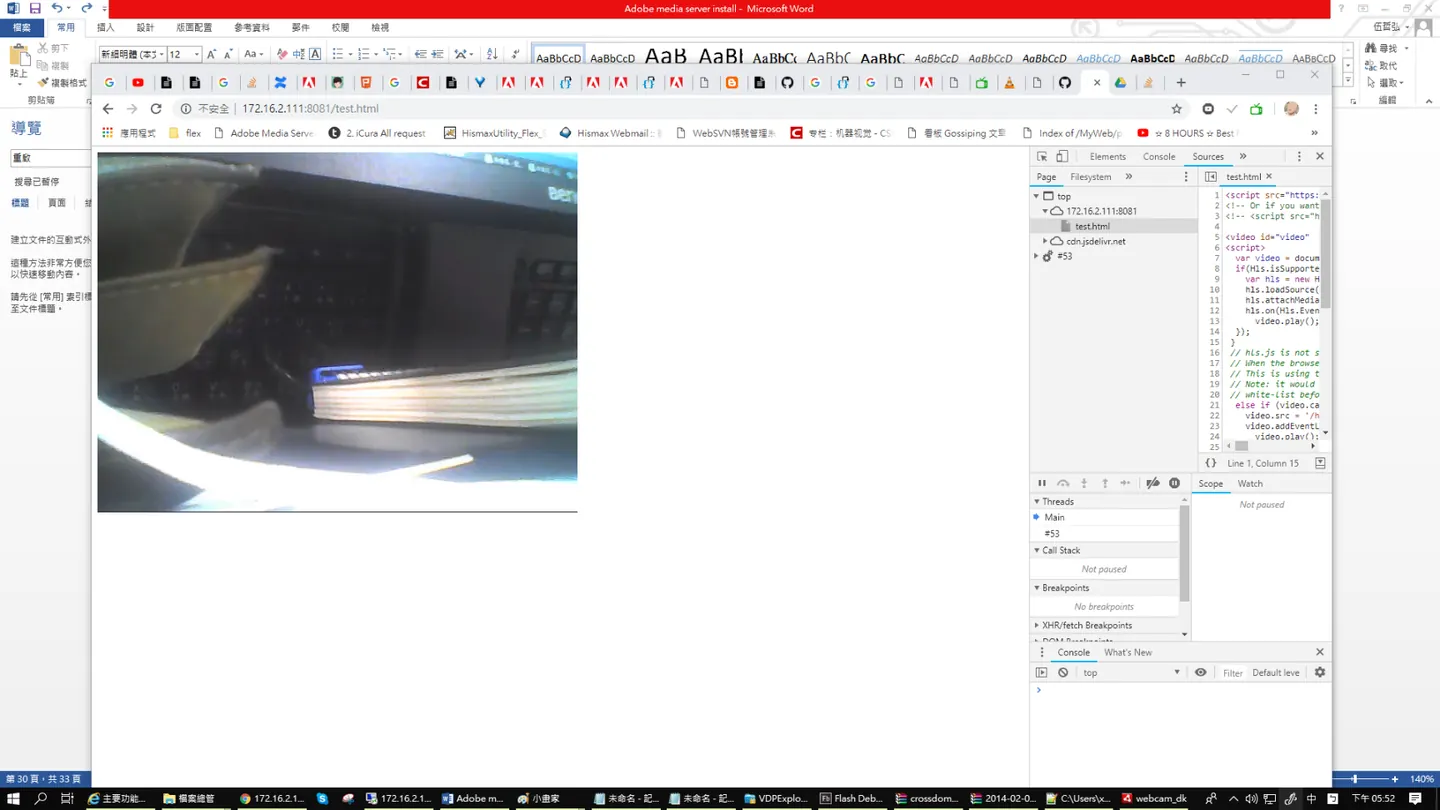 adobe media server to hls !
<script src="https://cdn.jsdelivr.net/npm/hls.js@latest"></script>
<!-- Or if you want a more recent canary version -->
<!-- <script src="https://cdn.jsdelivr.net/npm/hls.js@canary"></script> -->

<video id="video"   muted="muted"></video>
<script>
  var video = document.getElementById('video');
  if(Hls.isSupported()) {
    var hls = new Hls();
    hls.loadSource('/hls-live/livepkgr/_definst_/liveevent/livestream.m3u8');
    hls.attachMedia(video);
    hls.on(Hls.Events.MANIFEST_PARSED,function() {
      video.play();
  });
 }
 // hls.js is not supported on platforms that do not have Media Source Extensions (MSE) enabled.
 // When the browser has built-in HLS support (check using `canPlayType`), we can provide an HLS manifest (i.e. .m3u8 URL) directly to the video element throught the `src` property.
 // This is using the built-in support of the plain video element, without using hls.js.
 // Note: it would be more normal to wait on the 'canplay' event below however on Safari (where you are most likely to find built-in HLS support) the video.src URL must be on the user-driven
 // white-list before a 'canplay' event will be emitted; the last video event that can be reliably listened-for when the URL is not on the white-list is 'loadedmetadata'.
  else if (video.canPlayType('application/vnd.apple.mpegurl')) {
    video.src = '/hls-live/livepkgr/_definst_/liveevent/livestream.m3u8';
    video.addEventListener('loadedmetadata',function() {
      video.play();
    });
  }
</script>
Comments