
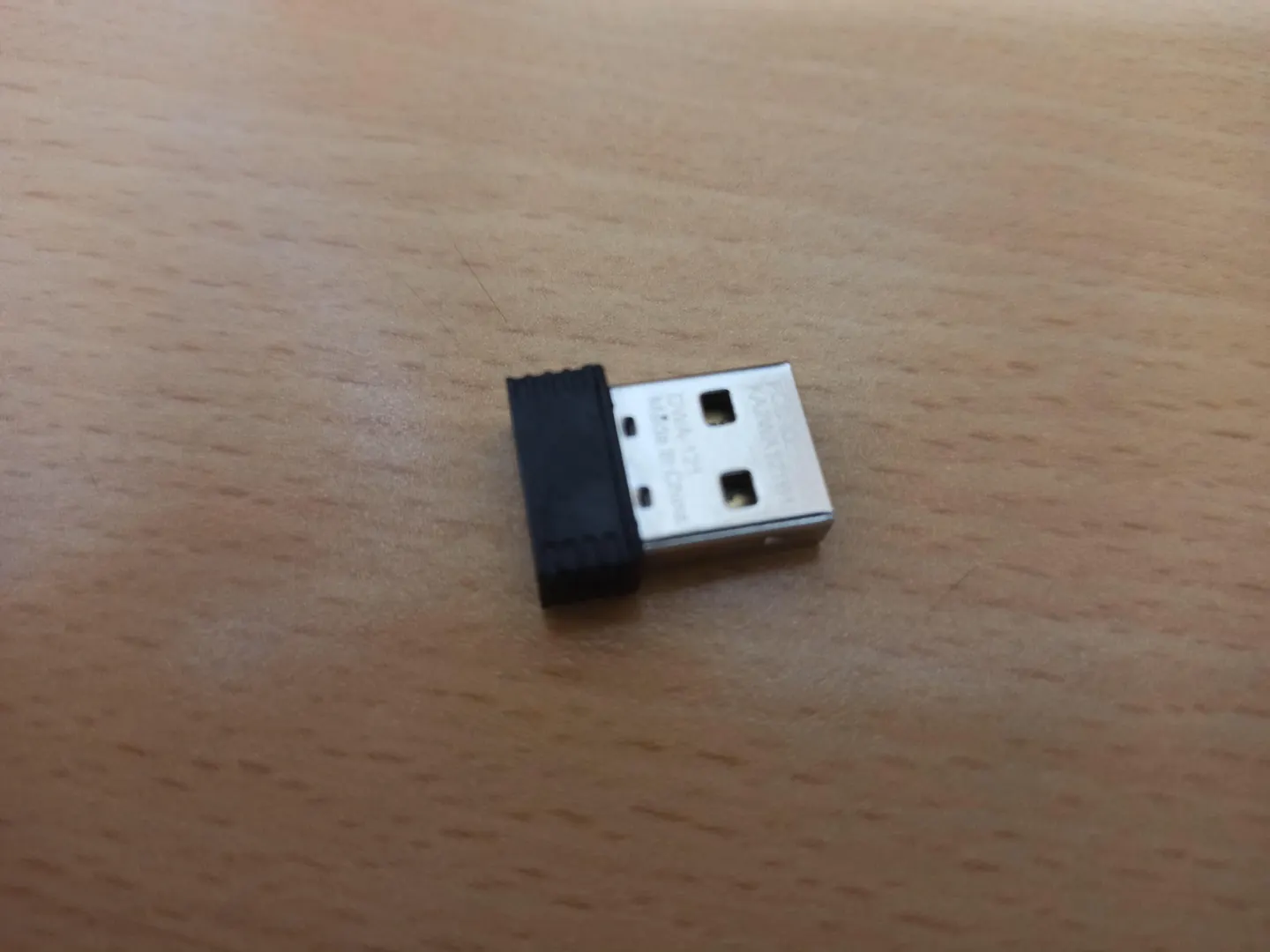
synology port tp-link wifi driver
https://und3ath.github.io/2018/03/06/Synology-usbDongle-integration.html
https://linux-hardware.org/?id=usb:2001-331b
http://www.clfs.org/~kb0iic/GIT/x86_64/final-system/kmod.html
https://www.kernelconfig.io/config_cfg80211_wext https://www.cxybb.com/article/jzzjsy/12440519%20%20
https://yume190.github.io/2016/05/13/Linux-2016-05-13-kernel/
https://www.bydavy.com/2012/01/compiling-linux-kernel-modules-for-synology-devices/
剛好有一塊wifi 驅動程式 最後沒移植成功,synology 除非原有的kernel 就有預設開啟某些特定的模組,dms7.0 通通不再支援(https://zhuanlan.zhihu.com/p/334680691),
可以進行重編但是替換過後的zimage synology 開機有檢查碼的攔截,
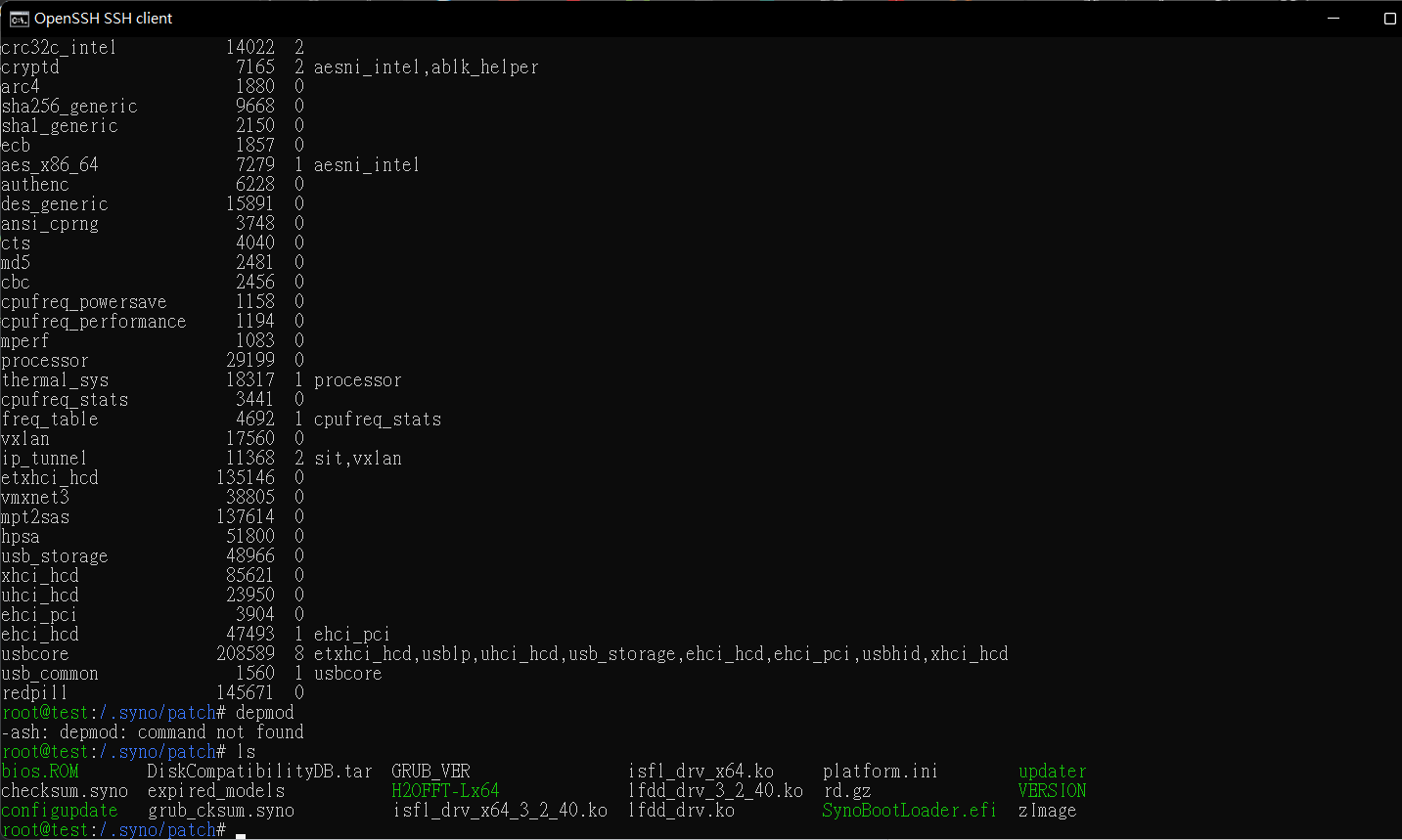 剛好記錄一下編譯一下 synology的kenrl 後重編 rtl8188eu 網卡的驅動交叉編譯後透過 kmod 進行模組的載入。
下面來記錄一下大概要移植大概會有哪些步驟
kernel rebuild
來交叉編譯一下
uname -a
Linux 3.10.108 #42218 SMP Fri Sep 24 02:38:39 CST 2021 armv7l GNU/Linux synology_armada38x_ds218j
Marvell Armada 38x Linux 3.10.108 https://sourceforge.net/projects/dsgpl/files/Tool%20Chain/DSM%207.0.0%20Tool%20Chains/Marvell%20Armada%2038x%20Linux%203.10.108/
kernel source: https://sourceforge.net/projects/dsgpl/files/Synology%20NAS%20GPL%20Source/15047branch/armada38x-source/linux-3.10.x-bsp.txz/download
export CFLAGS="-I/root/kernel/arm-unknown-linux-gnueabi/include"
export LDFLAGS=-I/root/kernel/arm-unknown-linux-gnueabi/lib"
export RANLIB=/root/kernel/arm-unknown-linux-gnueabi/bin/arm-unknown-linux-gnueabi-ranlib
export LD=/root/kernel/arm-unknown-linux-gnueabi/bin/arm-unknown-linux-gnueabi-ld
export CC=/root/kernel/arm-unknown-linux-gnueabi/bin/arm-unknown-linux-gnueabi-gcc
export LD_LIBRARY_PATH=/root/kernel/arm-unknown-linux-gnueabi/lib
export ARCH=arm
export CROSS_COMPILE=/root/kernel/arm-unknown-linux-gnueabi/bin/arm-unknown-linux-gnueabi-
export KSRC=/root/kernel/linux-3.10.x-bsp/
我們的驅動會用到我們kernel 的一些檔案,這邊還要進行更改版本
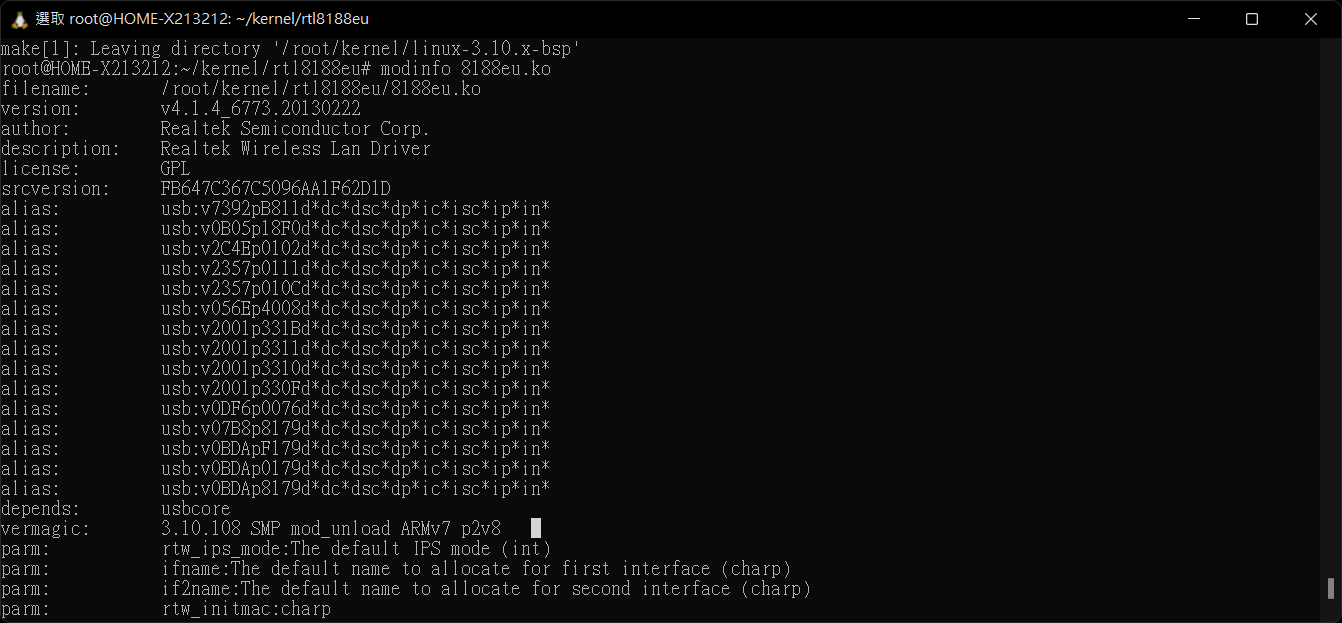
預設應該是102,我們要改成108,不然再insmod 可能會遇到
linux driver vermagic
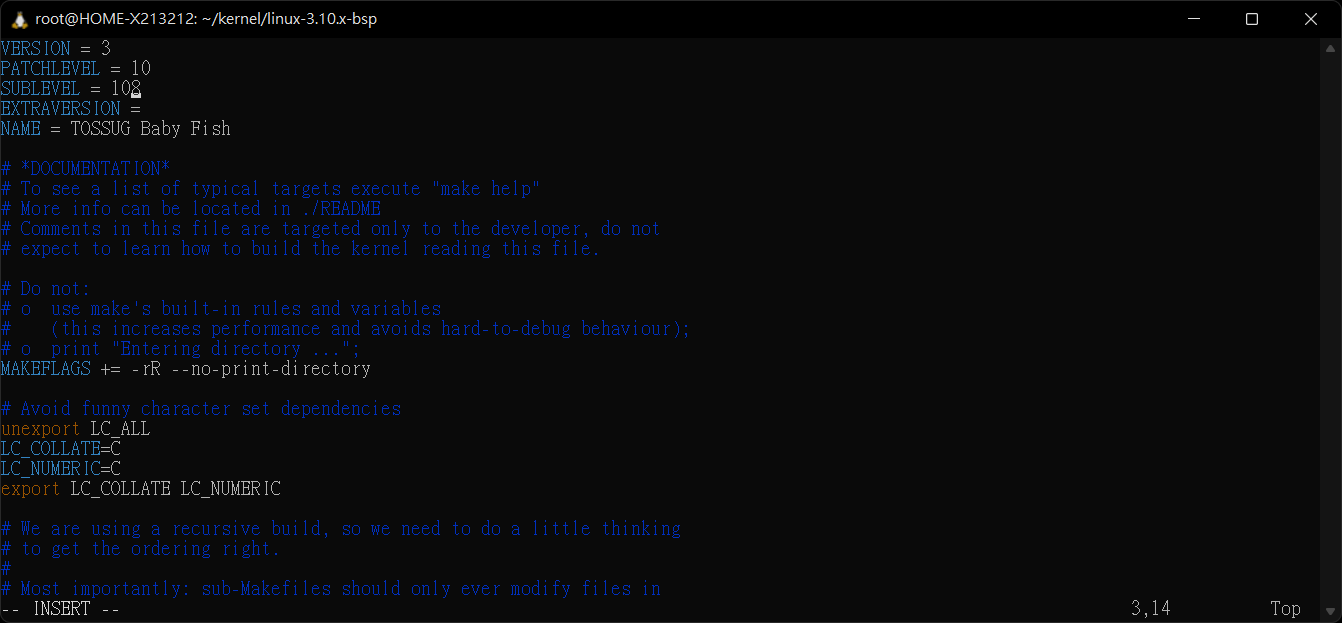
makeifle
VERSION = 3
PATCHLEVEL = 10
SUBLEVEL = 108
EXTRAVERSION =
NAME = TOSSUG Baby Fish
if want build zimage
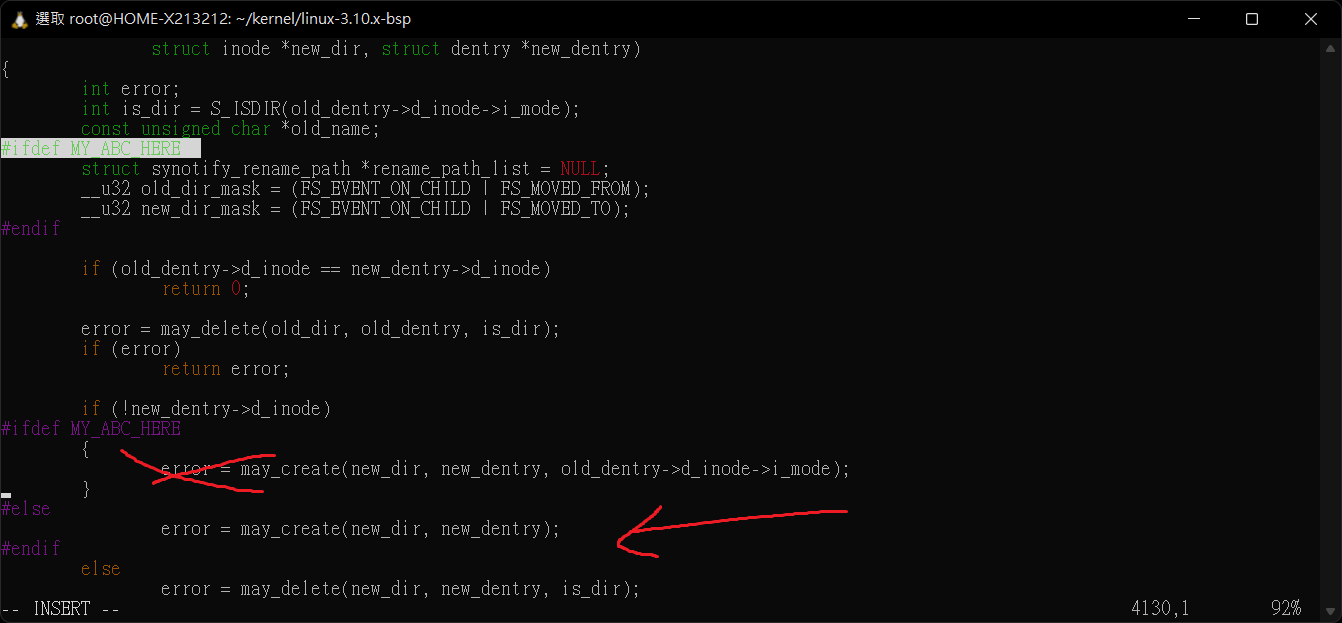
如果要真的編譯一個 zimage 或 bzimage 我記得有一天文章有說怎麼改 checksum 去繞過,所以有編了一個 vim fs/debugfs/inode.c vim fs/namei.c
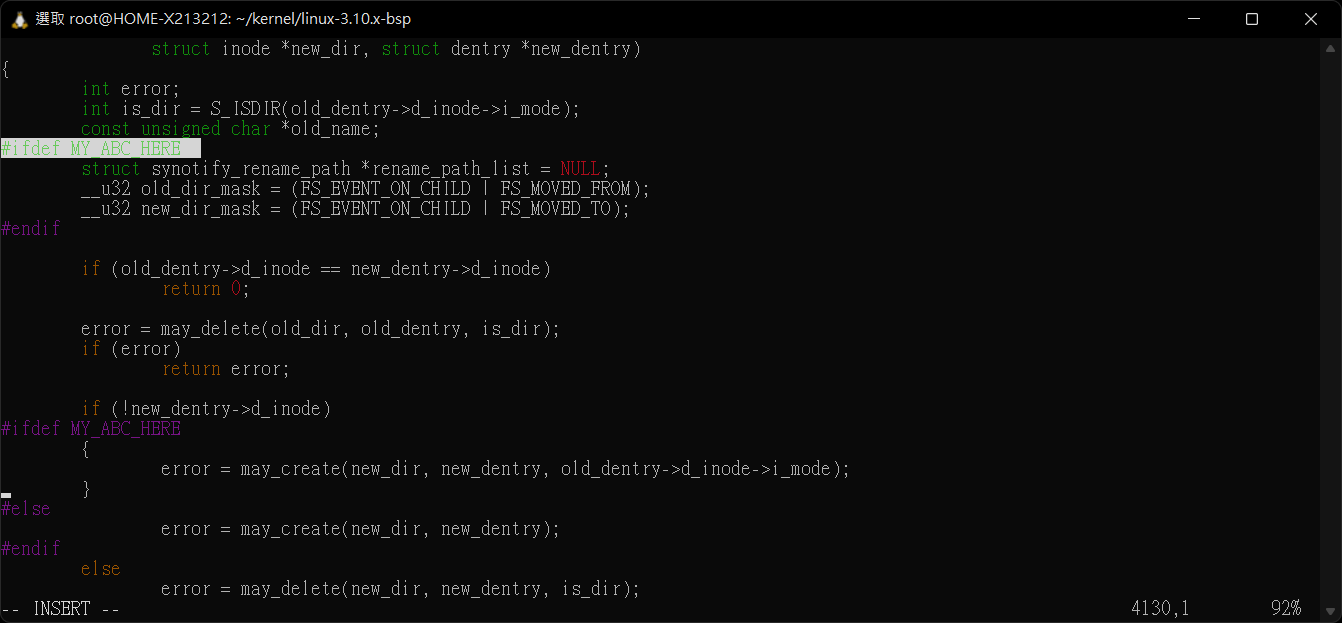
請嘗試把
inline void free_rename_path_list(struct synotify_rename_path * rename_path_list)
static inline struct synotify_rename_path * get_rename_path(struct vfsmount *vfsmnt, struct dentry *old_dentry, struct dentry *new_dentry)
#ifdef MY_ABC_HERE
關掉沒意外可以成功編譯,其中可能會遇到根本不會出現的fucntion 請更改後替換成現有的kenerl 有 support 的 function 也就是關閉#ifdef MY_ABC_HERE
進行替換成else後的程式碼片段
clone wifi driver
git clone ttps://github.com/lwfinger/rtl8188eu
make all
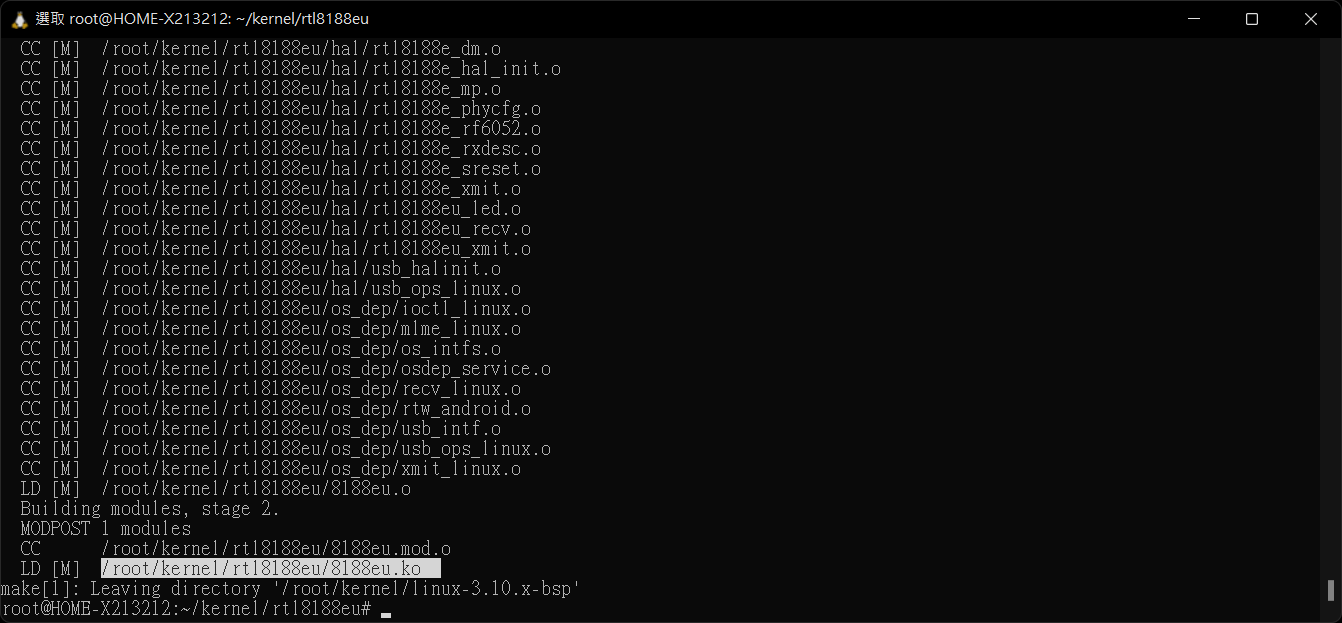 得到驅動先檢查一下
modinfo
透過scp 傳遞到你的nsa上
scp C:\\linuxkernel\\test.txt {user}@{nas:\\ip}:/var/services/homes/{user}
本來以為要交叉編譯kmod 因為原來syngoy 並沒有 depmod 所以又跑去編譯了kmod 後來編譯完發先他是透過軟連結的方式
http://www.clfs.org/~kb0iic/GIT/x86_64/final-system/kmod.html
nas 預設的版本
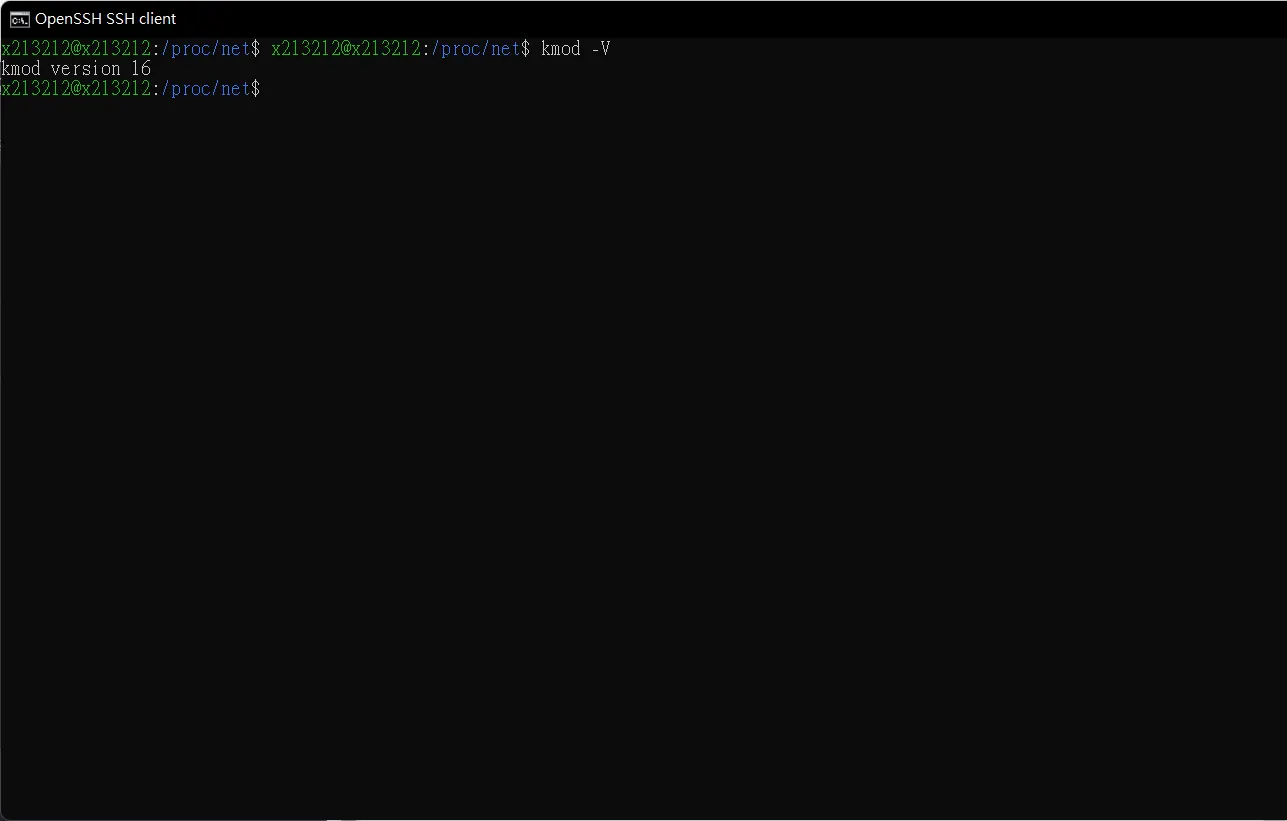 http://ftp.ntu.edu.tw/pub/linux/utils/kernel/kmod/
可以從這裡找到相對應的版本。
http://ftp.ntu.edu.tw/pub/linux/utils/kernel/kmod/
可以從這裡找到相對應的版本。
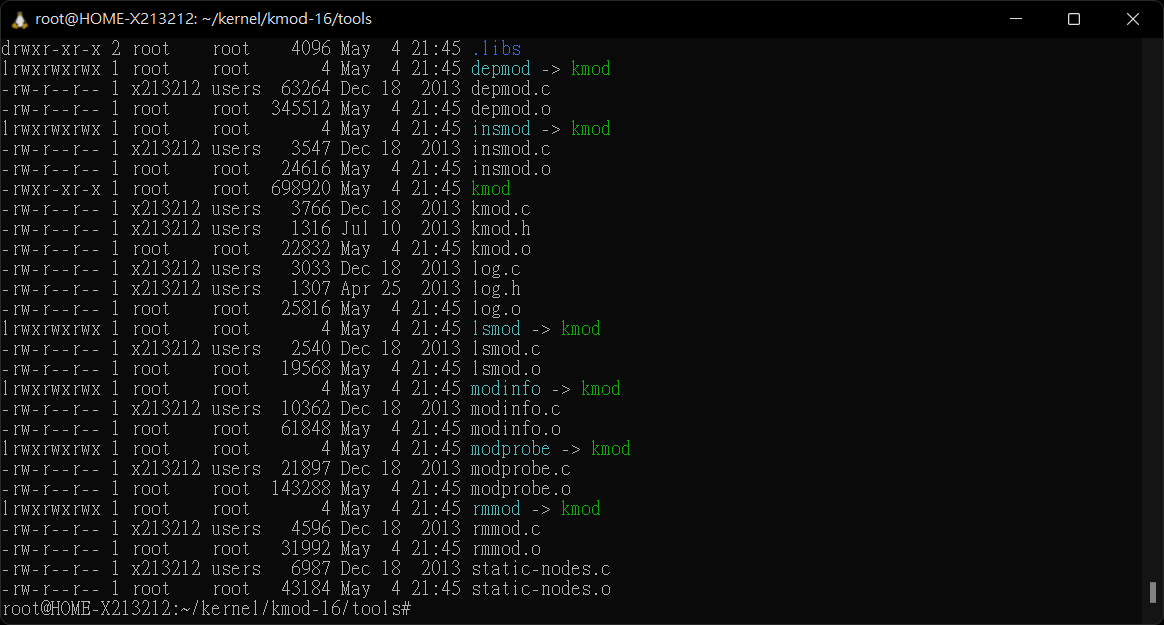
有趣的來了它們通通透過軟連結到 kmod
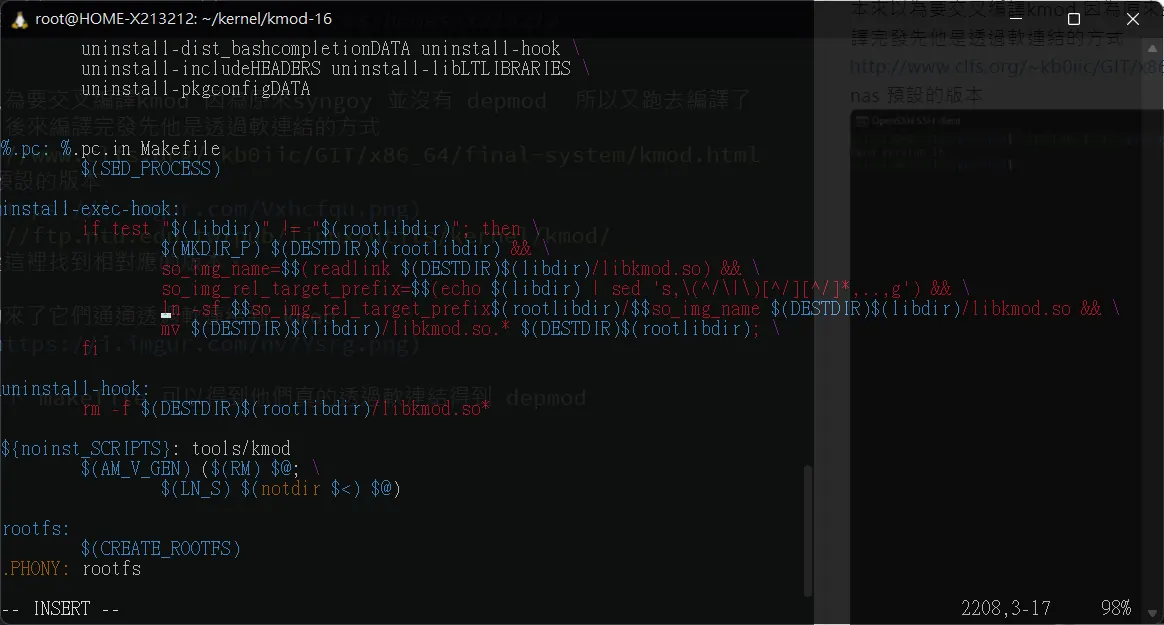
看了一下 makefile 可以得到他們真的透過軟連結得到 depmod
那麼回到我們的nsa 查看一下 kmod 有沒有支援
cd /sbin/
ls -all
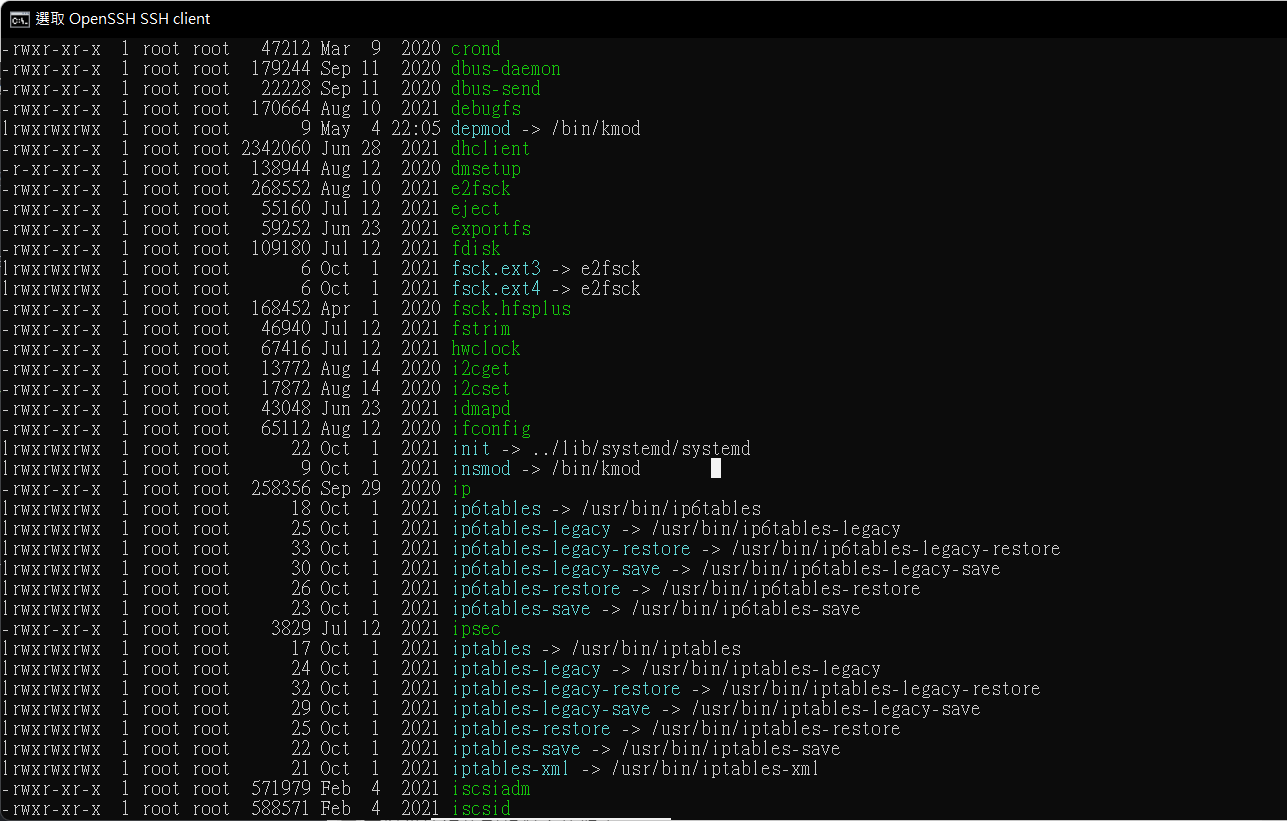 實際定位到
實際定位到
insmod -> /bin/kmod
那麼土法煉鋼我們也用軟連結得到消失的depmod
ln -sf /bin/kmod ./depmod
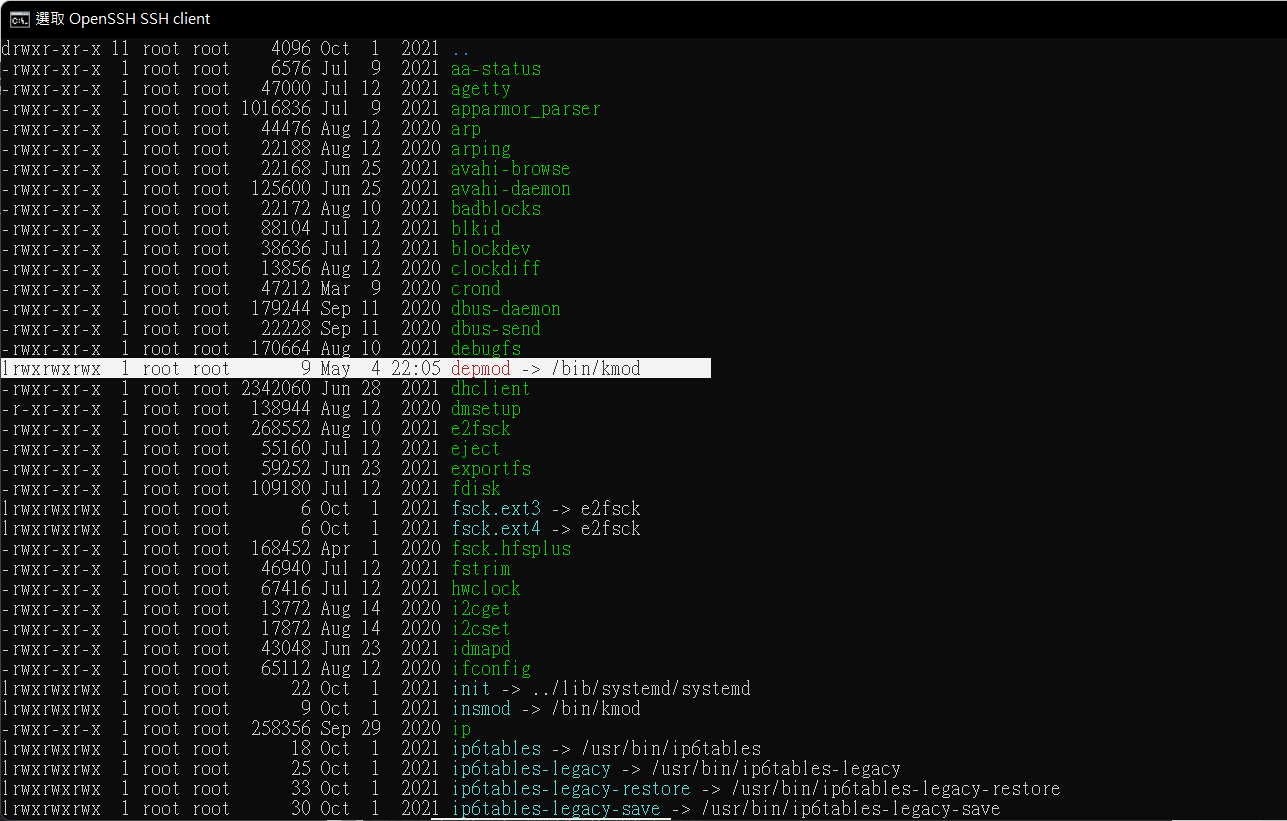
這樣我們就可能透過 linux modprobe 去load 我們的驅動
depmod
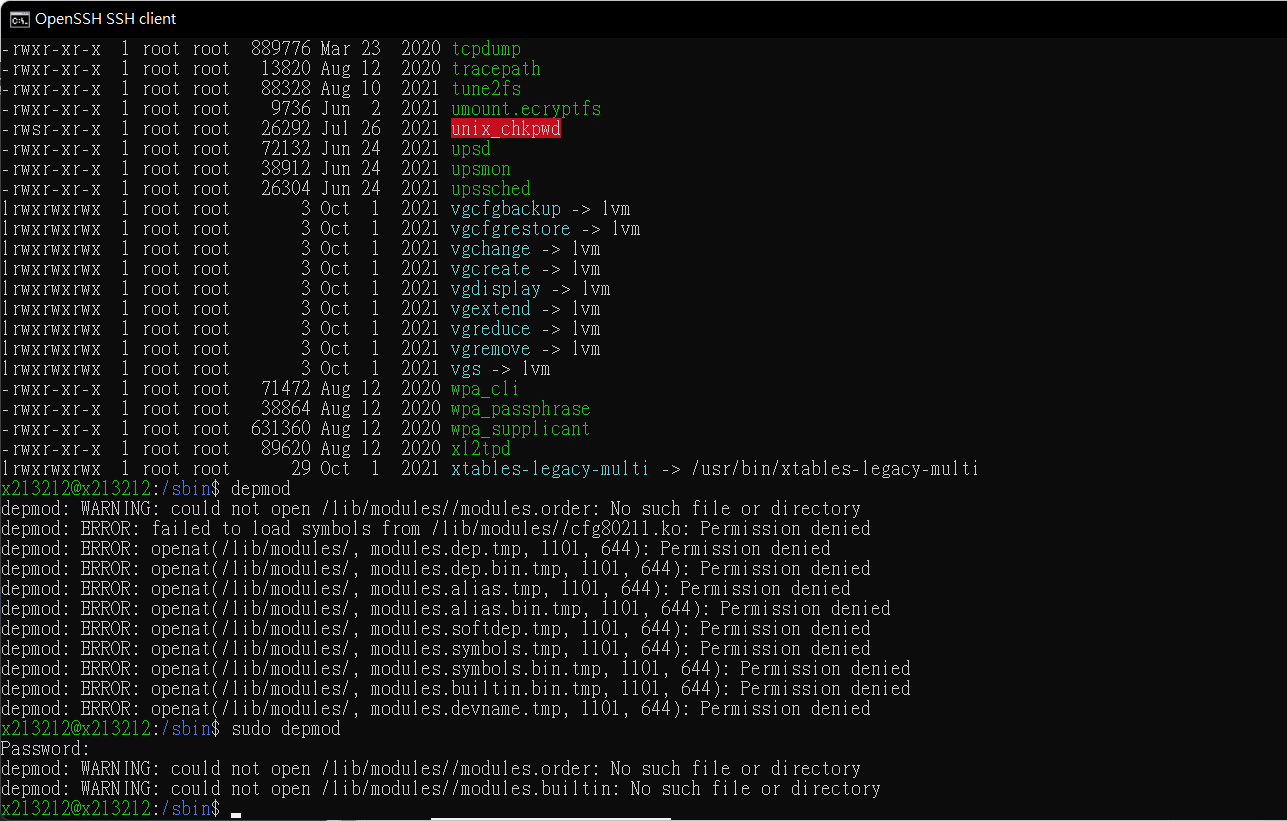
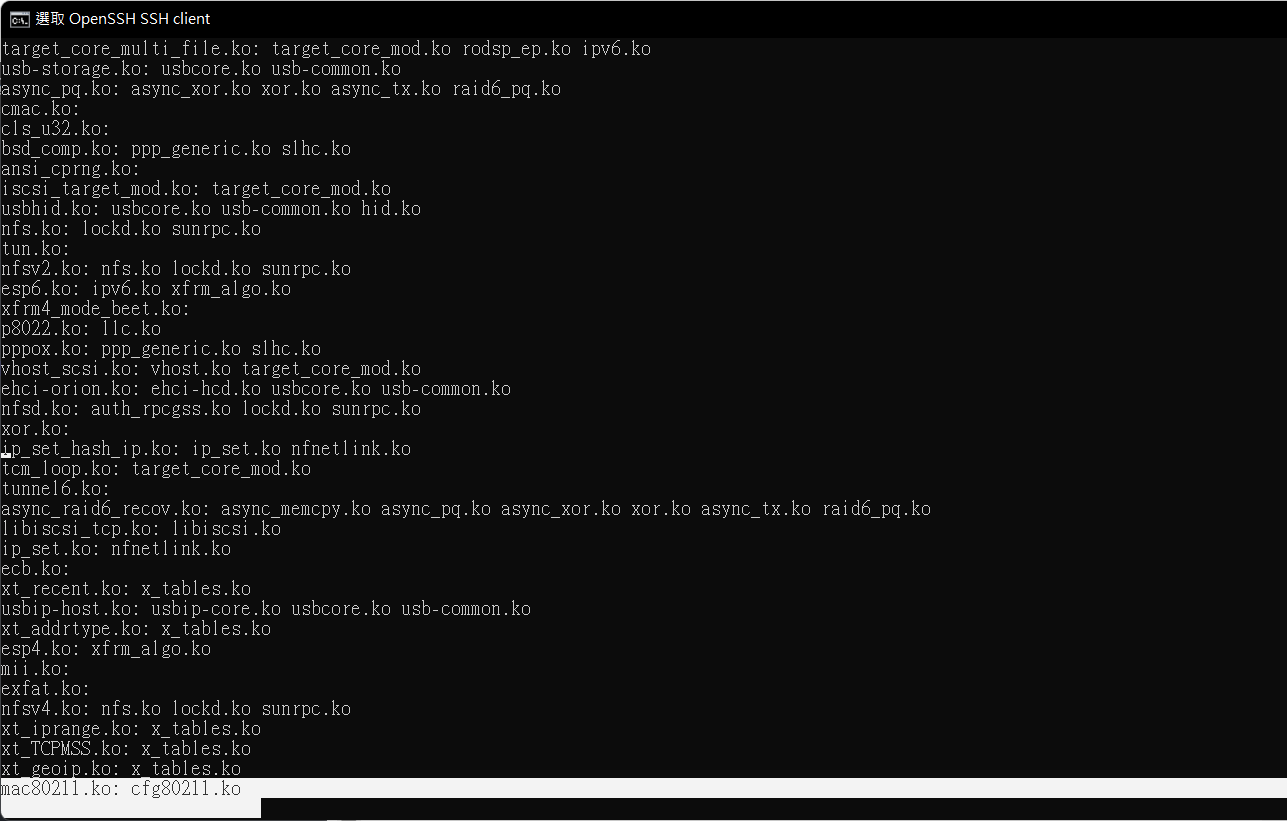 我們把 scp傳過了 驅動移到/lib/modules/
cp ./mac80211.ko /lib/modules/
cp ./cfg80211.ko /lib/modules/
cp ./8188eu.ko /lib/modules

sudo modprobe  mac80211
sudo modprobe  cfg80211
sudo modprobe 8188eu
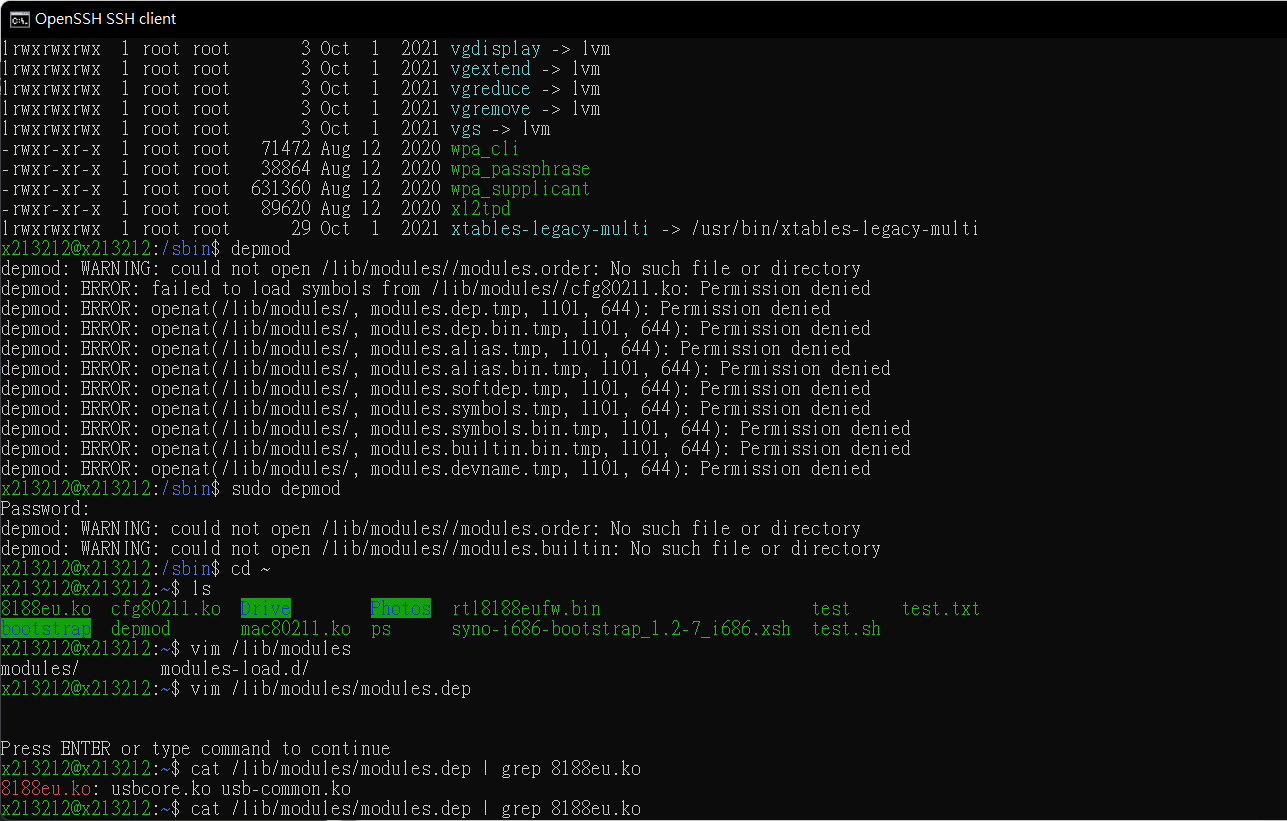
最後透過dmesg查看驅動的一些事件
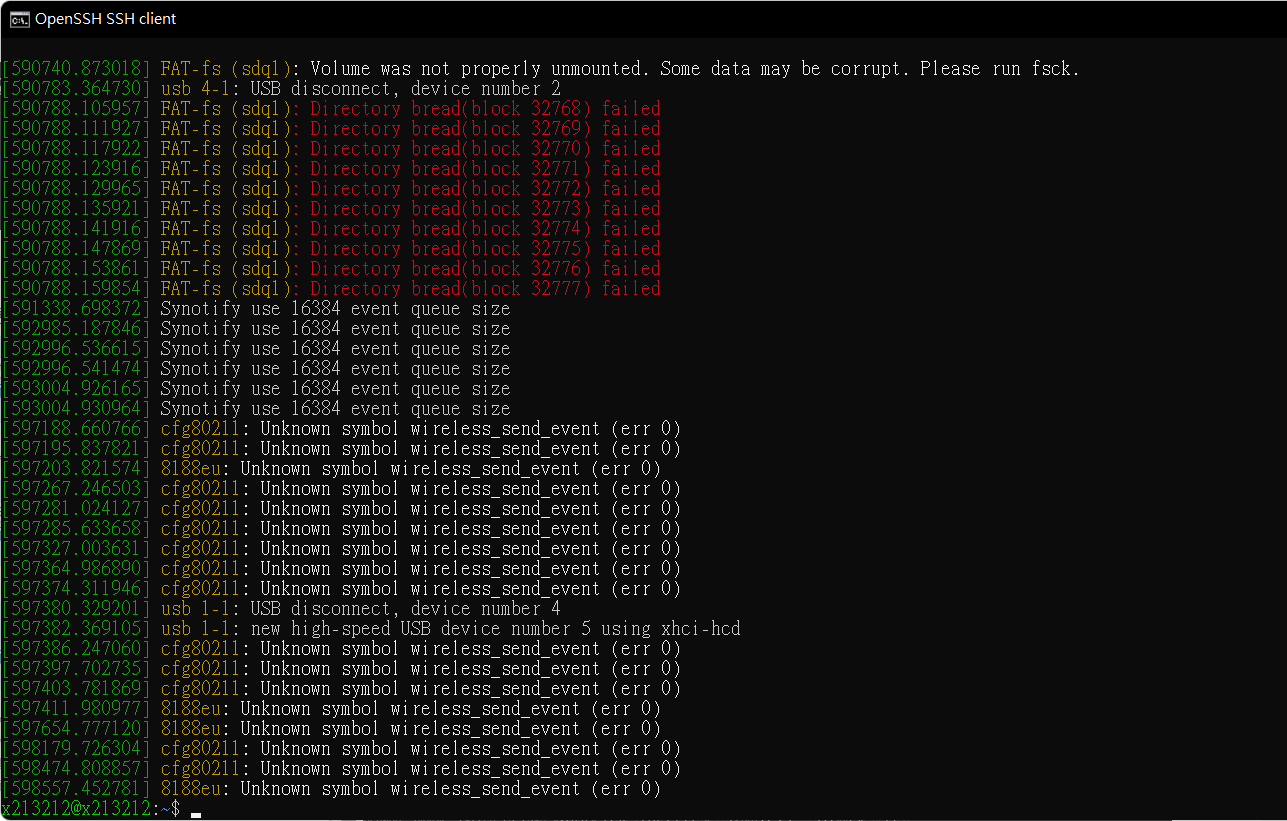 這些東西是現有的kernel 是沒有support
wireless_send_event
也就是rtl8188eu github所說的
Your kernel configuration MUST have CONFIG_WIRELESS_EXT set.
https://www.kernelconfig.io/config_cfg80211_wext
這些東西是現有的kernel 是沒有support
wireless_send_event
也就是rtl8188eu github所說的
Your kernel configuration MUST have CONFIG_WIRELESS_EXT set.
https://www.kernelconfig.io/config_cfg80211_wext
make menuconfig
感興趣的話會破解 checksum 可以透過上述的指令進行kernel 的配置
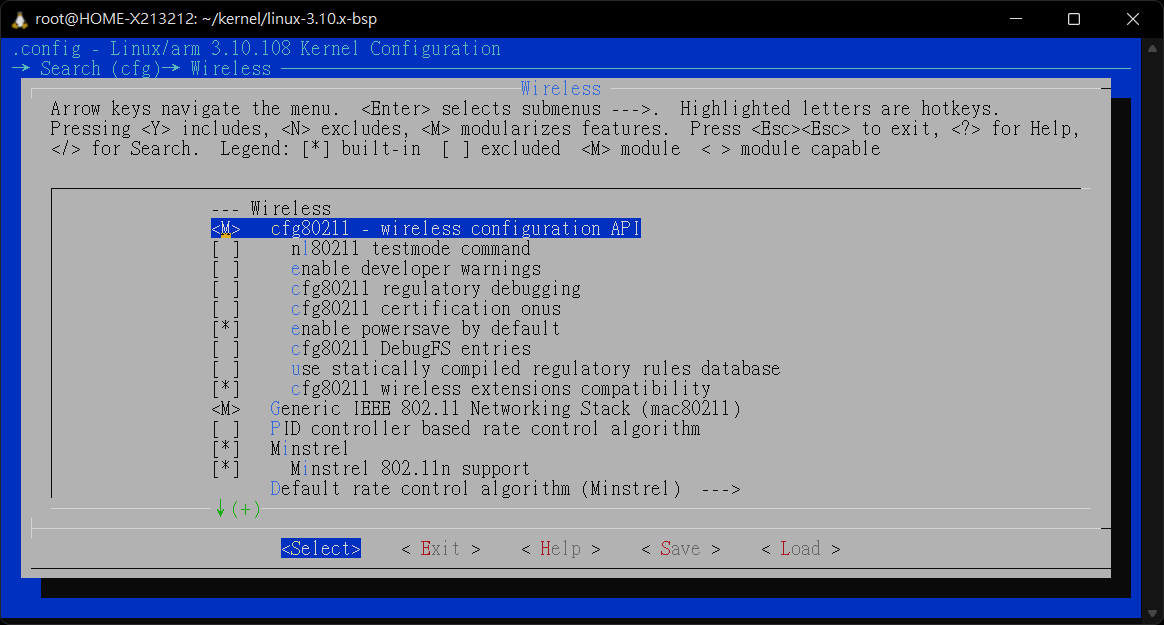 可惜就是最前面說的
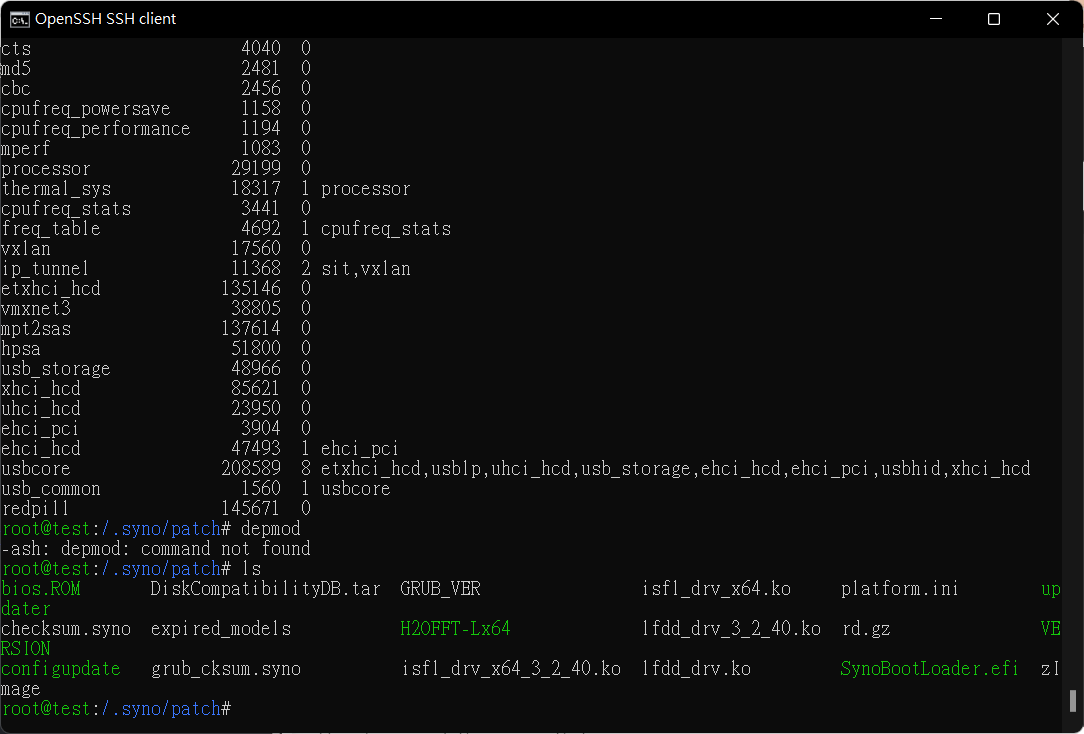 必須繞過 checksum 就可以進行 hack synology,用在早期的版本可能就是可以自由的去加上usb 周邊應該蠻有趣, synology kernel 可以看到在這篇文章
https://www.bydavy.com/2012/01/compiling-linux-kernel-modules-for-synology-devices/ 他們的kernel 較少的kernel module 的 linux 版本,不過可能透過重編一些module讓她進行模組的載入,不過一樣要繞過去才有可能
https://www.csie.ntu.edu.tw/~r91112/myDownload/WEB/Upgrade.html
大概一般移植網卡可能就這些步驟,移植後可能還要透過一些東西配置才能讓網卡真正能啟用 (?
必須繞過 checksum 就可以進行 hack synology,用在早期的版本可能就是可以自由的去加上usb 周邊應該蠻有趣, synology kernel 可以看到在這篇文章
https://www.bydavy.com/2012/01/compiling-linux-kernel-modules-for-synology-devices/ 他們的kernel 較少的kernel module 的 linux 版本,不過可能透過重編一些module讓她進行模組的載入,不過一樣要繞過去才有可能
https://www.csie.ntu.edu.tw/~r91112/myDownload/WEB/Upgrade.html
大概一般移植網卡可能就這些步驟,移植後可能還要透過一些東西配置才能讓網卡真正能啟用 (?
Comments