

rust mutithread web-server Diesel orm framework
Diesel
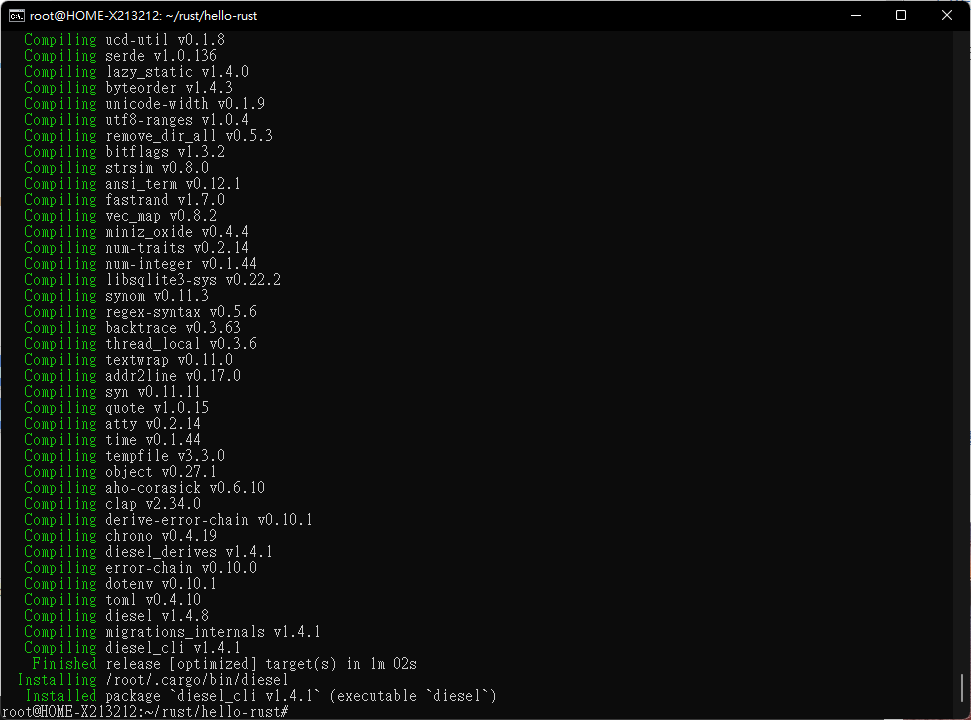
https://diesel.rs/ 在開始使用前要先安裝 Diesel 的工具,請輸入以下指令:
$ cargo install diesel_cli
預設它會開啟所有能支援的資料庫,若你只需要它支援部份的資料庫可以用以下指令
$ cargo install diesel_cli --no-default-features --features sqlite
Migration
我們先建一個存貼文的表格吧:
$ diesel migration generate create_posts
它會在 migrations 的資料夾下建立一個以日期、一組號碼與 create_post 命名的資料夾,在底下會有兩個檔案, up.sql 與 down.sql 分別為建立的 SQL 與撤消的 SQL,我們先在 up.sql 中寫入建立資料表的指令:
CREATE TABLE posts (
  id INTEGER NOT NULL PRIMARY KEY,
  author VARCHAR NOT NULL,
  title VARCHAR NOT NULL,
  body TEXT NOT NULL
);
然後在 down.sql 中寫入刪除資料表的指令:
DROP TABLE posts;
接著執行:
$ diesel migration run
它會執行剛剛寫好的 SQL,同時也會更新 src/schema.rs 這個檔案,你可以打開來,應該會看到以下內容:
table! {
  posts (id) {
    id -> Integer,
    author -> Text,
    title -> Text,
    body -> Text,
  }
}
結合orm
module.rs
use std::fmt;

// Insertable 產生的程式碼會使用到,所以必須要引入
use super::schema::posts;

// 一個可以用來查詢的 struct
#[derive(Queryable, Debug)]
pub struct Post {
  pub id: i32,
  pub author: String,
  pub title: String,
  pub body: String,
}
impl fmt::Display for Post {
    fn fmt(&self, f: &mut fmt::Formatter) -> fmt::Result {
        write!(f, "{},{},{},{}\n", self.id,self.author,self.title,self.body)
    }
}

// 新增用的 struct ,唯一的差別是沒有 id 的欄位,以及使用的是 str
#[derive(Insertable)]
// 這邊要指定資料表的名稱,不然 diesel 會嘗試用 struct 的名稱
#[table_name = "posts"]
pub struct NewPost<'a> {
  pub author: &'a str,
  pub title: &'a str,
  pub body: &'a str,
}
main.rs
use diesel::{prelude::*, sqlite::SqliteConnection};
use dotenv::dotenv;
use std::env;

mod models;
mod schema;

use models::NewPost;

use crate::models::Post;
fn establish_connection() -> SqliteConnection {
    let url = env::var("DATABASE_URL").expect("找不到資料庫位置");
    SqliteConnection::establish(&url).expect("連線失敗")
}
fn list_posts(conn: &SqliteConnection) -> Vec<Post> {
    // 引入資料表的所有東西
    use self::schema::posts::dsl::*;

    // 載入所有的貼文
    posts.load::<Post>(conn).expect("取得貼文列表失敗")
}

// ...

fn create_post(conn: &SqliteConnection, author: &str, title: &str, body: &str) {
    // 引入我們的資料表
    use self::schema::posts;

    // 建立要準備新增的資料的 struct
    let new_post = NewPost {
        author,
        title,
        body,
    };

    // 指明要新增的表與新的值
    diesel::insert_into(posts::table)
        .values(&new_post)
        // 執行
        .execute(conn)
        .expect("新增貼文失敗");
}

fn main(){

    dotenv().ok();

    let listener = TcpListener::bind("127.0.0.1:7878").unwrap();
    let pool = ThreadPool::new(4);
    for stream in listener.incoming() {
        let stream = stream.unwrap();
        for stream in listener.incoming() {
            let stream = stream.unwrap();
            pool.execute(|| {
                handle_connection(stream);
            });
        }
    }

}
fn handle_connection(mut stream: TcpStream) {
    let conn = establish_connection();
    // 呼叫 create_post 建立貼文

    let mut buffer = [0; 512];

    stream.read(&mut buffer).unwrap();
    let get = b"GET / HTTP/1.1\r\n";
    let get2 = b"GET /test HTTP/1.1\r\n";
    let (status_line, filename) = if buffer.starts_with(get) {
        ("HTTP/1.1 200 OK\r\n\r\n", "/root/rust/www/hello.html")
    } else if buffer.starts_with(get2) {

        ("HTTP/1.1 200 OK\r\n\r\n", "/root/rust/www/hello.html")
    } else {
        (
            "HTTP/1.1 404 NOT FOUND\r\n\r\n",
            "/root/rust/www/error.html",
        )
    };
    let mut data=String::new();
    unsafe {
        // let serialized_user = serde_json::to_string(&user).unwrap();
        for x in list_posts(&conn).iter() {
            let get_str:&str  =  &x.to_string()[..];

            data.push_str(get_str);
            println!("> {}", get_str);
        }
        // data = list_posts(&conn).to_string();
    }
    let contents = data;
    let response = format!("{}{}", status_line, contents);
    stream.write(response.as_bytes()).unwrap();
    stream.flush().unwrap();
}
run
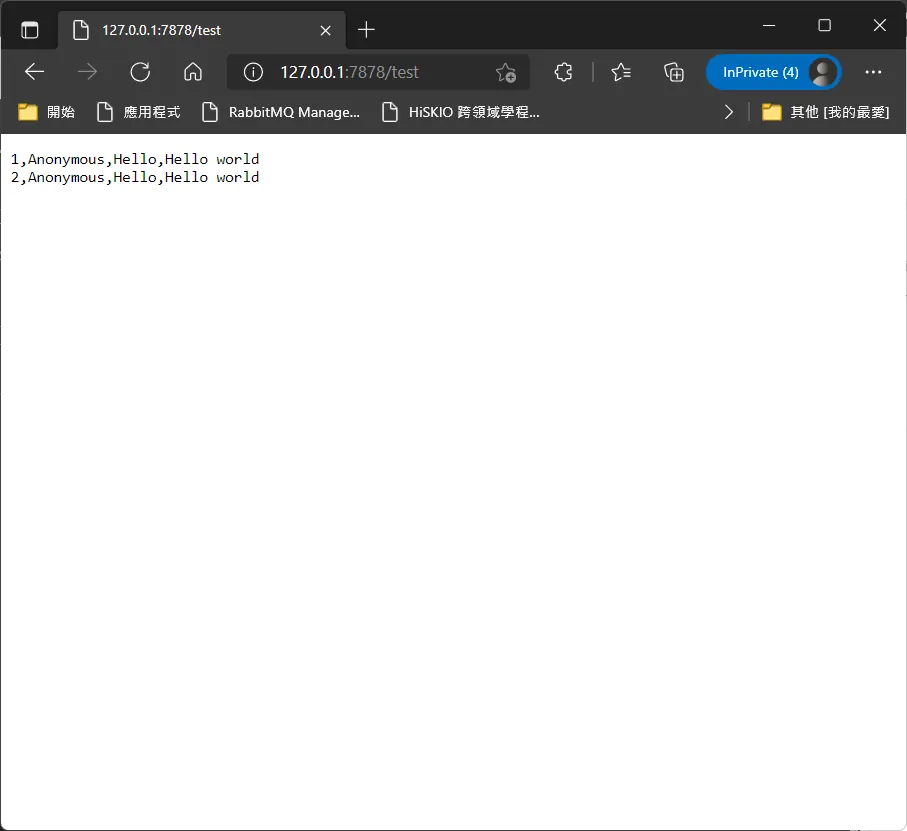
如果要實作restful 的話,可能要對細部做調整,包括返回的string 要to json 之類的
Comments