
打造一個多人串流系統
---
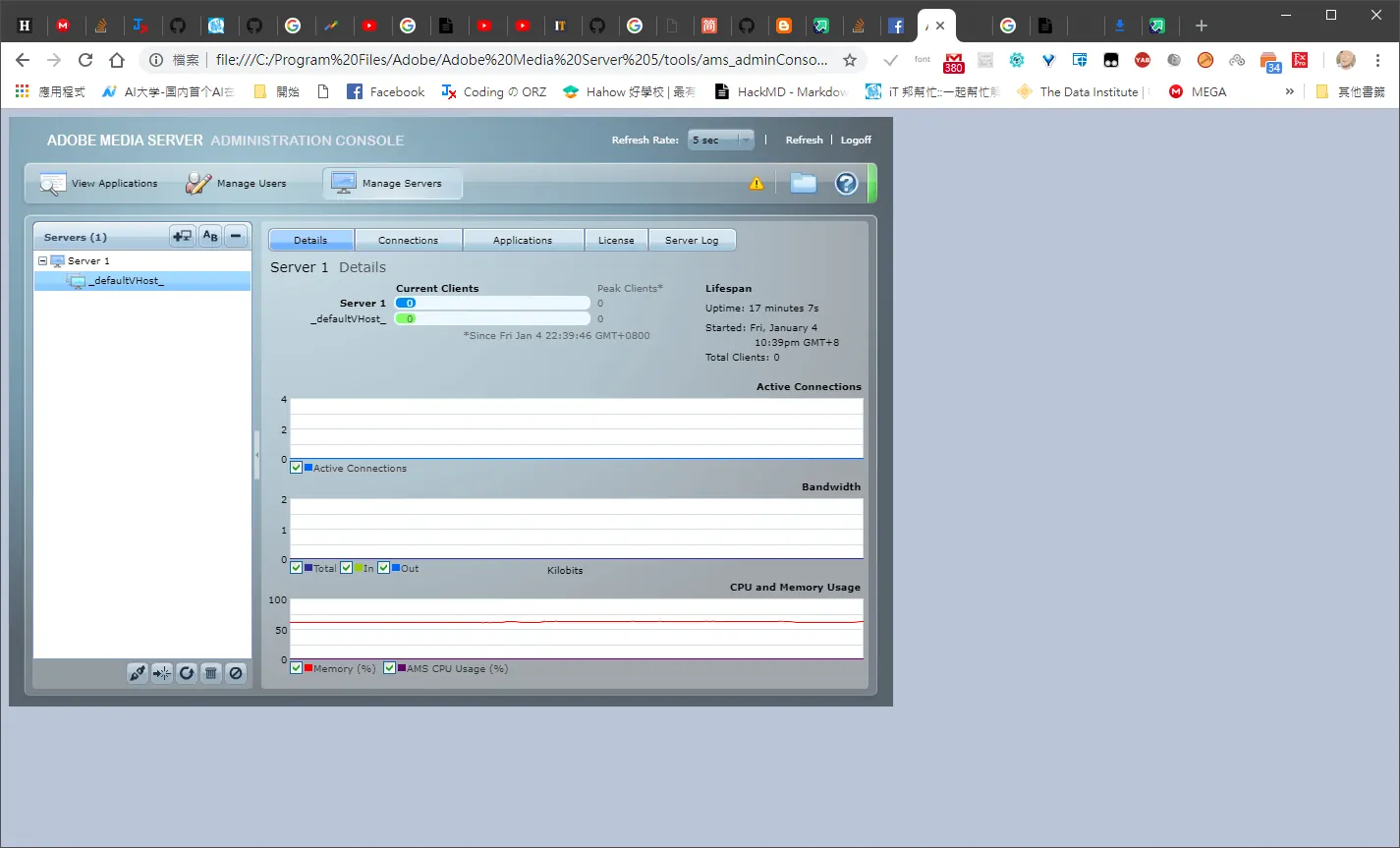
基本上伺服器用的是adobe media server 免費版開放連接數是10個為上限 然後程式碼的話,像在常見的環境,有的人可能不想裝flash,或者裝其他套件來播放,就以fb來說,假設可能要裝flash那時候可能就有可能一堆人都不要用了,當然有內建,現在是html5的時代,後續我會補上這功能。 就以稍微看一下目前的話 包括flash adobe media server 後台
---
 也就是
也就是
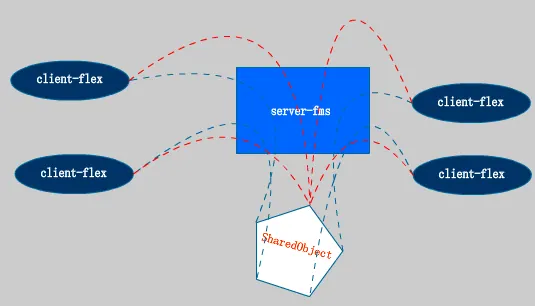 可以共同分享這個物件
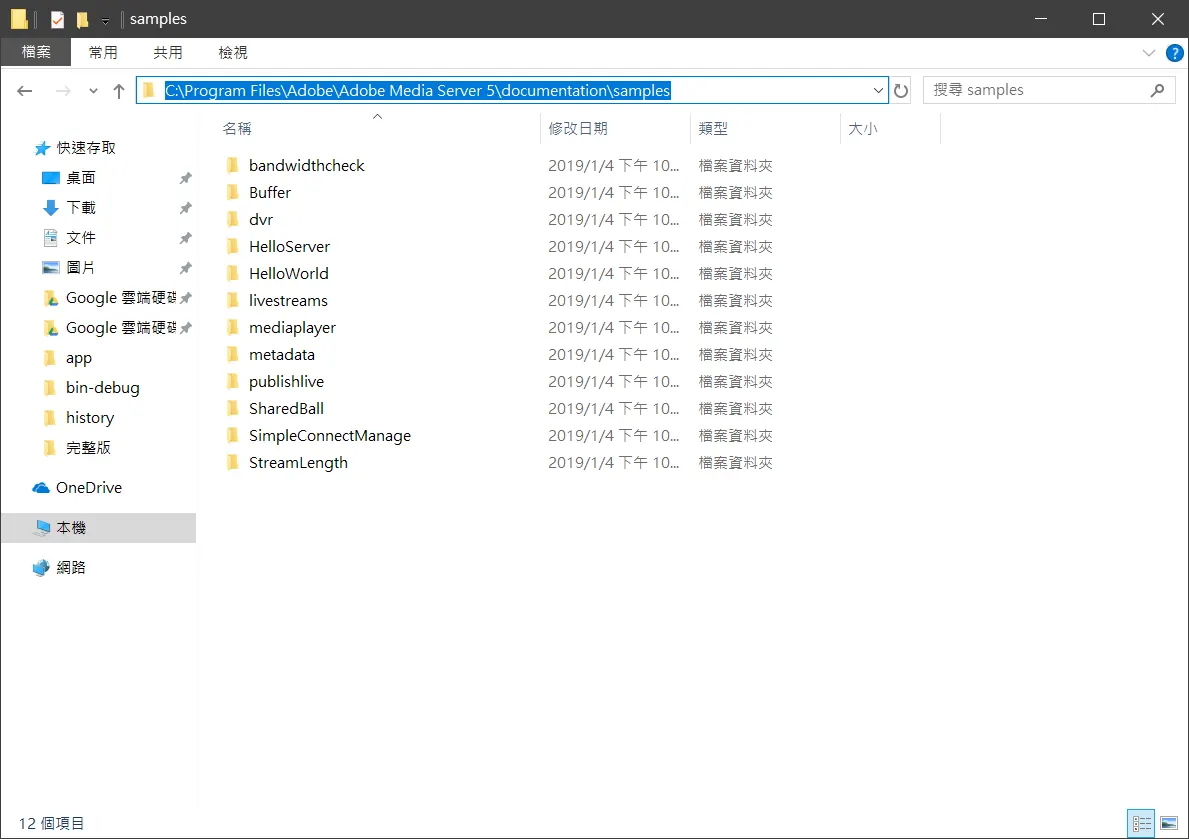
打開document參考一下
可以共同分享這個物件
打開document參考一下
程式碼
---
<?xml version="1.0" encoding="utf-8"?>
<s:Application xmlns:fx="http://ns.adobe.com/mxml/2009"
                       xmlns:s="library://ns.adobe.com/flex/spark"
                       xmlns:mx="library://ns.adobe.com/flex/mx"
                       creationComplete="windowedapplication1_creationCompleteHandler(event)">
    <fx:Declarations>
        <!-- Place non-visual elements (e.g., services, value objects) here -->
    </fx:Declarations>
    <fx:Script>

        <![CDATA[
            import flash.display.MovieClip;
            import flash.events.NetStatusEvent;
            import flash.media.Camera;
            import flash.media.Microphone;
            import flash.media.Video;
            import flash.net.NetConnection;
            import flash.net.NetStream;

            import mx.core.UIComponent;
            import mx.events.FlexEvent;
            var nc:NetConnection;
            var ns:NetStream;
            var nsPlayer:NetStream;
            var vid:Video;
            var vidPlayer:Video;
            var cam:Camera;
            var mic:Microphone;

            var screen_w:int=320;
            var screen_h:int=240;

            public function onBWDone():void {
                trace("11");
            }
            public function simplest_as3_rtmp_streamer()
            {
                nc = new NetConnection();
                nc.addEventListener(NetStatusEvent.NET_STATUS, onNetStatus);
                nc.client ={ onBWDone: function():void{} };

                nc.connect("rtmp://localhost/live");

            }


            private function onNetStatus(event:NetStatusEvent):void{
                trace(event.info.code);
                if(event.info.code == "NetConnection.Connect.Success"){
                    publishCamera();
                    displayPublishingVideo();
                    displayPlaybackVideo();
                }
            }


            private function publishCamera() {

                //Cam

                cam = Camera.getCamera();


                /**
                 * public function setMode(width:int, height:int, fps:Number, favorArea:Boolean = true):void
                 *  width:int — The requested capture width, in pixels. The default value is 160.
                 *  height:int — The requested capture height, in pixels. The default value is 120.
                 *  fps:Number — The requested capture frame rate, in frames per second. The default value is 15.
                 */
                cam.setMode(640, 480,60);

                /**
                 * public function setKeyFrameInterval(keyFrameInterval:int):void
                 * The number of video frames transmitted in full (called keyframes) instead of being interpolated by the video compression algorithm.
                 * The default value is 15, which means that every 15th frame is a keyframe. A value of 1 means that every frame is a keyframe.
                 * The allowed values are 1 through 300.
                 */
                cam.setKeyFrameInterval(60);

                /**
                 * public function setQuality(bandwidth:int, quality:int):void
                 * bandwidth:int — Specifies the maximum amount of bandwidth that the current outgoing video feed can use, in bytes per second (bps).
                 *    To specify that the video can use as much bandwidth as needed to maintain the value of quality, pass 0 for bandwidth.
                 *    The default value is 16384.
                 * quality:int — An integer that specifies the required level of picture quality, as determined by the amount of compression
                 *     being applied to each video frame. Acceptable values range from 1 (lowest quality, maximum compression) to 100
                 *    (highest quality, no compression). To specify that picture quality can vary as needed to avoid exceeding bandwidth,
                 *    pass 0 for quality.
                 */
                cam.setQuality(0,100);

                /**
                 * public function setProfileLevel(profile:String, level:String):void
                 * Set profile and level for video encoding.
                 * Possible values for profile are H264Profile.BASELINE and H264Profile.MAIN. Default value is H264Profile.BASELINE.
                 * Other values are ignored and results in an error.
                 * Supported levels are 1, 1b, 1.1, 1.2, 1.3, 2, 2.1, 2.2, 3, 3.1, 3.2, 4, 4.1, 4.2, 5, and 5.1.
                 * Level may be increased if required by resolution and frame rate.
                 */
                //var h264setting:H264VideoStreamSettings = new H264VideoStreamSettings();
                // h264setting.setProfileLevel(H264Profile.MAIN, 4);


                //Mic

                mic = Microphone.getMicrophone();

                /*
                * The encoded speech quality when using the Speex codec. Possible values are from 0 to 10. The default value is 6.
                * Higher numbers represent higher quality but require more bandwidth, as shown in the following table.
                * The bit rate values that are listed represent net bit rates and do not include packetization overhead.
                * ------------------------------------------
                * Quality value | Required bit rate (kbps)
                *-------------------------------------------
                *      0        |       3.95
                *      1        |       5.75
                *      2        |       7.75
                *      3        |       9.80
                *      4        |       12.8
                *      5        |       16.8
                *      6        |       20.6
                *      7        |       23.8
                *      8        |       27.8
                *      9        |       34.2
                *      10       |       42.2
                *-------------------------------------------
                */
                mic.encodeQuality = 9;

                /* The rate at which the microphone is capturing sound, in kHz. Acceptable values are 5, 8, 11, 22, and 44. The default value is 8 kHz
                * if your sound capture device supports this value. Otherwise, the default value is the next available capture level above 8 kHz that
                * your sound capture device supports, usually 11 kHz.
                *
                */
                mic.rate = 44;


                ns = new NetStream(nc);

                //H.264 Setting
                //ns.videoStreamSettings = h264setting;
                ns.attachCamera(cam);
                ns.attachAudio(mic);
                ns.publish("myCamera", "live");


            }


            private function displayPublishingVideo():void {
                vid = new Video(screen_w, screen_h);
                vid.x = 10;
                vid.y = 10;
                vid.attachCamera(cam);

                var tmp:UIComponent = new UIComponent();
                tmp.addChild(vid);
                canvas2.addElement(tmp);
            }


            private function displayPlaybackVideo():void{
                nc.client ={ onBWDone: function():void{} };

                nsPlayer = new NetStream(nc);
                nsPlayer.bufferTime = 0.1;
                nsPlayer.play("myCamera");
                vidPlayer = new Video(screen_w, screen_h);
                vidPlayer.x = screen_w + 20;
                vidPlayer.y = 10;

                vidPlayer.attachNetStream(nsPlayer);
                var tmp:UIComponent = new UIComponent();
                tmp.addChild(vidPlayer);
                canvas.addElement(tmp);

            }

            protected function windowedapplication1_creationCompleteHandler(event:FlexEvent):void
            {
                // TODO Auto-generated method stub
                nc = new NetConnection();
                nc.addEventListener(NetStatusEvent.NET_STATUS, onNetStatus);
                nc.connect("rtmp://localhost:1935/live");
                nc.ad
            }

        ]]>
    </fx:Script>
    <mx:Canvas id="canvas" x="12" y="22" width="255" height="207">

    </mx:Canvas>

    <mx:Canvas id="canvas2" x="50" y="22" width="255" height="207">

    </mx:Canvas>
</s:Application>
程式碼大致上長這樣應該可以改了, 修改了大概考慮到控件的貼圖等等不考用慮用 addchild這個算比較舊的,所以改用 var tmp:UIComponent = new UIComponent(); tmp.addChild(vidPlayer); canvas.addElement(tmp);
nc.client ={ onBWDone: function():void{} }; 回呼 再來就是最重要的 NetStream的buffertime=0.1; 這關係到畫面上的抖動,在開刀的時候很重要呢,不過痾,缺點就是會延遲 到時候公司的伺服器可能又要升級了, 再者就是 目前使用flash去開發 因為考慮到跨平台 所以在打造一個多人的系統呢我打算用裡面的shareobject
編譯
---
目前使用的程式碼可以通用於執行檔和web網頁,因為底層都是flash所以只要能載入flash基本上可以達到跨平台的效果,然後flash真的是我用過最舊的東西,可能我是目光太淺,痾在build web application的時候
請注意
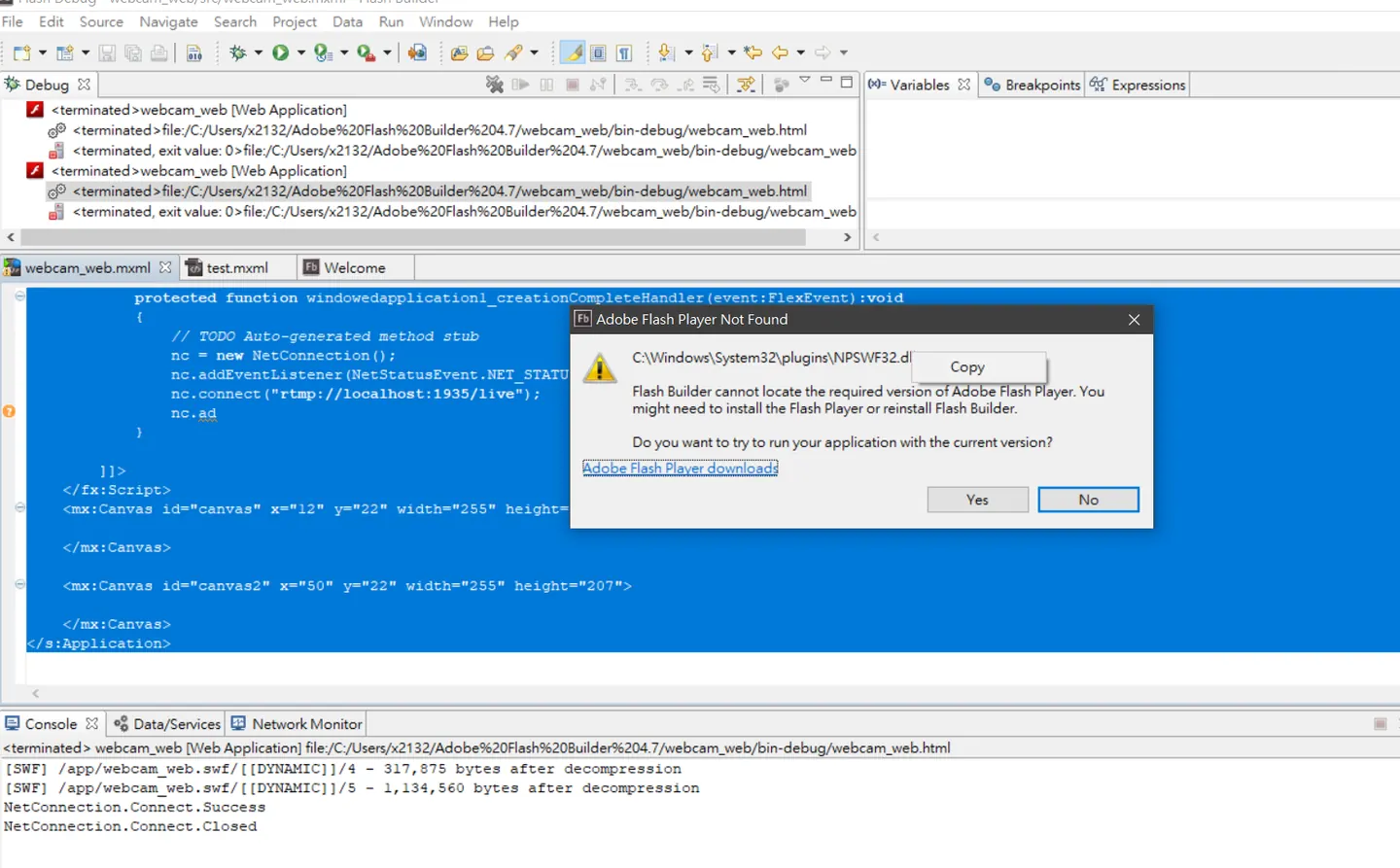
Download the Flash Player content debugger for Opera and Chromium based applications – PPAPI 太舊了,這點下去會開啟ie,在windows10的時候把預設瀏覽器設為chrome,他直接沒反應,裝完的時候,這才是問題的第一步,我們請看下一步
執行
---
能編譯還不算還要伺服器,這邊呢因為考慮到測試,目前用xampp來架設伺服器
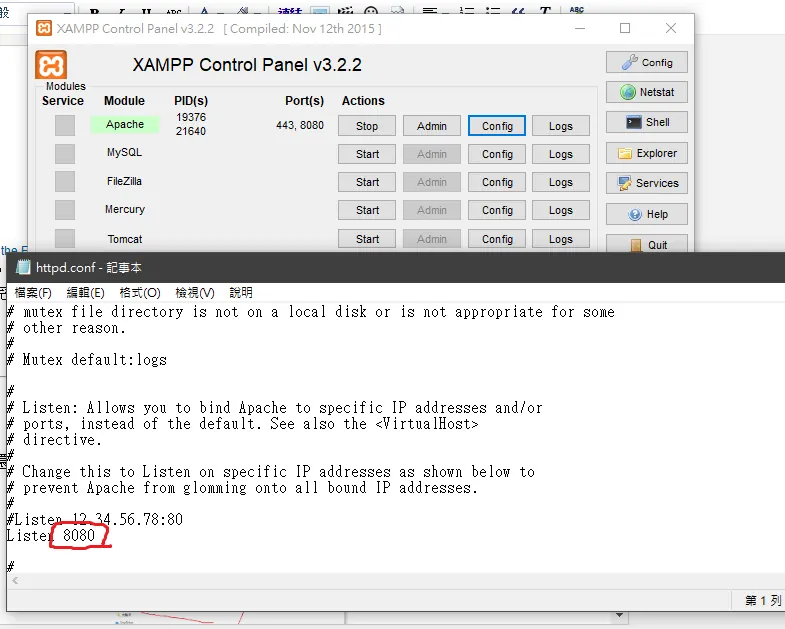 連接埠會跟flash media server 的後台互衝,所以我們的伺服器換個連接埠8080
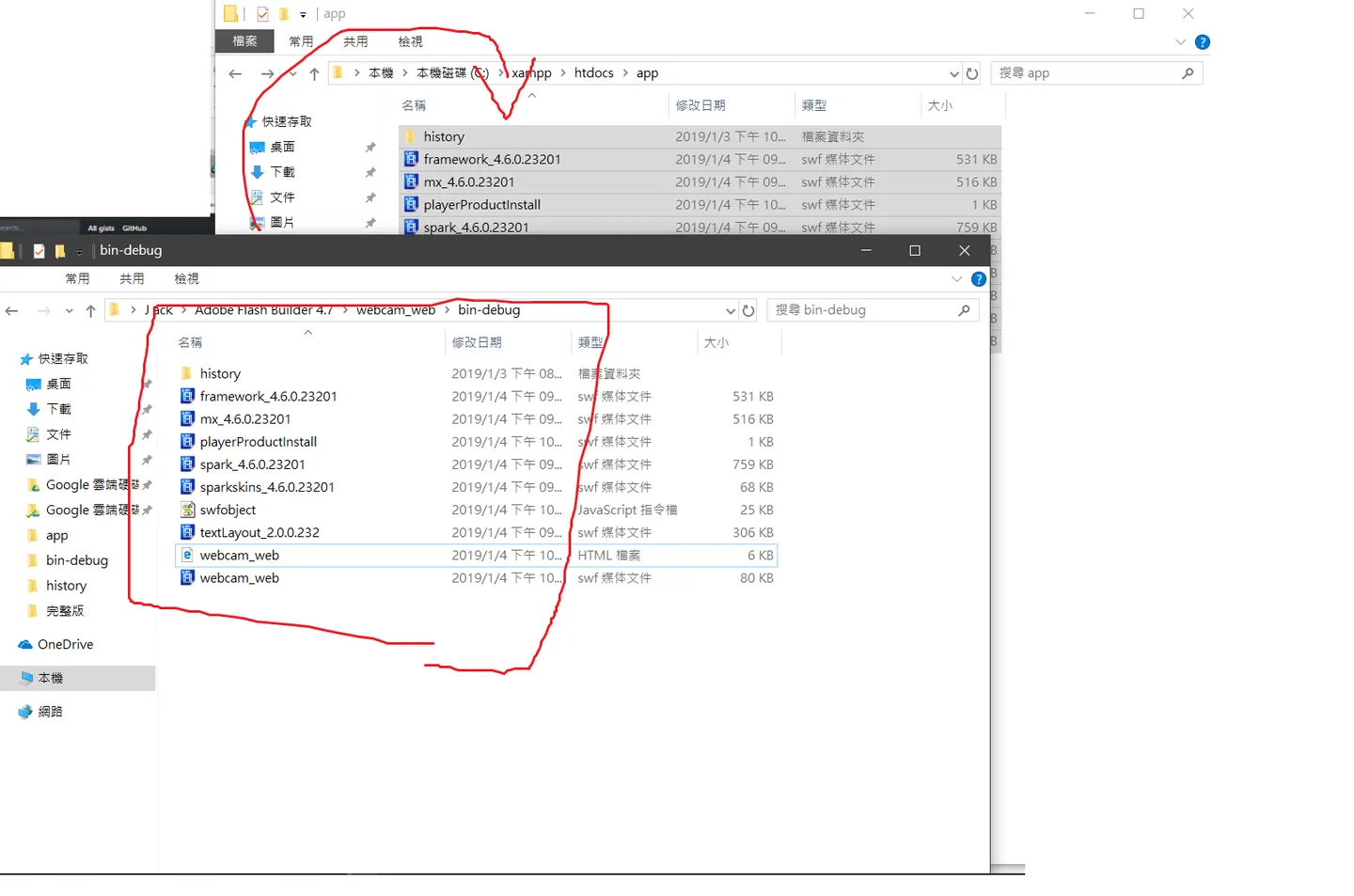 有可能要離線設置或著flash player 權限問題
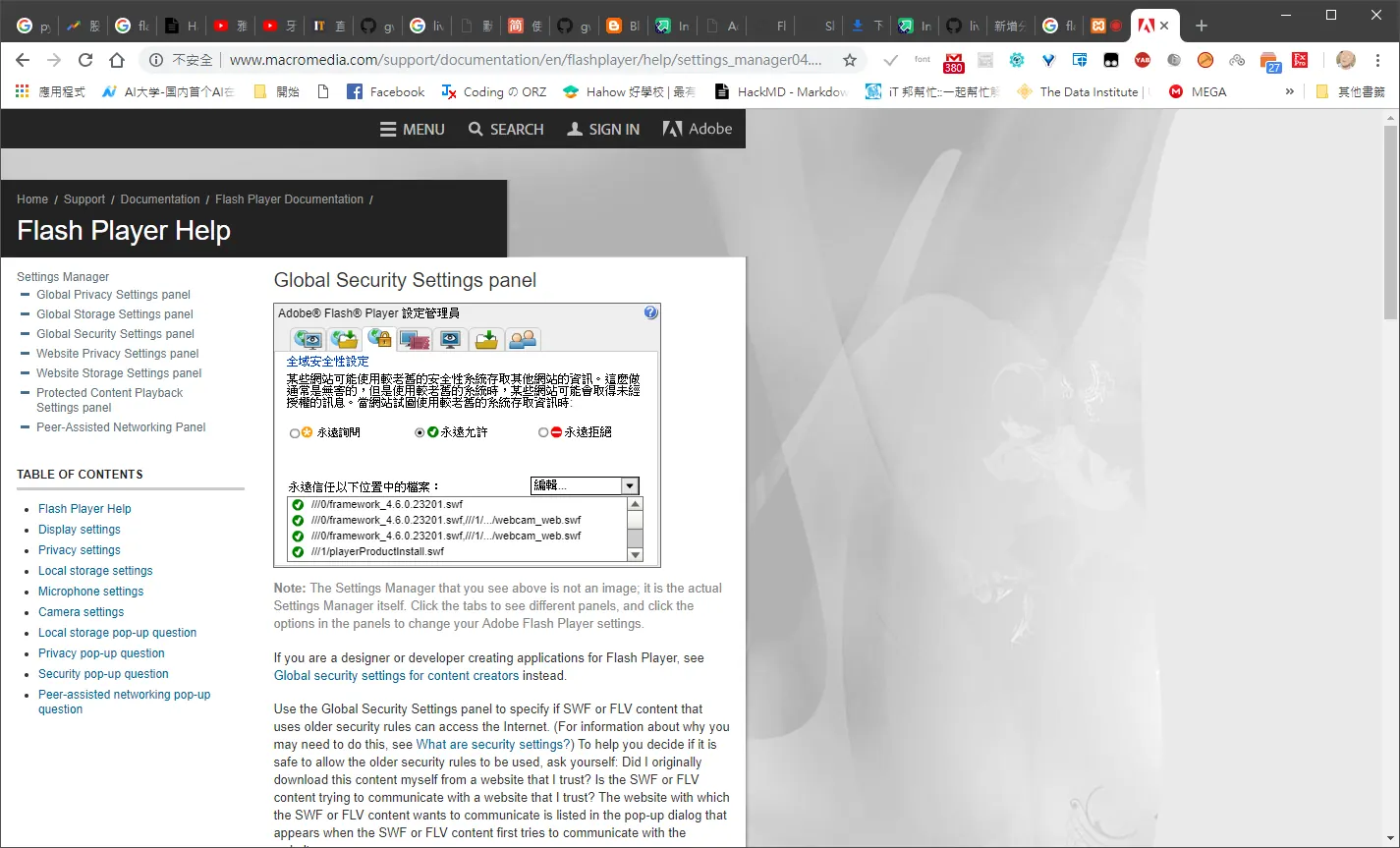
Global Security Settings panel
有可能要來這裡新增一下把網站的swf都加入
執行part2
---
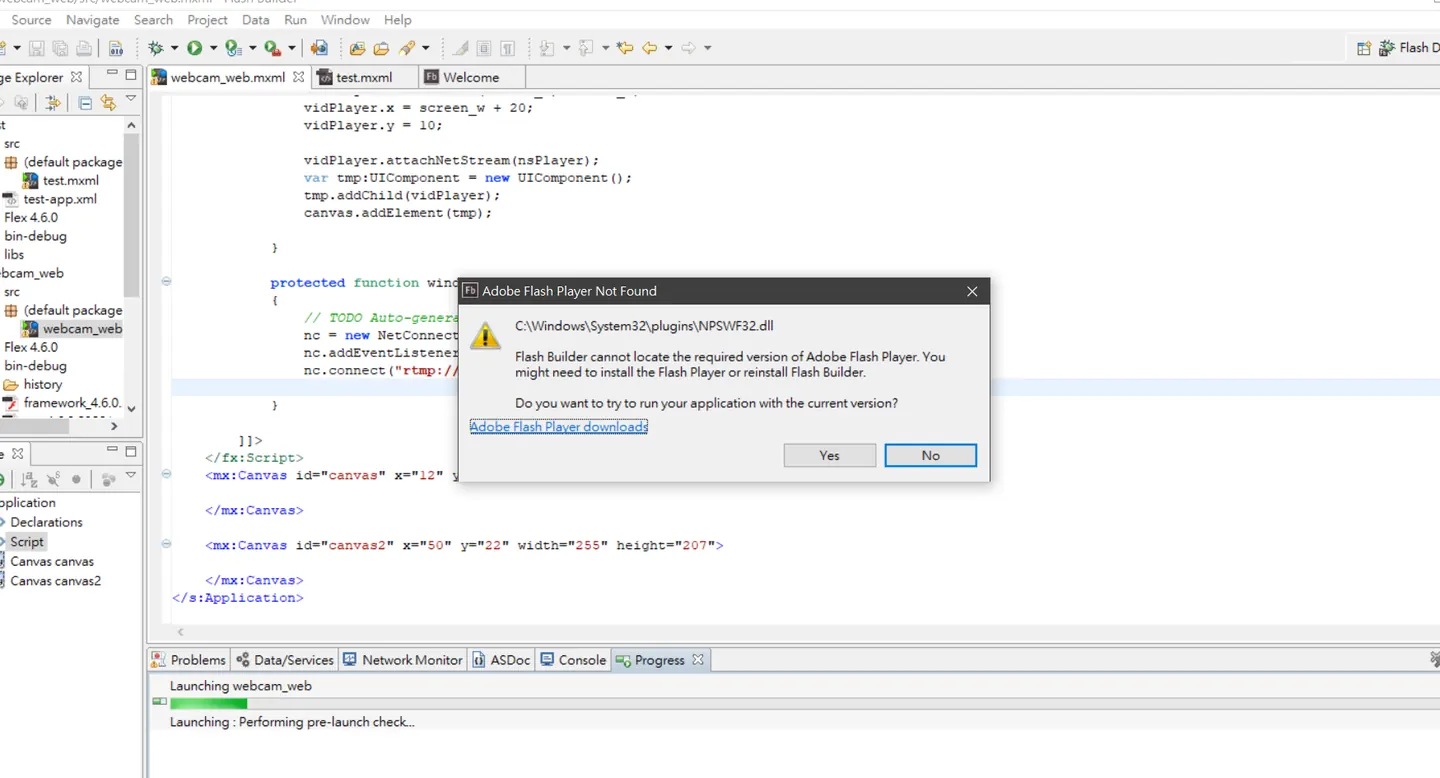
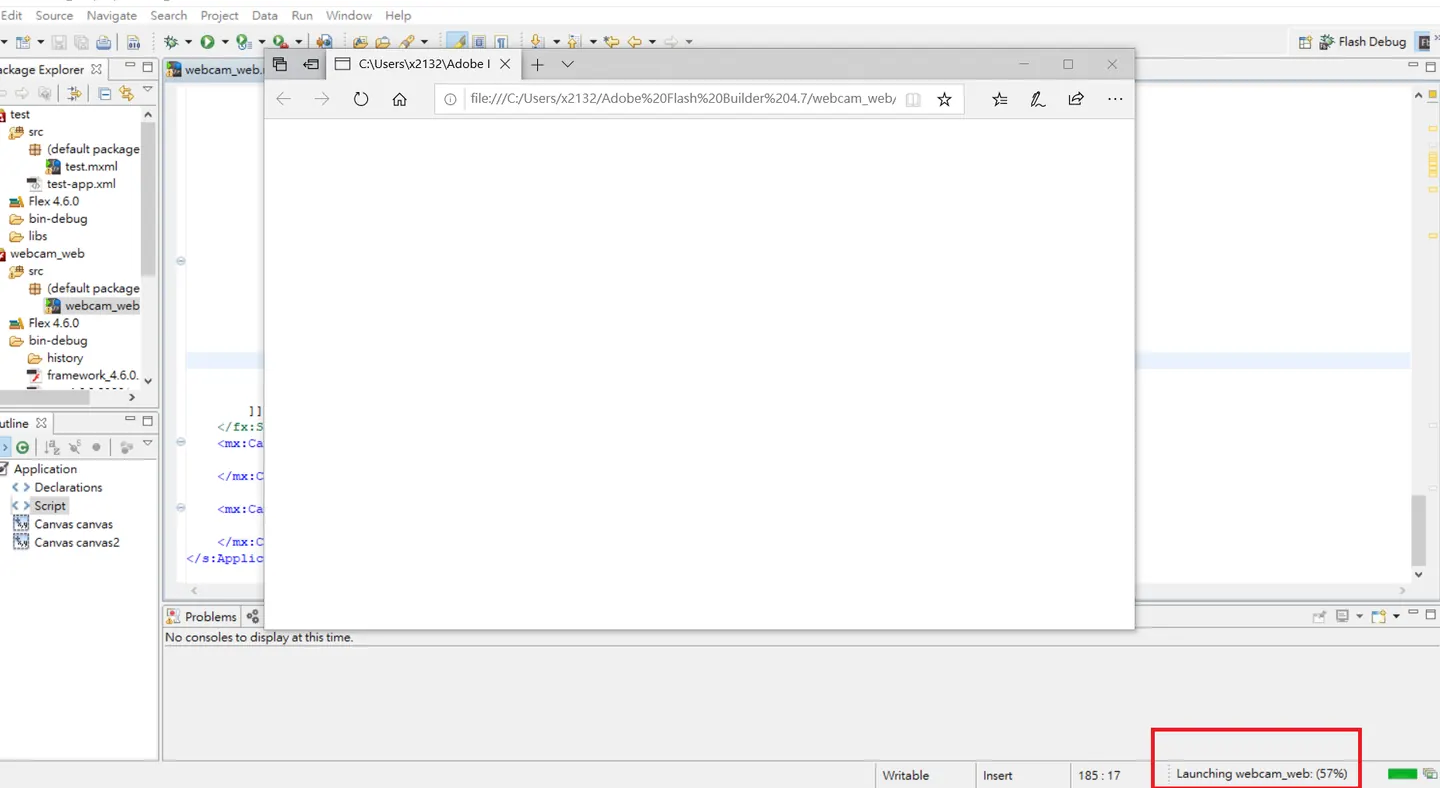 直接執行的話,還是會跳出錯誤訊息,然後跳出一個ie,然後就沒有然後了,這個時候會卡在50%,
可能是windows 預設瀏覽器裡面就有裝adobe不過那裏面沒有debug plugin之類的,所以flash buileder會卡在那邊等deubg工具回應,不過沒關係我們在編譯的那邊已經裝了,chrome的debug工具,所以現在我們貼上網址去chrome瀏覽器
直接執行的話,還是會跳出錯誤訊息,然後跳出一個ie,然後就沒有然後了,這個時候會卡在50%,
可能是windows 預設瀏覽器裡面就有裝adobe不過那裏面沒有debug plugin之類的,所以flash buileder會卡在那邊等deubg工具回應,不過沒關係我們在編譯的那邊已經裝了,chrome的debug工具,所以現在我們貼上網址去chrome瀏覽器
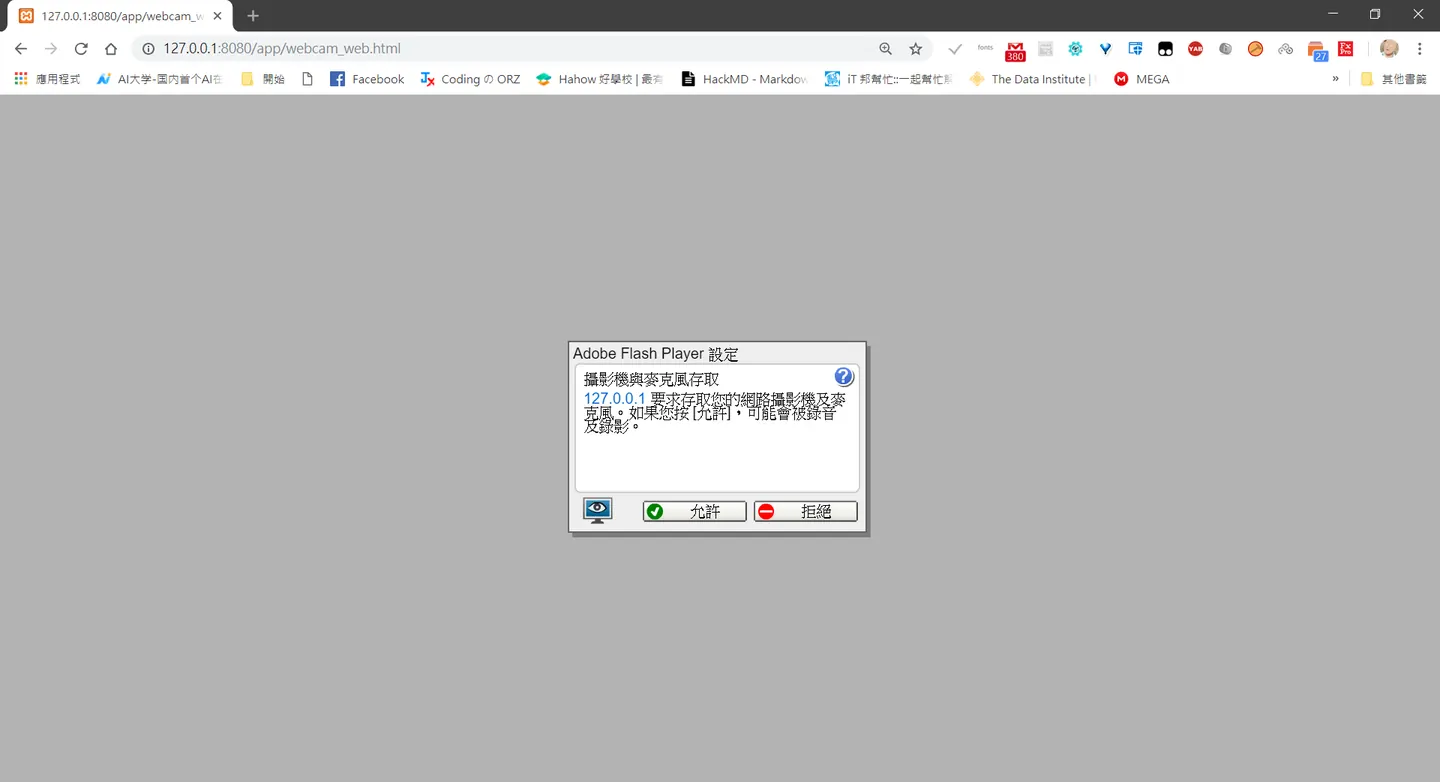
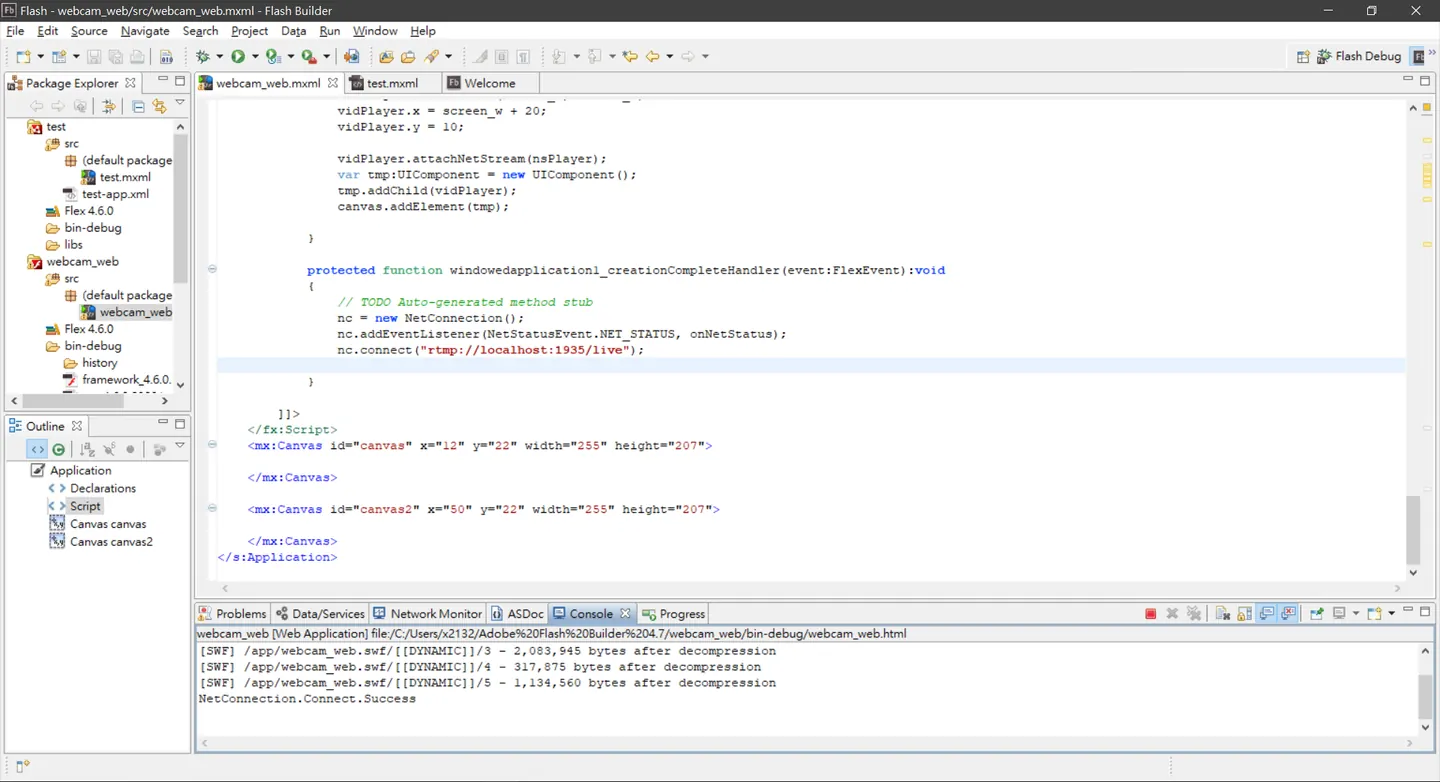 成功可以debug囉
畫面
---
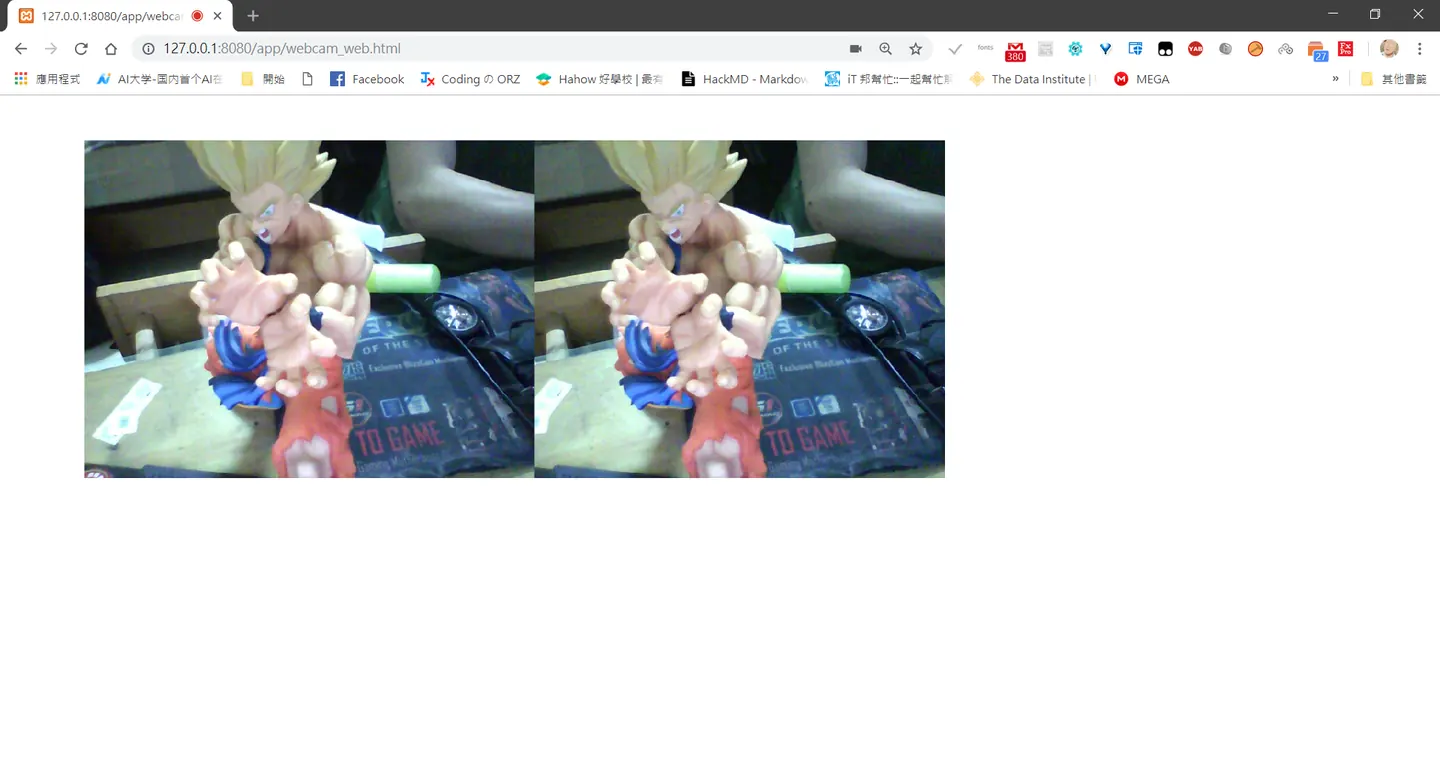
初期架構
---
做個小筆記,初期架構額到時可能每個人都有一個獨立app也就是獨自的rtmp,那麼,架設多人視訊的話,會去讀房間的shareobject假設要撥放的話,假設其他客戶端連線的話也代表它們也有rtmp,初步設定他們的名稱就是,rtmp的網址
那麼我只要在shareobject裡面master一定是第一個放主畫面,自己的url略過這樣的話就算
初步實現多人會議了,痾就這麼簡單,要實作一個直播平台,youtube串流也可以不過協定應該不會使用rtmp,當然在伺服器分流也要做好處理,網速當然是重點,cpu解碼速度不知道有沒有用這可能就要深入探討,下回揭曉沒意外應該會寫sharobject應用到實際
參考 https://www.itread01.com/content/1541966720.html https://wenku.baidu.com/view/b9e159bfc77da26925c5b023.html https://blog.csdn.net/leixiaohua1020/article/details/43936141
Comments